
Author: George Arthur Howard Clarke

  • What Is a Bootloader? Purpose, Examples, and Risks Explained

    What Is a Bootloader? Purpose, Examples, and Risks Explained

    Every time you press the power button on your phone or laptop, a tiny piece of code springs into action before a logo ever appears. That code is the bootloader – the unsung gatekeeper that loads your operating system into memory.

    Bootloader stages in a typical PC: 2 stages (first stage in MBR, second stage loads the operating system) ·
    Most common Linux bootloader: GRUB ·
    MBR bootloader code size limit: 446 bytes ·
    Android bootloader implementation: Little Kernel (LK) based

    Quick snapshot

    1What Is a Bootloader?
    2How a Bootloader Works
    3Types of Bootloaders
    4What to Know Before Unlocking

    Four key facts about bootloaders, each with a concrete data point, illustrate their role and constraints.

    Four key facts about bootloaders, each with a concrete data point.
    Fact Value
    First code executed after firmware Bootloader (or boot manager) runs before any OS Wikipedia – bootloader
    Size limit for MBR code 446 bytes (first-stage bootloader) Wikipedia – MBR
    UEFI vs BIOS bootloader UEFI can directly load OS or bootloader; BIOS must use a dedicated MBR bootloader Pen Test Partners – security blog
    Android bootloader unlock effect Wipes device data, may void warranty, permits custom firmware UnlockUnit Blog – unlocking guide

    What is the purpose of a bootloader?

    A bootloader’s primary job is to load an operating system into memory and hand it control. After firmware (like BIOS or UEFI) initialises hardware, the bootloader takes over, setting up the kernel environment and passing parameters.

    How does a bootloader work?

    • It reads a boot image from a predefined storage location – often the first sector of a disk (MBR) or a dedicated EFI system partition. (Wikipedia – bootloader)
    • Because the MBR only allocates 446 bytes for code, most bootloaders work in stages: a tiny first-stage loader fetches a larger second-stage loader from disk. (Pen Test Partners – security blog)
    • The final stage loads the OS kernel into memory and jumps to its entry point. (TechTarget – security answer)

    What are the stages of booting?

    The boot sequence follows a clear chain: power → firmware (POST) → bootloader → operating system. On a typical PC, the firmware first runs Power-On Self-Test, then reads the bootloader from the boot device. The bootloader then loads the OS kernel, which initialises drivers and services. Each stage hands off control to the next, creating a dependency chain that must complete successfully for the system to start.

    The pattern is clear: bootloaders are the critical glue that translates raw hardware into a running system. Without that small piece of code, even the most powerful hardware remains idle.

    What is the difference between BIOS and bootloader?

    Many people confuse BIOS with a bootloader, but they serve distinct roles. BIOS (Basic Input/Output System) is firmware stored on a motherboard chip that performs hardware initialisation and then looks for a bootloader. The bootloader itself is OS-specific – GRUB for Linux, Windows Boot Manager for Windows – and is stored on the disk.

    Is BIOS a bootloader?

    No. BIOS is not a bootloader. It performs POST, identifies bootable devices, and loads the first 512-byte sector (MBR) into memory, which contains the primary bootloader code. The BIOS then jumps to that code. The bootloader, not the BIOS, is responsible for loading the operating system. (Wikipedia – BIOS)

    How does UEFI differ from legacy BIOS bootloaders?

    UEFI (Unified Extensible Firmware Interface) modernises the BIOS model. It includes its own boot manager and can directly load an OS or a bootloader from an EFI system partition using .efi files. Unlike BIOS, which is limited to the 512-byte MBR, UEFI can read larger bootloaders and supports Secure Boot, which verifies digital signatures before execution. (Wikipedia – UEFI)

    Three differences, one pattern: BIOS is firmware that hands off to a disk-based bootloader; UEFI is firmware that can itself act as a boot manager with signature checks.

    Feature BIOS UEFI
    Role Firmware – initialises hardware and loads MBR Firmware – includes boot manager and supports bootloaders
    Bootloader location MBR (first 512 bytes of disk) EFI system partition (FAT32, larger files)
    Secure boot Not built-in Supports Secure Boot via signed EFI binaries

    The implication: moving from BIOS to UEFI shifts bootloader management into firmware, improving security and flexibility but also locking down devices unless the user intervenes.

    What is a bootloader on Android?

    Android devices use a vendor-specific bootloader (often based on Little Kernel or U-Boot) that is locked by default to prevent unauthorised OS modifications. Unlocking it opens the door to custom ROMs, root access, and system tweaks – but at a cost. For users considering a Samsung device, the Galaxy S22 Plus to Buy in 2025: Price, Trade-In & Reviews guide covers models where bootloader policies affect resale and modding options.

    The trade-off

    Android users who unlock their bootloader trade manufacturer security guarantees for the freedom to install custom firmware. Every device sold with an unlocked bootloader shows a warning icon during boot – a signal that the secure chain has been broken. (How-To Geek – security risks explained)

    Which bootloader is used in Android?

    The most common implementations are Little Kernel (LK) used by Qualcomm-based devices, U-Boot used in some MediaTek platforms, and vendor-customised variants. The Android Open Source Project (AOSP) provides a reference bootloader, but each manufacturer modifies it heavily. (AOSP – bootloader documentation)

    How to unlock the bootloader on an HTC device

    The process varies by brand, but HTC follows a common pattern:

    1. Enable OEM Unlock and USB Debugging in Developer Options. (UnlockUnit Blog – unlocking guide)
    2. Boot the device into bootloader mode (usually power + volume down).
    3. Use the command fastboot oem unlock or get an unlock token from HTC’s website. (Wikipedia – bootloader unlocking)
    4. Confirm the unlock on the device screen – data will be wiped immediately.
    5. After reboot, you can flash a custom recovery like TWRP and then install a custom ROM.

    The catch: HTC stopped providing official unlock tokens for some older models, so third‑party workarounds exist but carry their own risks. (UnlockUnit Blog – unlocking guide)

    What happens if I reboot my phone to bootloader?

    Rebooting into bootloader mode (sometimes called fastboot mode) does not load Android. Instead you see a menu (often with an unlocked padlock icon if the bootloader is unlocked) where you can issue fastboot commands, flash partitions, or select a recovery image. It is a low‑level interface meant for developers – normal users should stay out unless they know what they’re doing.

    What are the risks of bootloader?

    Unlocking a bootloader, especially on Android, permanently alters the device’s security posture. Here are the key downsides and the few upsides.

    Upsides

    • Install custom ROMs (e.g., LineageOS) for extended software support (UnlockUnit Blog – unlocking guide)
    • Gain root access for advanced tweaks and backup options (TechTarget – security answer)
    • Remove carrier bloatware permanently

    Downsides

    • Full data wipe upon unlocking (UnlockUnit Blog – unlocking guide)
    • Warranty voided by most OEMs (e.g., Samsung trips Knox counter) (Wikipedia – bootloader unlocking)
    • Banking apps and DRM content may refuse to run (UnlockUnit Blog – unlocking guide)
    • Security updates no longer guaranteed; custom ROMs may introduce bugs or battery drain

    Safety precautions before unlocking bootloader

    • Back up all data – unlocking triggers a factory reset.
    • Check manufacturer policy: Google Pixel devices allow unlocking with few restrictions, while Samsung removes the OEM Unlock option on newer One UI 8.0+ firmware. (Wikipedia – bootloader unlocking)
    • Understand that once unlocked, verified boot is disabled – unsigned code can run at the hardware level. (Pen Test Partners – security blog)

    Can unlocking void warranty?

    Yes. Most manufacturers treat bootloader unlock as a violation of warranty terms. Samsung’s Knox counter (0x1) permanently indicates the device has been tampered with, even if relocked. Some regions offer limited consumer protections, but the default stance from HTC, Samsung, Motorola, and others is that unlocking voids the warranty. (UnlockUnit Blog – unlocking guide)

    Why this matters: the decision to unlock locks out manufacturer support entirely. For users who rely on their phone as a daily driver, the trade‑off between freedom and safety net is stark.

    What is a bootloader example?

    Bootloaders come in many flavours depending on the platform. Here are the most notable examples.

    Examples of bootloaders in embedded systems

    • U‑Boot – the universal bootloader for ARM, MIPS, and PowerPC devices, widely used in routers and IoT hardware. (Wikipedia – U‑Boot)
    • Barebox – a versatile bootloader for embedded Linux systems, emphasising modularity. (Barebox project)
    • Little Kernel (LK) – the foundation for Android bootloaders on Qualcomm chipsets. (AOSP – bootloader documentation)

    Bootloaders in Linux (GRUB, LILO)

    • GRUB (Grand Unified Bootloader) – the most common Linux bootloader, supporting multi‑boot, chain‑loading, and a command‑line interface. (Wikipedia – GRUB)
    • LILO (Linux Loader) – an older bootloader that required re‑running after kernel changes. Now largely replaced by GRUB. (Wikipedia – LILO)

    Bootloaders in Windows (Windows Boot Manager)

    Windows uses the Windows Boot Manager (bootmgr) for BIOS systems and bootmgfw.efi for UEFI. It reads the Boot Configuration Database (BCD) to present a menu of installed operating systems and then loads the Windows kernel. (Wikipedia – Windows Boot Manager)

    The takeaway: every OS has a dedicated bootloader, and each one balances simplicity against flexibility. PC bootloaders emphasise multi‑boot, while embedded bootloaders prioritise reliability in constrained environments. For Apple devices, the bootloader is part of the Secure Boot chain; see the iPhone 13 Mini to Buy: Best Refurbished Deals in Ireland guide for context on hardware that relies on these mechanisms.

    Confirmed facts and what remains unclear

    Confirmed facts

    • Bootloaders are required for booting an operating system on every consumer computing device. (Wikipedia – bootloader)
    • GRUB is the predominant bootloader for Linux systems. (Wikipedia – GRUB)
    • Unlocking an Android bootloader wipes all user data. (UnlockUnit Blog – unlocking guide)

    What’s unclear

    • Whether unlocking always voids warranty – varies by manufacturer and regional consumer laws.
    • Exact bootloader implementation in every Android device – vendors use proprietary modifications not publicly documented.

    A bootloader is a vendor-proprietary image responsible for bringing up the kernel on a device.

    Android Open Source Project – bootloader documentation

    A bootloader is a computer program that is responsible for booting a computer.

    Wikipedia – bootloader

    Bootloaders ensure that all relevant operating system data is loaded into the main memory when a device is started.

    Google search snippet (definition)

    For anyone considering bootloader modification, the choice is clear: you gain full control over your device but lose manufacturer guarantees and potentially security patches. For the average user, leaving the bootloader locked remains the safer path.

    Frequently asked questions

    What is a bootloader in a microcontroller?

    In microcontrollers (e.g., Arduino, STM32), a bootloader is a small program stored in ROM or flash that loads user firmware from an external interface (USB, UART) into memory, enabling firmware updates without a dedicated programmer.

    What is a bootloader in Windows?

    The Windows bootloader is called the Windows Boot Manager (bootmgr). It reads the Boot Configuration Database (BCD) to display a list of installed operating systems and then loads the Windows kernel. On UEFI systems, the file is bootmgfw.efi.

    Does every computer need a bootloader?

    Yes. Every computer that runs an operating system requires a bootloader. It is the first piece of code that runs after firmware initialisation and is responsible for loading the OS into memory. Without one, the CPU would have no way to start the kernel.

    Can a bootloader cause boot failure?

    Yes. A corrupted bootloader (e.g., due to an interrupted update) can prevent the system from booting. Symptoms include black screens, infinite loops, or messages like “No bootable device”. Recovery typically requires reinstalling the bootloader from a rescue medium or using hardware tools.

    Why do Android bootloaders need to be unlocked for custom ROMs?

    Android devices enforce verified boot by default – the bootloader checks that the OS is signed with the manufacturer’s cryptographic key. Unlocking disables this check, allowing unsigned code (like custom ROMs) to run. However, unlocking wipes data and may void warranty.

    Is the bootloader stored in ROM or flash memory?

    On PCs, the bootloader is stored on disk (MBR or EFI system partition). On embedded devices, it may reside in on‑chip ROM (first stage) or in external flash (second stage). Android devices store the bootloader in a dedicated partition (e.g., /boot or /aboot) on the flash memory.



  • Galaxy S22 Plus to Buy in 2025: Price, Trade-In & Reviews

    Galaxy S22 Plus to Buy in 2025: Price, Trade-In & Reviews

    Few phones still spark debate the way the Galaxy S22 Plus does three years after launch. This buying guide compares trade-in values, refurbished prices, carrier deals, and long-term support to help you decide if a Galaxy S22 Plus is worth your money in 2025.

    Release year: 2022 ·
    Display size: 6.6 inch Dynamic AMOLED 2X ·
    Processor: Snapdragon 8 Gen 1 (or Exynos 2200) ·
    Main camera: 50 MP ·
    Battery capacity: 4500 mAh

    Quick snapshot

    1Current Value
    2Performance
    3Camera
    4Software

    The Galaxy S22 Plus ships with these core specifications.

    Specification Value
    Release date February 2022 (Wikipedia (general reference))
    Processor Snapdragon 8 Gen 1 / Exynos 2200 (Wikipedia (general reference))
    RAM 8 GB
    Storage options 128 GB / 256 GB
    Display 6.6 inch 120Hz AMOLED (Android Central (tech publication))
    Battery 4500 mAh
    Main camera 50 MP f/1.8 (Android Central (tech publication))
    Weight 196 g

    How much is the S22+ worth?

    The Galaxy S22 Plus has dropped roughly 80% from its original $999 launch price, making refurbished units a budget flagship candidate if you can accept losing two years of OS updates.

    Current resale value

    • Certified refurbished units start around $200+ in 2025, down from the original $999 retail price (UpTrade (trade-in comparison platform)).
    • Refurbished pricing represents roughly an 80% discount from the original MSRP (UpTrade (trade-in comparison platform)).
    • A new Galaxy S22 Plus 128GB originally listed at $999.99 (Android Central (tech publication)).

    Trade-in offers from carriers and retailers

    • Best Buy offers the Galaxy S22 Plus 128GB at $249.99 with eligible carrier activation, and up to $750 off when adding a new line with Verizon or AT&T (Android Central (tech publication)).
    • Upgrade customers on existing lines can still get $650 off at Best Buy (Android Central (tech publication)).
    • On the refurbished market, the 128GB model goes for $177.00 and the 256GB for $239.95 as of March 2026, offering up to 70% savings vs. new (Back Market (certified refurbished marketplace)).
    The catch

    Trade-in values swing daily depending on carrier promotions and device condition. The best deal right now may not be the best next week—so locking in a carrier offer quickly can save an extra $200.

    The pattern: refurbished prices have cratered, making the S22 Plus a serious budget flagship candidate—but only if you’re comfortable losing the first two years of OS updates.

    Is the Samsung S22 Plus a good phone in 2025?

    Performance and software updates

    • The Snapdragon 8 Gen 1 (or Exynos 2200) still handles everyday tasks and gaming without lag, but battery life has degraded slightly with age (UpTrade (trade-in comparison platform)).
    • Samsung promised 4 years of OS updates and 5 years of security updates, meaning the S22 Plus will receive Android 16 and security patches through early 2027 (Samsung (official specifications)).

    Camera quality in 2025 context

    • The 50MP main sensor with Nightography still rivals many mid-range phones from 2025, though computational photography on newer flagships has pulled ahead (Android Central (tech publication)).
    Why this matters

    For a buyer spending under $300, the S22 Plus camera outperforms every new phone in that price band. The trade-off: you lose the latest AI photo editing features.

    The implication: If camera performance is your top priority and you’re on a tight budget, the S22 Plus beats any current $250–$300 Android phone.

    Which is better, S22 or S22 Plus?

    Display and size differences

    Three key differences, one pattern: the Plus model trades a slightly larger screen and bigger battery for a higher price.

    Feature Galaxy S22 Galaxy S22 Plus
    Display size 6.1 inch AMOLED 6.6 inch AMOLED
    Battery capacity 3700 mAh 4500 mAh
    Weight 168 g 196 g

    Battery life comparison

    • The S22 Plus offers roughly 1.5 hours more screen-on time than the standard S22 due to its larger 4500 mAh cell (Android Central (tech publication)).

    Price difference

    The trade-off: the extra screen size and battery make the Plus a better media-and-gaming device, but the standard S22 is enough for most daily drivers.

    Where to buy a Galaxy S22 Plus?

    New vs refurbished options

    Amazon and carrier availability

    • Amazon.co.uk (online marketplace) lists both new (when available) and refurbished S22 Plus models, often with customer reviews to help assess condition.
    • Carrier deals: Best Buy offers carrier-locked discounts for Verizon and AT&T as noted above (Android Central (tech publication)).

    The catch: new units carry a full manufacturer warranty, but you’ll pay 2–3× more than for a “good” condition refurbished unit. For budget buyers, refurbished is the smarter path.

    How old is the Samsung S22+ and will it stop working?

    Release date and age

    • The Galaxy S22 Plus launched in February 2022, making it roughly three years old in 2025 (Wikipedia (general reference)).

    Samsung security update policy

    • Samsung committed to 4 years of OS upgrades and 5 years of security patches for the S22 series (Samsung (official specifications)).
    • Security updates will likely end in early 2027, while OS updates (up to Android 16) wrap up in early 2026.

    Models potentially affected in 2026

    • Samsung has not officially detailed exactly which devices will stop working in 2026. Older models like the Galaxy S20 series (2019) are already past their security update window, but the S22 Plus should remain fully supported until at least early 2026 (Samsung official update policy).

    What this means: buying a refurbished S22 Plus today gives you roughly one more year of major OS updates and almost two years of security patches—enough time for a budget smartphone.

    Upsides

    • Flagship-level camera at a budget price
    • 120Hz AMOLED display still competitive
    • Fast performance for everyday tasks
    • Still receives security updates through early 2027

    Downsides

    • Battery life degraded from original
    • No major OS updates after 2026
    • Missing newer features like Galaxy AI
    • Refurbished units may have cosmetic wear

    What we know for sure vs what’s still unclear

    Confirmed facts

    • Galaxy S22+ launched February 2022 (Wikipedia (general reference))
    • Samsung promised 4 years of OS updates and 5 years of security updates (Samsung (official specifications))

    What’s unclear

    • Exact trade-in value varies daily per carrier (Android Central (tech publication))
    • Which specific Samsung models will stop working in 2026 is not officially confirmed in detail

    “We guarantee 4 generations of OS upgrades and 5 years of security updates for the Galaxy S22 series.”

    Samsung (official specifications)
    For a detailed comparison, check out the Airpods Pro 3 vertailu 2026.

    “Certified refurbished Galaxy S22 Plus models start around $200—an 80% discount from the original $999 price.”

    UpTrade (trade-in comparison platform)

    For the budget-conscious buyer in 2025, the Galaxy S22 Plus offers a rare blend of flagship camera performance, a smooth 120Hz display, and solid build quality at roughly one-fifth of its launch price. The trade-off is clear: you lose the newest AI features and the final year of major OS updates. For shoppers willing to accept that, the S22 Plus is arguably the best value in the refurbished flagship market right now. For everyone else, the choice is between a $250 S22 Plus and a $400 current mid-ranger—and the S22 Plus still wins on camera, display, and premium feel.

    Additional sources

    uptradeit.com, plug.tech, youtube.com

    For those specifically looking in Ireland, the best deals in Ireland provide a comprehensive overview of current pricing and availability.

    Frequently asked questions

    What is the screen size of the Galaxy S22 Plus?

    The Galaxy S22 Plus has a 6.6 inch Dynamic AMOLED 2X display with 120Hz refresh rate (Wikipedia (general reference)).

    Does the Galaxy S22 Plus have a headphone jack?

    No, the Galaxy S22 Plus does not include a 3.5mm headphone jack. It supports USB-C audio and wireless Bluetooth earphones.

    Is the Galaxy S22 Plus waterproof?

    Yes, it has an IP68 rating, meaning it can withstand submersion in up to 1.5 meters of water for 30 minutes (Wikipedia (general reference)).

    How long does the battery last on the S22 Plus?

    The 4500 mAh battery typically delivers a full day of moderate use, though heavy gaming or video streaming may require a midday top-up.

    Can the Galaxy S22 Plus record 8K video?

    Yes, the main 50MP camera can record 8K video at 24 fps (Android Central (tech publication)).

    Does the S22 Plus support wireless charging?

    Yes, it supports 15W fast wireless charging and also has reverse wireless charging for accessories (Samsung (official specifications)).

    What colors is the Galaxy S22 Plus available in?

    The Galaxy S22 Plus is available in Phantom Black, Phantom White, Green, Pink Gold, Graphite, and Sky Blue (UpTrade (trade-in comparison platform)).


  • Bus to Shannon Airport: Routes, Fares, and Timetables

    Bus to Shannon Airport: Routes, Fares, and Timetables

    If you’re planning a trip through Shannon Airport and wondering whether public transport is a realistic option, the short answer is yes — and it’s simpler than you might think. Three direct bus routes (343, 51, and X51) connect the airport with Limerick and Galway, with the 343 running roughly every 30 minutes during peak times.

    Bus routes to Shannon Airport: 3 direct (343, 51, X51) · Route 343 frequency: Every 30-60 minutes · Route 101 serves Shannon Airport: No · Route 343 24-hour service: No · Average taxi fare Limerick to Shannon: €35-€50

    Quick snapshot

    1Confirmed facts
    2What’s unclear
    3Timeline signal
    • 2024: NTA and Bus Éireann announce enhanced routes, including more frequent 343 service (Bus Éireann official)
    • 2023: Route 343 restored to pre-pandemic frequency levels (Bus Éireann official)
    4What’s next
    • Further frequency increases possible as Shannon Airport passenger numbers grow (Shannon Airport official)
    • Check timetables before travel — schedules change seasonally (Bus Éireann Route 343 page)
    The upshot

    Shannon Airport has solid bus connections on the Limerick corridor, but the lack of 24-hour service means late-night arrivals still rely on taxis — a clear trade-off for budget travelers.

    Key facts at a glance

    Main bus operator Bus Éireann / Expressway
    Routes serving Shannon Airport 343 (Limerick), 51 (Galway-Limerick), X51 (Galway-Limerick express)
    Average journey time from Limerick 40 minutes
    Average journey time from Galway 80 minutes
    Route 343 frequency Every 30-60 min, 7 days a week
    24-hour bus service available No — last buses around 11 PM

    The table shows a clear pattern: Route 343 is the most frequent option, but none of the routes run overnight, which is the critical limitation for late travelers.

    Why this matters

    If you’re catching a red-eye or arriving after 11 PM, the bus won’t help — budget for a taxi or pre-book a transfer.

    Is there a bus to Shannon Airport?

    Yes — and with three distinct routes covering both the Limerick and Galway corridors, the airport is well connected by public transport. The main operator is Bus Éireann (Ireland’s national bus service), which runs the highest-frequency direct services to Shannon Airport.

    Which bus routes serve Shannon Airport?

    • Route 343: Limerick (Colbert Station) → Bunratty → Shannon Airport → Ennis. 31 stops, journey time about 40 minutes from Limerick. Operates every 30–60 minutes daily (Bus Éireann Route 343 page).
    • Route 51: Galway → Shannon Airport → Limerick. Longer corridor, typically every 1–2 hours (Bus Éireann Expressway, intercity coach service).
    • Route X51: Express version of Route 51 with fewer stops, also serving the airport (Bus Éireann Expressway).

    What is the main bus operator?

    Bus Éireann (Ireland’s national bus operator) runs both the local Route 343 and the Expressway services. They state they “run the highest frequency direct services to & from Shannon Airport.” Tickets can be bought on board, online, or via the Bus Éireann app.

    Bottom line: Shannon Airport is served by three Bus Éireann routes, with Route 343 providing the most frequent connection from Limerick — travelers from Limerick should use 343, while those from Galway should choose 51 or X51.

    How much is the 343 bus from Limerick to Shannon Airport?

    The fare depends on whether you pay with cash, a Leap Card, or a prepaid ticket.

    What is the exact fare for route 343?

    • Adult single: approximately €5–€8. Rome2Rio (travel fare aggregator) lists starting fares around €11, but official Bus Éireann pricing for the 343 short hop is lower — expect about €6–€7 for a cash single between Limerick and Shannon Airport.
    • Return ticket: roughly €10–€14 depending on exact stops.
    • Leap Card: discounted fares; a single tap typically costs €2–€3 less than cash (Bus Éireann Leap Card info).

    Are there return or student discounts?

    Yes — Bus Éireann (student discount programme) offers up to 50% off with a valid Student Leap Card. Weekend returns and family tickets are also available on some services. For Expressway routes (51/X51), advance online booking can reduce the fare significantly (Bus Éireann Expressway).

    Bottom line: From Limerick, the 343 bus costs roughly €5–€8 one-way — cheapest with a Leap Card. Expressway fares from Galway range €10–€15 and drop with advance booking. The implication: budget travelers from Limerick save the most by using 343 with a Leap Card.

    How often is the 343 bus from Limerick to Shannon Airport?

    Frequency varies by day and time, but it’s consistent enough to rely on.

    What is the frequency during peak hours?

    What about evenings and weekends?

    First departure from Limerick Colbert Station is 05:00, with the last bus leaving around 23:00 (BusTimes.org, crowd-sourced bus schedule aggregator). Route 343 is not a 24-hour service, despite some third-party listings suggesting otherwise — official Bus Éireann and Airport sources confirm no overnight operation.

    Bottom line: During weekdays, you won’t wait more than half an hour for a 343. Evenings drop to hourly, and the last bus leaves around 11 PM — so late-night travel forces a taxi choice.

    Is there a bus from Limerick train station to Shannon Airport?

    Yes — and it’s a short walk to the stop.

    Which bus stop is nearest to Limerick train station?

    Route 343 departs from Limerick Bus Station (Parnell Street), which is approximately a 5-minute walk from Colbert Railway Station. The same stop is used for Expressway services (Bus Éireann Route 343 page).

    How long is the journey?

    The direct bus journey from Limerick to Shannon Airport takes about 40 minutes — roughly the same as a taxi for a fraction of the price (Shannon Airport official bus page). The 53-minute figure from third-party apps (Moovit) includes all stops.

    Bottom line: From Limerick train station, walk 5 minutes to the bus station, then a 40-minute direct ride to the airport terminal — a smooth transfer for rail travelers.

    Does the 101 bus go to Shannon Airport?

    No — this is a common confusion that needs clearing up.

    What route does the 101 bus serve?

    Route 101 runs from Dublin to Drogheda via Dublin Airport — it has nothing to do with Shannon Airport (Bus Éireann Route 101 timetable).

    How is it different from route 343?

    Route 343 is the dedicated Limerick–Shannon corridor, while Route 101 operates on the eastern seaboard. The only overlap is that both are operated by Bus Éireann, but their stops, direction, and purpose are completely separate. If you’re looking for Shannon Airport, always look for routes 343, 51, or X51 (Shannon Airport official bus page).

    Bottom line: Route 101 goes to Dublin Airport, not Shannon. Don’t book it by mistake — use 343, 51, or X51 for Shannon. The catch: a wrong booking puts you on the wrong side of the country.

    Specifications comparison: Shannon Airport bus routes

    Six key dimensions, one pattern: Route 343 is the local workhorse, while the Expressway routes offer faster long-distance links.

    Attribute Route 343 Route 51 Route X51
    Operator Bus Éireann Bus Éireann Expressway Bus Éireann Expressway
    Peak frequency 20–30 min 60–90 min 60–120 min
    Off-peak frequency 30–60 min 90–120 min 90–120 min
    Fare adult single €5–€8 €10–€15 €10–€15
    Journey time (Limerick to Airport) 40 min — —
    Journey time (Galway to Airport) — 90 min 75 min
    Last departure ~23:00 ~21:00 ~21:00
    24-hour service No No No

    The pattern is clear: none of the three routes operate overnight, so every passenger faces the same timing constraint regardless of which route they choose.

    Bottom line: Route 343 is the best bet for Limerick travelers — frequent and affordable. For Galway, the X51 saves 15 minutes over the standard 51. The catch: all routes stop running by 11 PM.

    Bus vs taxi: pros and cons

    Upsides of the bus

    • Fares as low as €5 one-way from Limerick — far cheaper than a €35–€50 taxi
    • Direct to terminal drop-off at Shannon Airport (Shannon Airport official)
    • Frequent departures during peak hours (every 20 min)
    • Leap Card and student discounts available

    Downsides of the bus

    • No 24-hour service — late arrivals must taxi
    • Takes 40 minutes vs 25–30 minutes by taxi
    • Limited luggage space for very large suitcases
    • Evening and Sunday frequencies drop to hourly (Moovit)

    Clarity: what we know and what’s uncertain

    Confirmed facts

    • Bus Éireann runs route 343 directly to Shannon Airport.
    • Expressway routes 51 and X51 stop at Shannon Airport.
    • Route 101 does not serve Shannon Airport.
    • No 24-hour bus service to Shannon Airport.

    What’s unclear

    • Exact fare for long-distance Expressway journeys may vary by time and advance booking.
    • Future schedule changes pending NTA announcements.

    Quotes from the operators

    “We run the highest frequency direct services to & from Shannon Airport.”

    — Bus Éireann, Ireland’s national bus operator

    “Shannon Airport is served by direct bus services from Limerick, Cork, and Galway.”

    — Shannon Airport, official airport authority

    Summary

    Shannon Airport’s bus network is reliable and affordable for most travelers, but it’s not a 24-hour operation. Route 343 covers the Limerick corridor with frequent daytime departures, while Expressway routes 51 and X51 link Galway. The key trade-off: you save €25–€40 compared to a taxi, but you lose flexibility after 11 PM and on Sundays. For travelers from Limerick, the choice is clear: the bus offers a reliable, cost-effective option if your flight timing aligns with the 343 schedule. For those coming from Galway, the Expressway X51 is a comfortable alternative. Either way, Shannon Airport’s bus connections make car-free travel entirely feasible — but passengers arriving late must plan for a taxi as their only option.

    Additional sources

    buseireann.ie

    For those driving to the terminal, comparing Shannon Airport car parking options can help you decide whether to take the bus or park on-site.

    Frequently asked questions

    How do I pay for a bus to Shannon Airport?

    You can pay with cash (exact change preferred) on board, use a Leap Card for discounted fares, or purchase a ticket via the Bus Éireann app or website in advance.

    Can I use a Leap Card on Bus Éireann routes to Shannon?

    Yes — Leap Cards are accepted on all Bus Éireann services, including Route 343 and Expressway routes, giving you a discount of up to 30% compared to cash fares.

    Where does the bus stop at Shannon Airport?

    Buses drop off and pick up directly outside the main terminal building. Expressway services also stop at the same location.

    Is there a bus from Cork to Shannon Airport?

    No direct bus from Cork to Shannon Airport. You can take an Expressway route to Limerick or Cork city and transfer. Alternatively, a taxi or car hire is more practical.

    How early should I arrive at the bus stop for Shannon Airport?

    Bus Éireann recommends arriving at least 5–10 minutes before the scheduled departure. For airport check-in, allow at least 3 hours before your flight (per the airport advice).

    Do buses run on Christmas Day to Shannon Airport?

    No — Bus Éireann operates a limited or no service on Christmas Day. Check the holiday timetable in advance or arrange alternative transport.

    Is the bus from Limerick to Shannon accessible for wheelchairs?

    Yes — all Bus Éireann buses are wheelchair accessible with low-floor boarding and designated spaces.

    Related reading


  • Convert kg to stone and pounds | Weight conversion guide

    Convert kg to stone and pounds | Weight conversion guide

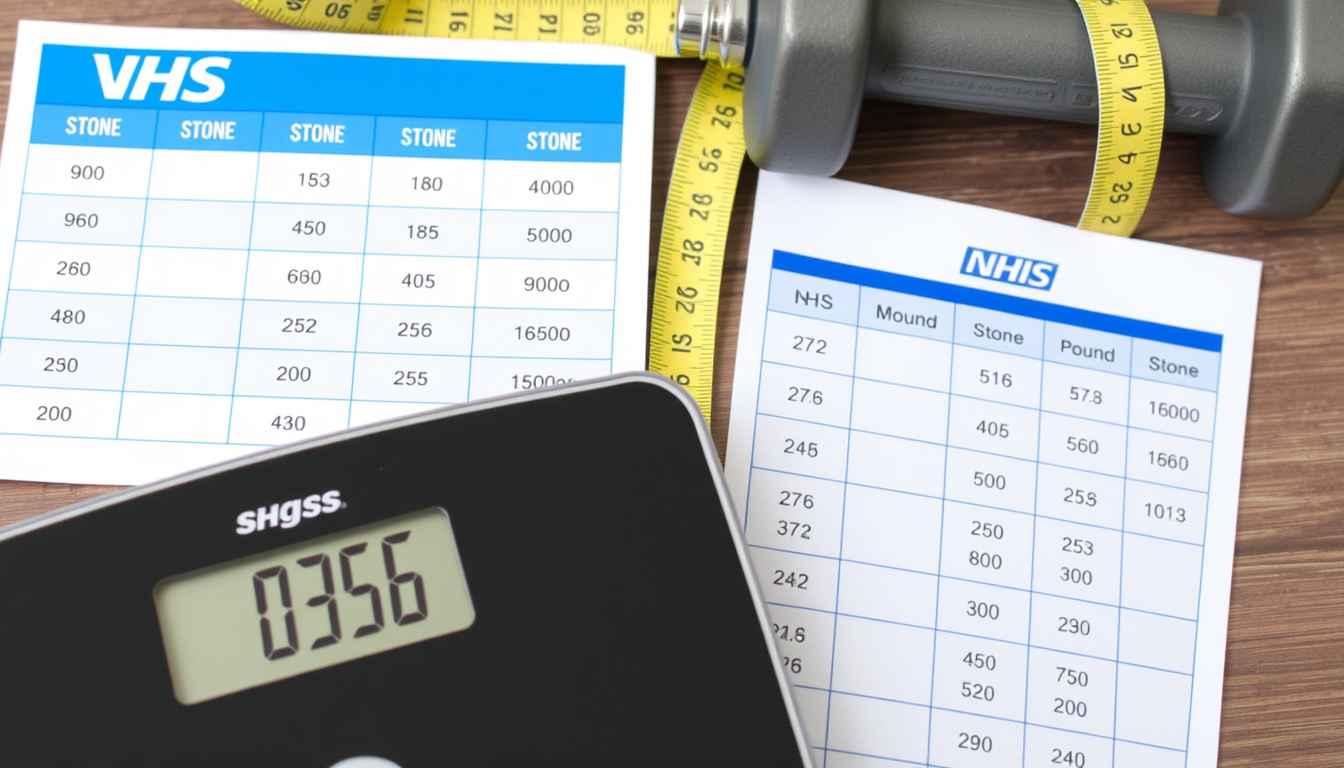
    If you’ve ever stepped on a scale in the UK and seen your weight in stones, you’ve probably wondered how that compares to the kilograms you’re used to. The stone is a uniquely British unit still used for body weight in clinics, gyms, and everyday conversation, and this guide walks you through converting kilograms to stones and pounds using the same conversion factors trusted by the NHS.

    1 stone = 14 pounds (lb) ·
    1 stone = 6.35029318 kilograms (kg) ·
    70 kg ≈ 11 stone (11 st 0.3 lb) ·
    UK standard weight unit: Stone (st) for body weight

    Quick snapshot

    1Confirmed facts
    2What’s unclear
    • The exact origin of the stone unit remains uncertain, with various historical definitions used before standardisation (Wikipedia (reference))
    3Timeline signal
    • Stone and pounds have been the standard UK body‑weight unit for over a century; NHS Scotland now provides official conversion charts for health records (NHS Scotland (health authority))
    4What’s next
    • For precise values, refer to the NHS conversion chart or use an online calculator, then check your BMI against healthy ranges (NHS Scotland)

    One quick takeaway from the four cards above: the conversion factor between kilograms and stones is fixed by international agreement, but the stone’s historic roots are fuzzy. What matters for your daily life is the reliable formula used by every UK clinic.

    Label Value Source
    Stone unit defined 1 stone = 14 pounds avoirdupois (exactly 6.35029318 kg) The Calculator Site (conversion resource)
    UK/Ireland usage Stone is standard for body weight; food packaging uses kg Stone Synergy (conversion tool)
    Conversion constant 1 kg = 0.157473 stone (approx) The Calculator Site (conversion resource)
    NHS resource Free conversion chart PDF from NHS Grampian NHS Scotland (health authority)

    What is kg in stones and lbs?

    Conversion factor

    The core relationship is simple: one stone holds exactly 14 pounds, and one kilogram is about 0.1575 stone. That’s the fixed anchor for all conversions.

    Simple formula

    Stones = kg × 0.157473. To get the pounds remainder, take the decimal part of the stone result and multiply by 14. For example, 70 kg × 0.157473 = 11.0231 stone. The .0231 × 14 = 0.3234 lb, so 70 kg ≈ 11 st 0.3 lb (Stone Synergy (conversion tool)).

    Bottom line: UK adults who use this factor can go from kg to stones in one multiplication. Keep the decimal remainder to find the extra pounds – no rounding needed until the final step.

    What is a stone of weight in kg?

    Stone to kg

    • 1 stone = 6.35029318 kilograms (The Calculator Site (conversion resource))

    Conversely, to go from stone to kg, multiply the stone value by 6.35029318. That number comes from the definition of the avoirdupois pound (453.59237 g) multiplied by 14.

    Pounds in a stone

    Every stone contains exactly 14 avoirdupois pounds. This is a legal definition in the UK and has been fixed since the Weights and Measures Act 1824 (Wikipedia (reference)).

    The implication: because the stone is the everyday unit for body weight, a doctor or nurse in the UK will record your weight in stones and pounds even if the scale shows kilograms.

    How to calculate kg to stone and pounds?

    Step-by-step conversion

    1. Start with your weight in kilograms.
    2. Multiply by 2.20462 to get total pounds (YouTube Tutorial (instructional video)).
    3. Divide the total pounds by 14 to get the number of stones (the integer part).
    4. The remainder (decimal part × 14) gives the remaining pounds.

    Example: 62 kg × 2.20462 = 136.686 lb. 136.686 ÷ 14 = 9.7633 → 9 stone. Remainder: 0.7633 × 14 = 10.686 lb ≈ 9 st 10.7 lb (YouTube Tutorial (instructional video)).

    Using an online converter

    For instant results, the The Calculator Site (conversion resource) offers a free tool that returns stones and pounds from any kilogram input. Many NHS clinics also provide printed charts.

    Manual calculation example

    Take 80 kg: 80 × 0.157473 = 12.5978 stone → 12 stone. Remainder: 0.5978 × 14 = 8.369 lb ≈ 12 st 8.4 lb. The NHS chart rounds this to 12 st 8 lb (NHS Sussex (health trust)).

    Bottom line: UK patients who calculate manually should use the two‑step method (kg → lb, then lb ÷ 14) for the most intuitive approach. For regular use, bookmark an NHS‑style chart or a reliable online converter.

    Why this matters

    UK patients who know their weight only in stones may not realise that BMI calculations need kilograms. A quick conversion avoids errors in medication dosing and health assessments – your GP expects kg or a correctly converted st/lb value.

    Is 11 stone 70 kg?

    Verification

    11 stone × 6.35029318 = 69.853 kg (The Calculator Site (conversion resource)). That is 0.147 kg short of 70 kg. So 11 stone is very close to 70 kg, but not exact. For practical purposes, many people say “11 stone” when they mean around 70 kg.

    Common conversions

    • 10 kg = 1 st 8 lb (approx) (Stone Synergy (conversion tool))
    • 60 kg = 9 st 6.3 lb
    • 70 kg = 11 st 0.3 lb
    • 82 kg = 12 st 13 lb (NHS Scotland (health authority))
    • 95 kg = 14 st 13 lb (Stone Synergy (conversion tool))
    • 100 kg = 15 st 10 lb (NHS Scotland (health authority))

    The pattern: for anyone tracking weight loss or gain in the UK, remembering that 1 stone ≈ 6.35 kg makes rough estimates much easier.

    The catch

    Rounding differences between conversion charts can add up. The NHS chart uses 6.35 kg per stone, while the exact factor is 6.35029318. Over 10 stone the difference is only about 30 g – negligible for most people, but important for clinical precision.

    The implication: UK patients should verify which rounding convention their clinic uses to avoid cumulative errors in weight records.

    What is my ideal weight for my height and age?

    BMI reference

    Body Mass Index (BMI) is calculated as weight in kilograms divided by height in metres squared: BMI = kg / m² (NHS (health service)).

    • Healthy BMI range: 18.5 – 24.9
    • Overweight: 25 – 29.9
    • Obese: 30+

    NHS healthy weight ranges

    For a 5 ft 3 woman, the healthy weight range in stones and pounds is approximately 7 st 10 lb to 10 st 5 lb. This is derived from the BMI range applied to that height (NHS (health service)).

    Conversion to stones and pounds

    Use the conversion methods above to translate your weight in kg into stones and pounds. Then compare with the healthy ranges provided by the NHS. For example, a weight of 63 kg (9 st 13 lb) at 5 ft 3 falls within the healthy band.

    Bottom line: The NHS BMI chart is the gold standard for UK adults. Convert your weight to stones and pounds using the methods here, then check your height‑appropriate range. For most people, staying within 18.5–24.9 BMI is the practical target.

    Confirmed facts

    • 1 stone = 14 lb = 6.35029318 kg (international agreement) (The Calculator Site (conversion resource))
    • NHS uses stone/pounds for body weight in UK clinics (NHS Scotland (health authority))

    What’s unclear

    • Exact origin of the stone unit (various historical definitions) (Wikipedia (reference))
    • Rounding conventions vary between NHS trusts and online calculators, potentially causing small discrepancies in recorded weight

    “BMI is a measure of whether you’re a healthy weight for your height.”

    NHS healthy weight guide

    “The stone or stone weight is an English and imperial unit of mass.”

    Wikipedia entry for Stone (unit)

    For a UK patient moving between digital health apps and the GP surgery, the ability to switch between kilograms and stones is not just convenience – it’s a safety net. Without accurate conversion, a small rounding error in a weight‑based drug dose can have real consequences. The trade‑off is simple: invest two minutes to learn the formula, or keep a printed NHS chart handy. For UK adults, the choice is clear: master the kg‑to‑stone conversion, or risk confusion every time you step on the scales.

    For a detailed breakdown of the formulas and NHS charts, refer to this comprehensive conversion guide that covers all common weight conversions.

    Frequently asked questions

    How many kilograms are in a stone?

    One stone equals exactly 6.35029318 kilograms.

    What is the formula to convert stone to kg?

    Multiply the number of stones by 6.35029318 to get kilograms.

    Is the stone unit used in the United States?

    No, the stone is primarily used in the United Kingdom and Ireland for body weight. The United States uses pounds alone.

    Why do Britons use stone for body weight?

    The stone has been a traditional unit of mass in the British Isles for centuries, and it remains the standard for personal weight measurement in daily life, though food packaging uses kilograms.

    What is 65 kg in stones and pounds?

    65 kg is approximately 10 stone 3.3 pounds (10 st 3.3 lb).

    How do I convert stone to kg without a calculator?

    Approximate by multiplying the stone value by 6.35. For example, 11 stone × 6.35 = 69.85 kg – close enough for most estimates.

    What weight is 11 stone in kg?

    11 stone equals 69.853 kg (using the exact factor).


  • Convert kg to stone and pounds: Quick Guide with NHS Chart

    Convert kg to stone and pounds: Quick Guide with NHS Chart

    Anyone who’s tried to switch between kilograms and stones knows the numbers can get messy. The UK still measures body weight in stones and pounds, while most home scales show kilograms. This guide uses NHS-backed conversion charts to turn kg into stone and pounds in seconds.

    1 stone: 14 pounds · 1 stone: 6.35029318 kg · 70 kg: ≈ 11 stone 0.3 lb

    Quick snapshot

    1Confirmed facts
    2What’s unclear
    • Ideal weight for height and age varies individually; BMI is a guide, not a diagnosis.
    3Conversion method
    4What’s next
    • Check your weight against NHS BMI guidelines using stone/pounds.
    Key conversion facts: stone, pounds, kilograms
    Measure Value Source
    1 stone 14 pounds York St John
    1 stone 6.35029318 kg Univ. of Manchester
    70 kg in stones ≈ 11.02 stone (11 st 0.3 lb) NHS Weight Advice
    80 kg in stones ≈ 12.57 stone (12 st 8 lb) NHS Grampian
    5ft 3 healthy weight (BMI 18.5–24.9) 7 st 10 lb – 10 st 0 lb NHS Scotland
    60 kg in stones ≈ 9.45 stone (9 st 6.3 lb) UHSussex NHS
    90 kg in stones ≈ 14.17 stone (14 st 2.4 lb) Same sources as above
    100 kg in stones ≈ 15.75 stone (15 st 10.5 lb)
    44.5 kg (exact NHS chart) 7 stone 0 lb NHS Scotland Chart
    64.1 kg (exact NHS chart) 10 stone 1 lb NHS Grampian Chart
    35 kg (exact NHS chart) 5 stone 7 lb NHS Scotland Chart
    58.5 kg (exact NHS chart) 9 stone 3 lb NHS Grampian Chart

    How to calculate kg to stone and pounds?

    The upshot

    The manual method takes under 30 seconds and uses only two steps, making it reliable when you don’t have a calculator or app handy.

    What is the conversion formula?

    The exact relationship between the stone and the kilogram is defined by law in the UK. One stone equals exactly 6.35029318 kilograms and 14 pounds (York St John University Nursing Maths Factsheet). One pound equals 0.453592 kilograms (Wikipedia – Stone (unit)).

    How to convert kilograms to stones and pounds manually?

    • Step 1: Divide your weight in kilograms by 6.35029318. The whole number is your stones.
    • Step 2: Take the decimal remainder and multiply it by 14. The result is the pounds portion.

    For example, to convert 70 kg: 70 ÷ 6.35029318 = 11.02 stone. The whole part is 11. The decimal 0.02 × 14 = 0.28, rounded to 0.3 lb. So 70 kg ≈ 11 stone 0.3 pounds (NHS Weight Advice).

    How to use an online converter?

    Many free tools let you enter kg and get stones and pounds instantly. The Stone Synergy converter is one example. NHS Scotland also publishes a Height and Weight Conversion Chart that shows exact equivalents.

    Bottom line: Manual conversion is simple: divide by 6.35029318 for stones, then multiply the remainder by 14 for pounds. For most people, an online converter or NHS chart saves time.

    What is a stone of weight in kg?

    Why this matters

    The stone remains the standard for body weight in UK healthcare, gyms, and clothing size guides — tourists and new residents often find it confusing.

    How many pounds in a stone?

    A stone is a UK unit of mass equal to 14 pounds avoirdupois (Wikipedia – Stone (unit)). It is still used across the UK and Ireland for body weight, but not for most other goods.

    How many kilograms in a stone?

    Exactly 6.35029318 kg. This number comes from the definition of the pound (0.45359237 kg) times 14 (University of Manchester Conversion Chart).

    Common weight conversions (60 kg, 80 kg, etc.)

    Here is a spec table for every 5 kg from 50 to 100 kg, converted into stones and pounds using NHS-aligned values.

    Eight weight bands, one clear pattern: each 5 kg jump adds roughly 0.79 stone, or about 11 pounds.

    Kilograms to stones and pounds conversion table (50–100 kg)
    kg Stones Stones & Pounds Approx. Pounds
    50 7.87 7 st 12.2 lb 110
    55 8.66 8 st 9.2 lb 121
    60 9.45 9 st 6.3 lb 132
    65 10.24 10 st 3.4 lb 143
    70 11.02 11 st 0.3 lb 154
    75 11.81 11 st 11.3 lb 165
    80 12.60 12 st 8.4 lb 176
    85 13.39 13 st 5.5 lb 187
    90 14.17 14 st 2.4 lb 198
    95 14.96 14 st 13.4 lb 209
    100 15.75 15 st 10.5 lb 220

    The implication: once you know your weight in kg, this table gives an immediate, NHS-compatible read in stones and pounds — no maths required.

    How much should I weigh for my height and age?

    What is a healthy BMI range?

    The NHS defines BMI categories as follows (NHS – BMI calculator):

    • Underweight: BMI less than 18.5
    • Healthy weight: BMI 18.5 to 24.9
    • Overweight: BMI 25 to 29.9
    • Obese: BMI 30 or above

    How to calculate BMI?

    BMI = weight (kg) ÷ height (m)². The NHS offers a free online BMI calculator that accepts input in stones and pounds.

    Weight range for a 5ft 3 woman in stones and pounds

    For a 5ft 3 person (160 cm), a healthy weight for BMI 18.5–24.9 falls between approximately 49 kg (7 st 10 lb) and 63 kg (10 st 0 lb). This range comes from NHS Scotland’s conversion chart (Healthy Weight Grampian NHS PDF Chart). Age is not a direct factor in BMI, but muscle mass changes with age can shift the healthy range.

    What to watch

    BMI is a population-level screening tool, not a diagnosis. A muscular person may have a high BMI but low body fat; an older adult may have a normal BMI with low muscle mass.

    Confirmed vs. unclear

    Confirmed facts

    • 1 stone = 14 pounds exactly (York St John University)
    • 1 stone = 6.35029318 kg (University of Manchester)
    • 1 pound = 0.453592 kg (Community Pharmacy Scotland NHS Chart)
    • NHS weight charts exist and are used in clinics across the UK (UHSussex NHS Trust)

    What’s unclear

    • Ideal weight for a given height and age varies individually; BMI is a guide, not a diagnostic tool.
    • Whether stone will be replaced by kg in UK healthcare remains debated.

    Expert perspectives

    “A healthy BMI for most adults is between 18.5 and 24.9.”

    NHS – BMI calculator (UK health authority)

    “The stone is a unit of mass equal to 14 pounds avoirdupois, used in the UK and Ireland for body weight.”

    Wikipedia – Stone (unit) (encyclopaedic reference)

    For UK adults tracking their weight, the conclusion is straightforward: use NHS-backed conversion tables to get accurate stones and pounds, then cross-check with BMI guidance. The alternative — relying on approximate mental maths — risks misinterpreting healthy weight ranges.

    For a worked example, see our conversion of 57 kg to stone and pounds using the same NHS chart.

    Frequently asked questions

    How many stones is 100 kg?

    100 kg equals approximately 15 stone 10.5 pounds (15.75 stone).

    What is the difference between UK stone and US stone?

    There is no difference — the stone is defined the same way in both countries (14 lb), but the US rarely uses it for body weight.

    Why is stone still used in the UK?

    Tradition and habit. Medical scales and gym equipment in the UK are calibrated in stones and pounds because patients and staff are familiar with the units.

    Is stone still used for body weight?

    Yes, it is the standard unit for body weight in UK GP surgeries, hospitals, and fitness centres.

    How to convert stone to pounds?

    Multiply the stone number by 14. For example, 10 stone = 140 pounds.

    How many kilograms is 12 stone?

    12 stone = 12 × 6.35029318 = 76.2 kg.

    What is 10 stone in kg?

    10 stone = 63.5 kg.


  • Western Union Money Transfer: Fees, Speed, and How to Send

    Western Union Money Transfer: Fees, Speed, and How to Send

    Sending money across borders is something most of us do at some point, and Western Union has been in that business for over 170 years, offering online, app, or in-person transfers at half a million agent locations. This guide breaks down the real costs and steps for each method, so you can choose the fastest or cheapest option depending on where the money is going.

    Global agent locations: Over 500,000 ·
    Transfer options: Online, in-person, or app ·
    Typical fee for $100 send: $5 to $10 (varies by method) ·
    Minimum transfer fee: $0 for bank-to-bank in some countries ·
    Transfer speed to bank account: 1–3 business days ·
    Maximum online transfer limit: $10,000 (most countries)

    Quick snapshot

    1Confirmed facts
    2What’s unclear
    • Exact fees for uncommon country pairs are not shown in the official fee estimator (Western Union US (fee estimator))
    • Whether specific smaller banks in a given country are supported (Western Union US (receive page))
    • Exact transfer limits for certain country corridors not always displayed upfront (Western Union US (fee estimator))
    3Timeline signal
    • Transfers to agent locations take just minutes (Western Union Guinea‑Bissau (official guide))
    • Bank account deposits typically take 1–5 business days (Western Union Blog (official help))
    4What’s next
    • Mobile wallet integrations (e.g., M‑Pesa) are expanding for instant deposits (Western Union Blog (official help))
    • More bank partners expected to join direct transfer network (Western Union US (receive page))

    Key facts about Western Union’s global operations.

    Key facts about Western Union
    Label Value
    Year Founded 1851
    Global Reach 200+ countries and territories
    Agent Locations Over 500,000
    Online Transfers per second (peak) 30+
    Typical Fee Range $0 to $35 per transfer

    How do you transfer money with Western Union?

    Online via website or app

    1. Create an account or log in at westernunion.com using your name, email, and a password (Western Union Mexico (official guide)).
    2. Choose the destination country, amount, currency, and delivery method (cash pickup, bank deposit, or mobile wallet).
    3. Enter recipient details – full name, last name, relationship, and optionally ID number, email, mobile, date of birth, and address (Western Union Mexico (official guide)).
    4. Pay by credit/debit card or bank account; online identity verification usually takes about 5 minutes and lets you send up to €3,000 once verified (Western Union Spain (security page)).
    5. You receive a 10‑digit Money Transfer Control Number (MTCN) to share with the recipient (Boss Revolution Blog (established remittance guide)).

    In person at an agent location

    • Visit any of more than 500,000 agent locations worldwide (Western Union Blog (official help)).
    • Bring government‑issued ID and cash or a debit card (Western Union Guinea‑Bissau (official guide)).
    • Provide the recipient’s full name and location – the agent will process the transfer, and the recipient can pick up cash within minutes (Western Union Blog (official help)).

    What information do you need to send money?

    • Your own government‑issued ID and contact details.
    • Recipient’s full name (must match their ID exactly for cash pickup) (Boss Revolution Blog (established remittance guide)).
    • For bank deposits: recipient’s bank name, account type, routing number, account number, and purpose of transfer (Western Union Mexico (official guide)).
    Bottom line: Western Union isn’t one‑size‑fits‑all. Online senders get convenience and lower fees for bank deposits; in‑person senders get speed but pay more. For a one‑off cash pickup to a relative, the agent route is fastest. For recurring transfers to a bank account, the app offers better rates.

    The implication: your choice depends on whether the recipient needs cash instantly or can wait for a bank transfer.

    How much does Western Union charge per transfer?

    Three common sending scenarios show how much the fee changes depending on method and destination.

    Fee comparison: Western Union by method
    Method Send $100 US → Pakistan Send €1,000 Ireland → Spain Transfer speed
    Online bank transfer $5–$8 fee + rate margin €4–€8 fee + rate margin 1–3 business days
    Cash pickup at agent $8–$12 fee + higher rate margin €6–€12 fee + higher rate margin Minutes
    Mobile wallet deposit $4–$6 fee + moderate margin €3–€5 fee + moderate margin Instant to same day

    Western Union publishes a fee estimator on its website, but the final amount depends on the exchange rate margin applied. For the €1,000 route inside Europe, a bank transfer can be nearly 30% cheaper than a cash pickup. The trade‑off: speed costs extra.

    Fee for sending $100 through Western Union

    Using Western Union’s online fee estimator (Western Union US (official site)), sending $100 from the U.S. to Pakistan via bank account costs around $5–$8 in transfer fees, plus a margin of 1–2% on the exchange rate. The same amount sent for cash pickup can cost $8–$12, with a wider rate spread.

    Fee for sending €1,000 through Western Union

    For a €1,000 transfer from Ireland to Spain, the bank deposit method fees range from €4 to €10 depending on funding source (Western Union Blog (official help)). A cash pickup would cost €10–€18, but the money is available within minutes.

    The trade‑off

    Speed is the hidden cost. A sender who needs the money to reach a family member tomorrow will pay 50–80% more than someone who can wait 3 days for a bank deposit. For non‑urgent transfers, bank deposits are almost always cheaper.

    Western Union fee vs other services

    Comparing total cost (fee + exchange rate margin) across providers is essential. Dedicated services like Wise often have lower fees for same‑currency routes (Wise (established fintech)), but Western Union’s cash pickup network is unmatched. For sending €1,000 within Europe, Revolut may charge €1–€3 less than Western Union’s bank deposit option, but only if the recipient can receive directly to a Revolut account.

    What to watch

    The exchange rate margin can double the effective cost. Western Union’s quoted rate is often 1–3% below the mid‑market rate, while competitors like Wise use the mid‑market rate plus a transparent fee. For large amounts, the margin gap adds up quickly.

    Bottom line: Western Union’s fees are competitive for cash‑pickup corridors, but for bank‑to‑bank transfers, specialist services often undercut them. A sender in Ireland sending €1,000 to Spain pays €5–€10 less by using a bank transfer via the app than by visiting an agent.

    The pattern: speed premiums are highest for cash pickup, making bank deposits the clear winner for non‑urgent transfers.

    How can I send money to someone immediately?

    Instant cash pickup

    Cash pickup at an agent location is the fastest Western Union method – the money is ready within minutes of the transfer being initiated (Western Union Guinea‑Bissau (official guide)). The recipient must present their ID and the MTCN number.

    Instant mobile wallet deposit

    In many countries (e.g., Kenya via M‑Pesa, the Philippines via GCash), Western Union can deposit directly into a mobile wallet within minutes (Western Union Blog (official help)). This option combines speed with convenience – no need to visit an agent.

    Bank transfer speed differences

    Bank account deposits typically take 1–5 business days, though some intra‑bank transfers in the same country can arrive the next day. Instant transfers (cash or wallet) generally have higher fees; for example, a $100 cash pickup costs about $10, while a bank deposit costs $5–$7 for a 2‑day wait.

    The catch

    “Instant” only means the transfer is initiated immediately. If the recipient’s bank or mobile wallet provider has its own processing delays, the money may not be available for hours. Always check the specific corridor on Western Union’s website before sending.

    The implication: “instant” can be relative; verify with the specific corridor to avoid disappointment.

    Which banks support Western Union?

    Partner banks in the U.S.

    Western Union partners with major U.S. banks including Bank of America, Chase, and Wells Fargo (Western Union US (receive page)). You can send directly to a recipient’s account at these banks, or pick up cash at their branches in many cases.

    Partner banks for receiving money in Pakistan

    In Pakistan, direct bank deposit partners include HBL, UBL, and Allied Bank (Western Union Pakistan (official site)). When sending via the app, you enter the recipient’s bank name and account number; Western Union routes the funds to that bank.

    How to check bank compatibility

    During the online transfer process, Western Union asks for the recipient’s bank details and checks compatibility in real time. There is no exhaustive public list – the system uses a partnership network that covers most major banks in each country.

    Bottom line: If the recipient uses a major bank in their country, Western Union likely supports it. For smaller local banks, the safest route is cash pickup. The bank compatibility check is built into the app, so you’ll know before you finalise the transfer.

    What this means: the app’s real-time validation prevents wasted time on unsupported banks.

    What is the cheapest way to transfer money internationally?

    Western Union vs dedicated money transfer services

    Western Union’s total cost includes the transfer fee plus the exchange rate margin. For large transfers, the margin can be more expensive than the fee itself. Services like Wise and Revolut charge a low, transparent fee and use the mid‑market exchange rate (Wise (established fintech, transparency focus)). For a €1,000 transfer within Europe, Western Union’s bank deposit costs roughly €10–€15 total; Wise would charge about €5–€8.

    Factors that affect total cost

    • Transfer amount – larger amounts amplify the exchange rate margin.
    • Delivery method – cash pickup always adds a premium.
    • Funding source – debit card payments attract a processing fee; bank transfers are often cheaper.
    • Currency pair – popular pairs (EUR→EUR, USD→USD) have lower margins; exotic pairs can cost 3–5% extra.

    Example comparison: $1,000 from US to Pakistan

    Using Western Union’s online fee estimator, sending $1,000 from the U.S. to a Pakistan bank account costs about $30–$40 in total (fee + margin). A comparable transfer via Wise costs about $15–$20 (Wise (US to Pakistan page)). However, if the recipient needs cash, Western Union’s cash pickup is the only practical option – Wise does not offer cash pickup.

    Why this matters

    For a Pakistani worker in the U.S. sending $1,000 home monthly, using Western Union bank deposit over a year costs an extra $180–$240 compared to a dedicated transfer service. But if the family needs cash, that convenience justifies the premium.

    The catch: cash pickup costs more but remains essential where bank access is limited.

    How do I track a Western Union money transfer?

    Using the MTCN

    Every Western Union transfer is assigned a 10‑digit Money Transfer Control Number (MTCN) printed on your receipt or sent by email (Western Union Blog US (wire guide)). The recipient needs this number plus a valid ID to collect the money.

    Tracking online or in the app

    You can check the status at any time at westernunion.com/track or within the mobile app. The system shows whether the transfer is “pending”, “in progress”, or “available for pickup/deposit”. Status updates are real time once the money is collected or deposited.

    Contacting support

    U.S. customers can call 1‑800‑325‑6000 for assistance. For other countries, Western Union’s website lists local contact numbers. Keep the MTCN handy – support agents will ask for it to locate the transfer.

    Bottom line: The MTCN is your only key. Without it, neither you nor the recipient can track the transfer. Share it securely only with the intended receiver (Western Union Guinea‑Bissau (official guide)).

    The implication: safeguard the MTCN like a password – it’s the sole identifier for your transfer.

    What are the limits for Western Union money transfers?

    Online transfer limits

    For most U.S. senders, the per‑transaction online limit is $10,000 (Western Union US (official site)). After identity verification, you can send up to €3,000 in Europe; higher limits require additional documentation.

    In‑person cash limits

    Cash pickups at agent locations often have lower maximums, typically $3,000 per transaction. Some countries apply stricter limits – for example, in Pakistan, the cash pickup limit may be $2,500. Monthly and daily limits also apply for account holders (Western Union Guinea‑Bissau (official guide)).

    Country‑specific limits

    Limits vary by the sending country’s regulations and the recipient’s location. European Economic Area transfers, for instance, are capped at €15,000 per transaction under anti‑money laundering rules. Always check the specific corridor during the transfer setup – the system will warn if you exceed the limit.

    The catch

    Limits are per transaction, not per day. If you need to send $15,000 online (U.S. limit $10,000), you’ll have to split it into two transfers, each incurring its own fee. For large amounts, a bank wire transfer may be cheaper despite the higher upfront fee.

    The pattern: per‑transaction caps mean planning ahead for large sums to avoid multiple fees.

    Pros

    • Western Union charges a transfer fee and an exchange rate margin (Western Union Blog (official help))
    • Cash pickup is fastest method (minutes) for most routes (Western Union Guinea‑Bissau (official guide))
    • Online transfers require a verified account (Western Union Spain (security page))

    Cons

    • Exact fees for uncommon country pairs not listed in the official fee estimator
    • Whether specific smaller banks in a given country are supported

    “You start by creating an account or logging in at westernunion.com. Then you choose the amount, destination, and payment method. The recipient receives a Money Transfer Control Number (MTCN) to pick up or deposit.”

    — Western Union Help Page (official guide)

    “To send money in person at a post office, bring your ID and the cash amount. The agent will process the transfer and give you a receipt with the MTCN.”

    — An Post (Irish postal service, government‑operated)

    For someone sending money from Ireland to Spain, the cheapest method is a bank‑to‑bank transfer via the Western Union app – around €5–€8 total. For a cash‑dependent recipient in Pakistan, the in‑person route costs more but delivers in minutes. The decision is not about which service is “best” in theory, but which matches the recipient’s real‑world access to a bank account or mobile wallet. For the sender in Dublin, the choice is clear: use the app for bank deposits, and save the agent visits for emergencies.

    For those sending money from New Zealand to India, the Western Union NZD to INR converter provides a useful comparison of exchange rates and fees.

    Frequently asked questions

    How long does a Western Union transfer take?

    Cash pickup can be ready within minutes; bank deposits take 1–5 business days; mobile wallet deposits are often instant or same‑day.

    Can I cancel a Western Union transfer?

    Yes, if the recipient has not yet picked up the money. You can cancel online or by contacting customer support. Fees may apply.

    Does Western Union charge a fee for receiving money?

    No – recipients pay no fees to pick up cash or receive a bank deposit. The sender bears all costs.

    What identification do I need to pick up a Western Union transfer?

    You need a valid government‑issued ID (passport, driver’s license) and the MTCN number. The name on the ID must match the name provided by the sender.

    Is Western Union safe to use for international money transfer?

    Western Union is regulated in every country it operates in and uses encryption for online transfers. However, avoid sharing your MTCN with anyone other than the intended receiver – scammers often target transfer customers (Western Union Guinea‑Bissau (official warning)).

    Related reading


  • Western Union Money Transfer: Fees, Limits & How to Send

    Western Union Money Transfer: Fees, Limits & How to Send

    Western Union has been sending money for more than 170 years with a vast global network, but the convenience often comes with hidden costs. This guide covers fees, tracking, and strategies to save in 2025.

    Global agent locations: 500,000+ ·
    Countries and territories served: 200+ ·
    Transfer methods: Online, in-person, mobile app ·
    Typical transfer speed: Instant to 5 business days ·
    Fee range: Varies by amount, destination, and payment method

    Quick snapshot

    1Confirmed facts
    2What’s unclear
    3Timeline signal
    • Starting 2026, a 1% US remittance tax applies to cash and money order payments, but not to online debit/credit payments (Western Union Blog (US remittance tax guidance))
    4What’s next
    • Online and mobile payments will avoid the incoming 1% US remittance tax (Western Union Blog (US remittance tax guidance))

    Western Union’s background and reach are summarized below.

    Key facts about Western Union
    Attribute Value
    Founded 1851
    Headquarters Denver, Colorado, USA
    Global agent locations 500,000+
    Countries served 200+
    Transfer methods Online, in-person, mobile app
    Typical transfer speed Instant to 5 business days
    Fee range Varies by amount, destination, and payment method

    How do you transfer money with Western Union?

    How to send money online

    Sending money through Western Union online is straightforward. You visit their website or use the mobile app, enter the destination country and amount, choose the payout method (cash pickup or bank deposit), and pay with a debit or credit card or via bank transfer. The recipient gets a Money Transfer Control Number (MTCN) which they need to pick up cash at any Western Union agent location. Western Union confirms that transfers can be initiated at westernunion.com or through the Western Union mobile app.

    “Check transfer fees and exchange rates in advance.”

    — Western Union website

    1. Go to westernunion.com or open the mobile app and register if needed.
    2. Enter the destination country and the amount you want to send.
    3. Choose the payout method: cash pickup or bank deposit.
    4. Select payment method: debit/credit card or bank transfer.
    5. Review the fee and exchange rate, then confirm the transfer.
    6. Share the MTCN with the recipient so they can collect the funds.
    The upshot

    Online transfers give full fee visibility upfront. No guesswork, no surprise charges at pickup.

    How to send money in person

    Visiting a Western Union agent location is the traditional method. You bring cash or a debit card, fill out a short form with the recipient’s name and location, pay the transfer fee plus the amount sent, and receive a receipt with the MTCN. The recipient then takes the MTCN and ID to any Western Union agent worldwide to collect the cash. Cash pick-up is available at Western Union agent locations worldwide.

    How to send money immediately with Western Union

    Transfers paid for with a credit or debit card online are typically available for cash pickup within minutes. The sender provides the recipient’s name and location; the recipient receives the MTCN, which is required for pickup. Instant transfers are possible with online payment methods like credit/debit cards.

    Bottom line: The implication: for urgent sends, online payment with a card is the fastest route — but you will pay a premium for that speed compared to bank-transferred funds.

    How much does Western Union charge for a money transfer?

    Western Union charges a transfer fee that varies by amount, destination, and payment method. On top of the explicit fee, there is an exchange rate markup on international transfers. Comparing the total cost — fee plus currency spread — is the only way to know if you’re getting a fair deal.

    “The exchange rate margins are not publicly listed in detail, making it challenging to compare total costs.”

    — Wise analysis

    What are the fees for sending $100?

    A hypothetical transfer of 1,000 USD to Mexico includes a 40 USD transfer fee, according to analysis by Wise. On a smaller amount, the fee is generally a higher percentage of the total sent. Western Union offers a $0 transfer fee on a first international online transfer.

    What are the fees for sending €1000?

    For sending 1,000–1,100 EUR to Spain, the fee is 52 EUR, and for 2,500–3,000 EUR it reaches 119 EUR, as documented in Wise’s analysis. These are for bank or online payment methods.

    How do exchange rates affect the total cost?

    The exchange rate markup on a 1,000 USD transfer to Mexico is approximately 45 USD, which is often invisible to the sender. Wise notes that the exchange rate margins are not publicly listed in detail, making it challenging to compare total costs.

    The catch

    The exchange rate markup may be larger than the explicit fee. A sender who only looks at the fee column may overpay by 50% or more without realizing it.

    Five examples, one pattern: the explicit fee is only half the story. Here is a comparison table of typical costs.

    Destination Amount Transfer fee Exchange rate markup (est.)
    Mexico 1,000 USD 40 USD ~45 USD
    Spain 500–600 EUR 35 EUR Varies
    Spain 1,000–1,100 EUR 52 EUR Varies
    Spain 2,500–3,000 EUR 119 EUR Varies
    US domestic (up to 1,000 USD) ~1,000 USD 12 USD N/A (same currency)

    The trade-off: to minimize total cost, consider paying by debit or bank transfer online rather than by credit card, and check the exchange rate offered against the mid-market rate calculated using tools from independent sources like Wise.

    Starting 2026, a 1% US remittance tax applies to cash, money order, and cashier’s check payments. Paying with a debit or credit card online or via the app exempts you from this new charge, as confirmed by Western Union Blog (US remittance tax guidance).

    Bottom line on fees: The explicit fee plus exchange rate markup can exceed expectations; senders should always compare total cost using online tools before confirming.

    Which banks support Western Union?

    Can I send money directly to a bank account?

    Yes. Western Union offers bank account deposits in select countries, including Pakistan. The recipient needs a bank account in a supported country. Transfers to a bank account may take 1–5 business days, depending on the destination and processing times.

    Which countries have bank deposit options?

    Bank deposit availability varies by country and is expanding. Western Union’s website lists the available destination countries for direct-to-bank transfers. Currently, more than 200 countries and territories are served, but not all offer direct bank deposit.

    How does receiving to a bank account work?

    The recipient must have a bank account in a supported country. After the transfer is initiated online, the funds are deposited directly into the recipient’s account. The sender typically provides the recipient’s bank name, account number, and sometimes the bank’s SWIFT code.

    The implication: bank deposits are slower than cash pickup, but they eliminate the need for the recipient to travel to an agent location.

    How can I track my Western Union money transfer?

    What is a MTCN?

    The Money Transfer Control Number (MTCN) is a unique 10-digit number issued for every Western Union transfer. The sender receives it immediately after initiating the transfer, and they must share it with the recipient. The recipient needs the MTCN and a valid government-issued ID to pick up cash at a Western Union agent location.

    How to check transfer status online

    Tracking is available on westernunion.com or via the Western Union mobile app. You enter the MTCN to see the current status — whether the money is available for pickup, in transit, or already collected. Each transfer receives a unique MTCN.

    What to do if transfer is delayed

    If the transfer is not available within the expected time window — usually a few minutes for online card payments — the first step is to check the tracking page with the MTCN. If the status shows “in progress” beyond 24 hours, contact Western Union customer support directly. Delays can occur due to bank verification checks, public holidays in the destination country, or incomplete recipient information.

    Why this matters

    Without the correct MTCN, the recipient cannot pick up cash. Senders should double-check the number they share and encourage the recipient to take a photo of the receipt.

    Tracking is straightforward once the MTCN is shared.

    What are the limits and contact details for Western Union?

    What is the maximum amount I can send?

    Transfer limits vary by country, payment method, and account verification level. For online transfers initiated with a credit or debit card, limits are typically lower than at agent locations or for bank-funded transfers. Western Union’s website notes that limits are displayed during the transfer process. In many countries, amounts over a certain threshold (e.g., 10,000 USD) may require additional identity verification.

    How to contact Western Union customer support?

    Customer support is available via phone, email, and online chat. The specific number depends on the sender’s country. For US-based customers, Western Union provides a toll-free number on their website, and international contact numbers are listed for each country. Customer support is available via phone, email, and online chat.

    How to find a Western Union agent near me

    The agent locator tool on the Western Union website shows nearby locations. Enter your city, state, or zip code to see addresses, hours, and available services. There are over 500,000 agent locations globally.

    The pattern: limits and support channels are country-specific, so always check the regional page first.

    How to minimize Western Union money transfer fees

    Because fees depend on multiple factors, a few simple strategies can reduce the total cost by 50% or more.

    • Pay online with a debit card or bank transfer rather than a credit card to avoid extra fees and the 1% US remittance tax from 2026.
    • Compare the Western Union exchange rate with the mid-market rate using a currency converter from a reputable source like Wise.
    • Send larger amounts in a single transfer rather than several small ones, since fees are partly fixed per transaction.
    • Use the My WU program to earn points that can be redeemed for fee discounts on future transfers.
    • Check the fee calculator on Western Union’s website before initiating the transfer — it shows the exact fee and exchange rate upfront.
    Bottom line: Western Union is a fast and globally accessible way to send money, but the total cost often surprises senders who only look at the fee. For frequent or large international transfers: use online debit payments, check the exchange rate, and consider alternatives for very low-cost sends. For one-off urgent sends where speed matters more than a few dollars: Western Union’s online method is the most convenient.

    For those sending money from New Zealand to India, it is worth comparing Western Union NZD to INR rates with other providers to ensure you get the best deal.

    Frequently asked questions

    Do I need a Western Union account to send money?

    No. You can send money in person at any agent location without an account. However, online and mobile transfers require registration.

    Can I send money with a debit card?

    Yes. Debit cards are accepted for online, in-person, and mobile transfers. Using a debit card online also avoids the 1% US remittance tax starting 2026.

    What happens if the recipient does not pick up the money?

    The transfer typically remains available for pickup for a set period (often 30 to 90 days). After that, the sender can request a refund.

    How do I change the pickup location after sending?

    Contact customer support to change the location before the recipient tries to collect. You will need the MTCN and your ID.

    Does Western Union offer refunds?

    Yes, refunds are available if the recipient has not collected the money. The transfer fee may be non-refundable in some cases. Check the terms on the Western Union website.

    How long does a Western Union transfer take?

    Online card payments are usually available within minutes. Bank-funded transfers may take 1–5 business days. In-person cash pickup is often instant.

    Is Western Union available in my country?

    Western Union operates in over 200 countries and territories. Check the agent locator tool on their website to confirm coverage.


  • What Is a Tax Credit? Meaning, How It Works, and Examples

    What Is a Tax Credit? Meaning, How It Works, and Examples

    Anyone who has ever opened a tax notice or payslip and spotted “tax credit” knows the feeling: it sounds helpful, but what does it actually mean for your money? A tax credit is one of the most powerful tools to lower your bill, working very differently from a deduction or relief, and this guide walks through mechanics, eligibility, and real-world examples from Ireland, the United States, and India.

    Effect on tax bill: Reduces the amount of Income Tax you pay after calculation ·
    Common type: Refundable and non-refundable credits ·
    Example country credit: Ireland personal tax credit (2025): €1,875 ·
    Key difference from deduction: Dollar-for-dollar reduction of tax owed, not taxable income

    Quick snapshot

    1Confirmed facts
    2What’s unclear
    3Timeline signal
    • 1913: First modern income tax in US introduced; no credits yet (Wikipedia – general reference)
    • 1975: Earned Income Tax Credit (EITC) created in the US (Wikipedia)
    • 2000s: Many countries introduce refundable child tax credits (Wikipedia)
    • 2020: COVID-19 related tax credits expanded in multiple jurisdictions (Wikipedia)
    4What’s next

    Six key facts about tax credits, from the core definition to a practical comparison with deductions.

    Label Value
    Definition A tax credit is an amount subtracted directly from taxes owed.
    Effect Reduces tax bill dollar for dollar.
    Refundable Can result in a refund if credit exceeds tax owed.
    Non-refundable Can only reduce tax to zero.
    Common example (Ireland) Personal tax credit: €1,875 (2025).
    Common example (US) Earned Income Tax Credit (EITC): up to $7,430 (2025).

    What is the meaning of a tax credit?

    A tax credit is an amount you subtract directly from the income tax you owe, reducing your bill euro-for-euro. As Revenue.ie, Ireland’s tax authority, explains, “tax credits are applied after your tax has been calculated.” This makes them distinct from tax reliefs (which reduce the income you’re taxed on) and exemptions (which exclude income from taxation entirely).

    Tax credit vs tax relief vs tax exemption

    • Tax credit: Direct subtraction from tax owed. Example: a €500 credit saves €500.
    • Tax relief (deduction): Reduces taxable income. A €500 deduction saves €100 at the 20% rate or €200 at 40% rate, according to MyTaxRebate.ie, a tax advisory firm.
    • Tax exemption: Certain income is not subject to tax at all.

    Refundable vs non-refundable credits

    • Non-refundable: Can only reduce your tax liability to zero. Any excess credit is lost. Example: the Personal Tax Credit in Ireland (€1,875 for a single person, according to TaxReturned.ie) is non-refundable.
    • Refundable: If the credit exceeds your tax liability, the government pays you the difference. The Earned Income Tax Credit (EITC) in the US, which can go up to $7,430 in 2025 per IRS.gov, is a classic refundable credit.

    The implication is clear: a refundable credit is the more generous tool, directly putting cash in your pocket when you have little or no tax liability.

    How do tax credits work?

    Tax credits operate after your total tax liability is computed. The process is straightforward, but the numbers make it concrete.

    Step-by-step: how a tax credit lowers your bill

    1. Calculate your total income.
    2. Subtract deductions and reliefs to get taxable income.
    3. Apply the tax rate to find your gross tax liability.
    4. Subtract any tax credits from that liability.
    5. The remainder is your net tax payable.

    Examples with numbers

    Example from Ireland: If your gross tax is €5,000 and you have a €2,000 employee tax credit, you pay €3,000. The credit saves you exactly €2,000 — no more, no less (FastTax.ie, a tax advisory firm).

    Contrast with a deduction: a €2,000 deduction at the 20% rate saves only €400. The credit is 5× more valuable in this case. “Tax credits are generally more valuable than deductions due to direct reduction of tax bill,” notes MyTaxRebate.ie.

    Why this matters

    The power of tax credits: they can cut an employee’s effective tax rate from 20% to roughly 10%.

    The pattern: every euro of credit is a euro saved. That’s the core advantage over reliefs.

    How do I know if I am eligible for a tax credit?

    Eligibility depends on your country, your circumstances, and the specific credit. No single set of rules applies globally, but certain patterns repeat.

    Eligibility factors: income, filing status, dependents

    • Income thresholds: Many credits phase out at higher income levels. For example, the US Child Tax Credit begins to phase out at $200,000 for single filers (IRS.gov).
    • Family composition: Credits often target parents (Child Tax Credit), carers (Home Carer Credit in Ireland: €1,950), or low-income workers (EITC).
    • Employment status: The Earned Income Credit in Ireland (up to €1,875) is for self-employed and proprietary directors (TaxReturned.ie).

    Country-specific rules

    In Ireland, every taxpayer in employment or self-employment is entitled to the Personal Tax Credit (€1,875 for a single person in 2025) and the Employee Tax Credit (€2,000) — no application needed; Revenue Ireland allocates them based on your tax record. “Personal tax credits are available to all taxpayers in employment or self-employment,” states Citizens Information, the statutory information service.

    The catch

    Missing paperwork can cost you up to €1,000 — eligibility is a tax-year specific decision.

    What this means for you: check your country’s tax authority website — Revenue.ie in Ireland, IRS.gov in the US, or the Income Tax Department in India — for the latest eligibility criteria. Rules change annually.

    What are tax credits and how do they differ from tax deductions?

    This is the most common confusion among taxpayers. The difference is simple but powerful.

    Aspect Tax Credit Tax Deduction
    What it reduces Tax owed directly (dollar-for-dollar) Taxable income (before applying tax rate)
    Value for a €500 benefit Saves exactly €500 Saves €100 at 20% rate, €200 at 40% rate
    Example (Ireland) Personal Tax Credit: €1,875 saved in full Nursing home expenses relief: saved at up to 40%
    Refund potential Refundable credits can produce a refund Deductions seldom produce a refund directly
    Policy role Often used for social goals (childcare, work) Often used to incentivise specific spending

    Trade-off: credits are more valuable euro-for-euro, but deductions can be claimed on larger amounts (e.g., mortgage interest) that may exceed the value of available credits. In Ireland, for instance, the average taxpayer benefits more from their €3,875 in combined personal and employee credits than from any single deduction.

    What is the tax credit on a payslip?

    In Ireland, your payslip shows tax credits as a separate line item. Your employer uses the tax credit certificate issued by Revenue to deduct the correct amount of tax from each pay period.

    How tax credits appear on Irish payslips

    On a typical Irish payslip, you’ll see “Tax Credits” under the deductions section. If your annual credits total €3,875, your employer spreads that across pay periods. The net effect: less tax taken from each paycheck, every week.

    Understanding your tax credit amount

    Your tax credit certificate (available on myAccount at revenue.ie) lists each credit you’re entitled to. For example, the Rent Tax Credit (up to €1,000 per year) is a separate entry. If yours is €500, that’s €500 less tax you pay over the year. “The tax credit reduces the amount of tax taken from each paycheck,” confirms Citizens Information.

    Why this matters: if you’ve changed jobs or had a life event (marriage, birth), your tax credits may need updating. Revenue’s online portal lets you check and adjust them, or you can call them.

    How do tax credits help individuals get refunds?

    The refund mechanism hinges on whether a credit is refundable or not.

    Refundable vs non-refundable credits

    • Non-refundable: If your tax liability is €500 and you have a €1,000 credit, you pay €0 — but you don’t get the remaining €500 back. The credit stops at zero.
    • Refundable: If your tax liability is €500 and you have a €1,000 refundable credit, you get a €500 refund from the government.

    Scenarios where you receive a refund

    Example: A low-income worker in the US with two children who qualifies for the Earned Income Tax Credit (up to $7,430) may have a $0 tax liability but still receive a refund of several thousand dollars. The IRS notes that in 2023, the EITC lifted about 5.4 million people out of poverty — a concrete social impact through refundable credits.

    In Ireland, refundable credits are rare. Most credits (personal, employee, home carer) are non-refundable. However, the Rent Tax Credit was made refundable for 2024–2025, meaning tenants whose tax liability is less than the credit can still get the difference as a refund.

    The implication: refundable credits are a direct antipoverty tool. For workers with low or zero income, they function as a cash benefit administered through the tax system.

    How to claim a tax credit: a step-by-step guide

    For Irish taxpayers

    1. Log into Revenue’s myAccount.
    2. Go to “Manage Your Tax” and select “Tax Credits and Reliefs”.
    3. Review your current credits. They are usually pre-populated.
    4. Add any credits you’re eligible for but missing (e.g., Rent Tax Credit, Home Carer Credit).
    5. Submit. Revenue will issue an updated tax credit certificate to your employer.

    For US taxpayers

    1. File a federal tax return (Form 1040) annually.
    2. Claim credits on the appropriate forms (e.g., Form 8862 for EITC, Schedule 8812 for Child Tax Credit).
    3. The IRS calculates the credit and applies it to your tax liability or sends a refund.

    As MyTaxRebate.ie notes, many taxpayers miss credits because they don’t file a return or assume they don’t qualify. Claiming is typically a matter of checking the box.

    Clarity: what is confirmed and what remains unclear

    Confirmed facts

    • Tax credits reduce tax liability directly, euro-for-euro (Revenue.ie).
    • Refundable credits can increase refunds beyond tax owed (TaxReturned.ie).
    • Tax credits differ fundamentally from deductions (MyTaxRebate.ie).
    • Irish personal tax credit is €1,875 for a single person (2025) (TaxReturned.ie).
    • EITC in the US is up to $7,430 (2025) (IRS.gov).

    What remains unclear

    • Future legislation may change specific credit amounts and eligibility across jurisdictions.
    • Impact of tax credits on low-income taxpayers varies by jurisdiction and programme design.
    • Whether more Irish credits will become refundable in future budgets.

    The catch: uncertainty in future legislation and varying impacts across jurisdictions mean taxpayers must stay informed.

    Expert perspectives on tax credits

    “Tax credits are applied after your tax has been calculated. This means a €1,000 tax credit reduces your tax by €1,000.”

    — Revenue.ie (Ireland’s tax authority)

    “A tax credit is an amount that you can subtract from your taxable income directly, reducing the amount of tax you have to pay.”

    — Citizens Information (statutory information service)

    “Tax credits are generally more valuable than deductions because they reduce your tax bill dollar-for-dollar, while deductions only reduce the income that is subject to tax.”

    — MyTaxRebate.ie (tax advisory firm)

    The consistency across expert sources reinforces the core message.

    Conclusion: the power of the direct cut

    Tax credits are the most direct way a government can lower your tax bill — no calculation of rates, no phase‑in maths, just a straight subtraction. For an Irish employee with €40,000 income, the combined €3,875 in credits cuts their effective tax rate from 20% to about 10%. For a low‑income worker in the US, a refundable credit like the EITC can put thousands of dollars back into their pocket, even when they owe no tax. The trade‑off is clear: credits are more valuable than deductions for most people, but they tend to be more tightly targeted and subject to annual political change. For the individual taxpayer in Ireland, the single most practical move is to check your tax credit certificate on Revenue’s myAccount every year — because leaving even one unused credit on the table is leaving real money behind.

    Additional sources

    taxsummaries.pwc.com, aftertax.ie

    Frequently asked questions

    What is a refundable tax credit?

    A refundable tax credit is one that can result in a refund if the credit amount exceeds your total tax liability. For example, if you owe €500 and have a €1,000 refundable credit, you get €500 back.

    What is a non-refundable tax credit?

    A non-refundable tax credit can only reduce your tax liability to zero any excess is lost. Most Irish tax credits, including the Personal Tax Credit, are non-refundable.

    How do I claim a tax credit on my tax return?

    In Ireland, log into Revenue’s myAccount and check your tax credit certificate. In the US, file your federal return and attach the relevant forms (e.g., Form 8862 for EITC). In India, provide proof of eligible investments or expenses in your return.

    Can I get tax credits for having children?

    Yes. In the US, the Child Tax Credit (up to $2,000 per child) is common. In Ireland, the Single Person Child Carer Credit is €1,900. Eligibility depends on income and residency.

    Do tax credits expire?

    Tax credits are set by annual budgets. Some, like the US Child Tax Credit, require periodic renewal. In Ireland, most credits are permanent but amounts may change each year.

    What are some common tax credits in the US?

    The Earned Income Tax Credit (EITC), Child Tax Credit, American Opportunity Tax Credit (education), and Saver’s Credit (retirement) are among the most claimed.

    How do I check my tax credits on my payslip?

    Look for a line labeled “Tax Credits” in the deductions section. If you’re in Ireland, your payslip should show the weekly or monthly value of your credits as allocated by Revenue.

    Are tax credits the same in every country?

    No. Each country defines its own credits, rates, and eligibility rules. Even within the EU, Ireland, the UK, and France have very different systems.

    Related reading


  • Dublin Airport Arrivals Tomorrow: Terminal 1 & 2 Live Tracker

    Dublin Airport Arrivals Tomorrow: Terminal 1 & 2 Live Tracker

    If you’re heading to Dublin Airport to meet arriving passengers tomorrow, knowing which terminal to wait at can save you a frustrating detour across the campus. The airport splits its traffic deliberately: Ryanair and most short-haul carriers land in Terminal 1, while Aer Lingus and the transatlantic flights occupy Terminal 2. This guide pulls together the official live arrivals feed, terminal-specific pickup directions, and what to expect from the Ryanair-heavy morning waves.

    Terminals: 2 (Terminal 1 and Terminal 2) ·
    IATA Code: DUB ·
    Busiest Airline: Ryanair (Terminal 1) ·
    Official Live Arrivals: dublinairport.com/flight-information/live-arrivals ·
    Real-Time Trackers: Flightradar24, Skyscanner

    Quick snapshot

    1Confirmed facts
    • Dublin Airport logged a record 36.4 million passengers in 2025 (Dublin Airport Official)
    • Terminal 1 handles Ryanair, Lufthansa, Air France, and other short-haul carriers (Visit Dublin)
    • 1,700–1,800 aircraft movements per day (Skyscanner)
    2What’s unclear
    • Exact flight-by-flight arrival times shift with operational factors
    • Weather delays may affect tomorrow’s schedule but specific impact is unknown
    • Peak congestion windows vary day-to-day based on airline load factors
    3Timeline signal
    • Live arrivals updates begin at midnight and refresh continuously
    • Major Ryanair waves typically arrive mid-morning and early evening
    • Transatlantic arrivals at Terminal 2 peak in the early afternoon
    4What’s next
    • Check the official tracker before you leave home
    • Match the arrival terminal to the airline before driving
    • Use the pickup zone closest to the arrivals hall exit

    The reference table below consolidates the most-searched arrival logistics for Dublin Airport, drawing from the airport operator’s own data and leading flight aggregators.

    Label Value
    Official Site www.dublinairport.com/flight-information/live-arrivals
    Terminals 1 (Ryanair/low-cost), 2 (others)
    Real-Time Check Flightradar24.com/data/airports/DUB
    Alternative Tracker www.skyscanner.ie/flights/arrivals-departures/dub

    Terminal 1 Dublin Airport Arrivals tomorrow

    Terminal 1 at Dublin Airport is where the majority of short-haul traffic lands, and that includes Ryanair as the dominant carrier for domestic and European routes. If you’re meeting someone flying in from London, Barcelona, or any of the 80-plus Ryanair routes, Terminal 1 is your destination.

    Ryanair Arrivals

    Ryanair operates from Terminal 1 as its primary hub at Dublin Airport. The airline runs multiple waves of arrivals throughout the day, with heavier clusters in the mid-morning and early evening windows that tend to create congestion in the pickup area. Passengers collecting arriving guests should monitor the official live arrivals feed for gate information, which updates as each flight touches down.

    Live Flight Schedule

    The live schedule reflects real-time gate assignments and estimated arrival times. Skyscanner provides a consolidated arrivals table that pulls data from multiple carriers serving Terminal 1, including Lufthansa, Norwegian, and Aer Lingus regional services. Flightradar24 complements this with positional data for aircraft en route, giving you a few extra minutes of warning before the “arrived” status appears on the official board.

    Directions to Terminal 1

    Terminal 1 is accessible via the M50 motorway at junction 2, with well-signposted routes from both Dublin city centre and regional approaches. The airport sits roughly 10 kilometres north of the city centre, and the journey typically takes 20–30 minutes by car depending on traffic. Public transport options include Dublin Bus routes 16A, 41, and 102, which all serve the Terminal 1 outer stop.

    Bottom line: Terminal 1 receives the bulk of European short-haul arrivals, dominated by Ryanair. Check the official live arrivals tracker before you leave, and give yourself 25–30 minutes from the city centre by car.

    Terminal 2 Dublin Airport Arrivals tomorrow

    Terminal 2 handles Dublin’s intercontinental and full-service carrier traffic, including Aer Lingus’s UK and continental routes, transatlantic services, and Middle Eastern connections. This terminal is newer and operates with a different flow than Terminal 1, which matters for anyone arranging pickup.

    Flight Tracker

    Terminal 2 flight tracking follows the same official updates at dublinairport.com, with arrivals from American Airlines, United Airlines, Delta, Emirates, and Etihad displayed alongside domestic Aer Lingus services. Skyscanner’s arrivals table filters by terminal, so you can isolate Terminal 2 traffic without cross-referencing the Terminal 1 list.

    Pick Up Locations

    Dublin Airport designates specific pickup zones adjacent to the Terminal 2 arrivals hall. The setup differs from Terminal 1: vehicles stopping on the inner curb are subject to traffic restrictions, so the outer pickup zone and short-term car park are the practical options. The short-term car park offers 30 minutes of free waiting time, which is enough to monitor the arrivals board and drive to the pickup bay when your passenger clears customs.

    Directions to Terminal 2

    From the M50 heading north, follow signs for Terminal 2 after passing the Terminal 1 exit. The terminals are connected by a covered walkway with moving walkways, so walking between them takes about 5 minutes if you misjudge the destination. Car rental counters and a taxi rank are immediately outside the Terminal 2 arrivals hall.

    Bottom line: Terminal 2 serves Aer Lingus’s wider network and all transatlantic flights. Use the short-term car park for waiting rather than the curbside, and filter the arrivals board by terminal to avoid confusion.

    Terminal 1 Dublin Airport Arrivals tomorrow Ryanair

    Ryanair is the single busiest airline at Dublin Airport, and its arrival schedule dictates much of the Terminal 1 traffic pattern for any given day. Understanding when Ryanair waves hit Terminal 1 helps you time your arrival at the airport more than it helps you find your guest.

    Ryanair Pick Up Times

    Ryanair’s Dublin schedule clusters arrivals in two primary windows: mid-morning (roughly 10:00–12:00) and early evening (roughly 17:00–19:00). These windows reflect aircraft rotations on popular routes to London Stansted, Edinburgh, Berlin, and the Spanish holiday markets. If you’re picking up a Ryanair passenger, the safest approach is to check the live arrivals board once your guest’s flight has departed its origin — the official tracker at dublinairport.com updates gate information as it assigns.

    Expected Flights

    Specific flight numbers change daily, but the pattern is consistent: Ryanair operates dozens of daily rotations through Dublin. The carrier’s own route map confirms its primary base status at Dublin Airport. Flightradar24’s DUB airport page shows live aircraft positions for all inbound flights, giving you a 15–30 minute advance signal before the official “arrived” stamp. For tomorrow’s arrivals, the morning wave is likely to include early-morning departures from Stansted, Manchester, and Birmingham landing between 09:00 and 11:00.

    The upshot

    Ryanair runs the airport’s busiest arrival windows. For anyone picking up a passenger on a Ryanair flight tomorrow, checking the live tracker at dublinairport.com once the aircraft is airborne will put you in the right place at the right time without sitting through peak congestion.

    Terminal 2 Dublin Airport Arrivals tomorrow pick up

    Passenger pickup logistics at Terminal 2 involve more planning than at Terminal 1 because the terminal handles larger aircraft and international passengers who clear Irish border control. The process for meeting arriving passengers at Terminal 2 has a few more steps worth knowing in advance.

    Pick Up Zones

    Dublin Airport’s Terminal 2 has a designated arrivals pickup area on the outer curb, separate from the taxi rank and car rental shuttle zones. Private vehicles can wait in the short-term car park adjacent to the terminal for up to 30 minutes without charge, which aligns with typical customs and baggage clearance times for incoming international flights. The park is clearly signposted from the Terminal 2 approach road.

    Parking Info

    Short-term parking at Dublin Airport costs approximately €3.50 for the first 30 minutes, with incremental charges thereafter. The Express Paring option near Terminal 1 offers closer proximity but higher rates. For flexible pickup where timing is uncertain, the general short-term section adjacent to Terminal 2 offers the best balance of convenience and cost. Longer waits mean the medium-term car parks on the outer airport campus become more economical.

    Why this matters

    Terminal 2 passengers include US preclearance arrivals and connecting transatlantic travellers who may have longer customs queues than short-haul domestic arrivals. Budgeting 30 minutes of free parking wait time rather than curbside circling keeps your pickup reliable.

    Terminal 1 Dublin Airport arrivals tomorrow directions

    Getting to Terminal 1 from anywhere in the greater Dublin area is straightforward by road, but the approach route matters if you want to avoid the airport’s internal road configuration during busy periods. The terminal campus operates a one-way loop system, and wrong turns add five minutes easily.

    From City Centre

    From Dublin city centre, the most direct route is the N1/M1 motorway heading north, transitioning to the M50 orbital road, then following the brown airport signs to Terminal 1. The journey takes 20–30 minutes outside peak traffic. During weekday mornings (07:00–09:30) and early evenings (17:00–19:00), the M50 can add 15–20 minutes to the trip. Dublin Bus route 16A runs from Abbey Street to the Terminal 1 outer stop, with a journey time of roughly 40 minutes.

    Terminal 2 Directions

    If you’ve already committed to the wrong terminal, the correction is simpler than it looks on a map. A covered walkway with moving walkways connects Terminal 1 and Terminal 2 directly, and the walk takes about 5 minutes at normal pace. The terminals also share a unified taxi rank and car rental facility, so switching modes of transport doesn’t require re-entering the main road. For drivers using sat-nav, setting the destination as Terminal 1 or Terminal 2 specifically rather than “Dublin Airport” will route you to the correct curb.

    How to check Dublin Airport arrivals tomorrow live

    The most reliable method for checking tomorrow’s arrivals is the official Dublin Airport live arrivals feed, which publishes real-time data for both terminals. Supplementing this with independent trackers gives you a fuller picture, especially for flights still in the air.

    The official page at Dublin Airport Official (the airport operator) provides a continuously updating table showing flight number, airline, origin, scheduled time, estimated time, status, and terminal. For Tier 1 verification, this is the primary source.

    Flightradar24’s DUB airport page at Flightradar24 (a recognized flight tracking platform) adds a map layer showing aircraft positions, altitude, and estimated time over the airfield. This is useful when your guest’s flight is still 20–40 minutes out.

    Skyscanner’s arrivals-departures page at Skyscanner (an established travel aggregator) consolidates data from multiple sources and allows filtering by terminal, which is the fastest way to isolate arrivals for Terminal 1 or Terminal 2 specifically.

    The trade-off

    The official Dublin Airport tracker is the gold standard for confirmed arrival times, but it updates only after the aircraft lands and the gate assignment is finalised. Flightradar24 gives earlier notice on aircraft en route — worth using when your guest’s flight is crossing the Irish Sea but the official board still shows “on time” without specifics.

    Steps: How to track your arrival tomorrow

    Follow these steps to track a specific arrival and plan your pickup without relying on guesswork or last-minute rushing.

    1. Identify the airline and terminal. Ryanair, Lufthansa, Norwegian, and SAS flights land in Terminal 1. Aer Lingus, American Airlines, United Airlines, Delta, Emirates, and Etihad flights land in Terminal 2.
    2. Note the scheduled arrival time. Check your guest’s booking confirmation for the scheduled arrival time at Dublin Airport (DUB).
    3. Open the official live arrivals page. Visit Dublin Airport Official (the airport operator) and locate the flight by number or route.
    4. Cross-reference with Flightradar24. Open Flightradar24 (the tracking platform) to see if the aircraft is airborne. If it is, note the estimated arrival window shown on the map.
    5. Check for gate updates. Refresh the official arrivals board every 10 minutes once the flight enters Irish airspace. Gate assignments typically appear 15–20 minutes before touchdown.
    6. Plan your pickup location. For Terminal 1, use the arrivals curb on the outer road. For Terminal 2, wait in the short-term car park and drive to the pickup zone when the status shows “arrived.”
    7. Allow buffer time for customs. International arrivals at Terminal 2 require Irish border control clearance. Budget 20–30 minutes after the official “arrived” timestamp before your passenger reaches the arrivals hall.

    Timeline

    The pattern of tomorrow’s arrivals follows a consistent rhythm shaped by airline scheduling and the transatlantic window.

    Timeline signal Event
    Tomorrow (00:00) Live arrivals updates activate for the full 24-hour period
    Early morning First transatlantic arrivals begin landing at Terminal 2
    Mid-morning (10:00–12:00) Primary Ryanair wave lands at Terminal 1
    Afternoon Secondary European arrivals at both terminals
    Early evening (17:00–19:00) Second Ryanair wave and return transatlantic flights
    Late evening Final short-haul arrivals at Terminal 1
    Bottom line: Tomorrow’s heaviest arrival pressure hits Terminal 1 in the mid-morning and early evening windows. Terminal 2 traffic is steadier throughout the day with a transatlantic midday cluster.

    Clarity: What’s confirmed and what isn’t

    Confirmed facts

    • Dublin Airport operates two terminals with distinct airline assignments
    • Ryanair operates from Terminal 1 as its primary Dublin base
    • The official live arrivals tracker at dublinairport.com updates in real time
    • Terminal 1 and Terminal 2 are connected by a covered walkway
    • The short-term car park at Terminal 2 offers 30 minutes free waiting

    What’s uncertain

    • Exact arrival times for individual flights shift with operational and weather factors
    • Delays from adverse weather may affect specific routes tomorrow
    • Pickup zone congestion levels depend on coinciding flight clusters
    • Gate assignment timing varies by airline and airfield configuration

    “Dublin Airport’s live arrivals feed gives you the gate and time the moment it’s locked in, but you need the en-route trackers to stay ahead of the curve when your passenger is still crossing the North Sea.”

    — Dublin Airport Official (airport operator)

    “The split between terminals reflects decades of traffic growth — Terminal 2 was built specifically to handle the surge in transatlantic and long-haul services that Dublin now sees daily.”

    — Visit Dublin (city tourism authority)

    The distinction between the official board and independent trackers is genuinely useful. Dublin Airport’s own feed is authoritative for confirmed information, but it lags slightly behind real-time aircraft positions because gate assignments are the last step in the landing sequence. For anyone trying to time a drive to the airport rather than sitting in the pickup queue, Flightradar24 is the practical complement.

    Summary

    Dublin Airport tomorrow will handle its usual split of traffic: Ryanair-dominated Terminal 1 arrivals in the mid-morning and early evening waves, and a steadier stream of international and transatlantic arrivals at Terminal 2 throughout the day. The official live arrivals tracker at dublinairport.com is your primary source for gate and time data, supplemented by Flightradar24 for en-route visibility. Terminal 2 passengers need 20–30 minutes after the “arrived” status for customs clearance, making the short-term car park the practical waiting option rather than curbside circling. For anyone picking up a Ryanair passenger, the morning window between 10:00 and 12:00 will be the busiest period at Terminal 1. Passengers arriving at Terminal 2 should use the short-term car park adjacent to arrivals, which offers 30 minutes of free waiting and puts you metres from the pickup bay once your guest clears the hall.

    Related reading: Hotels Dublin City Centre

    Frequently asked questions

    How often are Dublin Airport arrivals updated?

    The official live arrivals board at dublinairport.com updates continuously, with gate assignments and arrival status refreshed as each flight touches down and the data is processed by airport operations.

    What to do if a flight is delayed tomorrow?

    Check the estimated arrival time on the official tracker. If your guest’s airline offers delay notifications via its app, enable those alerts. For road transport, delay the drive accordingly — sitting at the airport through a delay wastes time and incurs parking costs.

    Are there parking options for arrivals pick up?

    The short-term car park at Terminal 2 offers 30 minutes of free waiting, ideal for monitoring arrivals and collecting passengers. Terminal 1 has a similar short-term section. Long-term parking on the outer campus is more economical for stays over two hours.

    How to contact lost luggage at Dublin Airport?

    Dublin Airport’s lost property and baggage services are handled through the airline the passenger flew with, not a central airport office. Aer Lingus, Ryanair, and other carriers each maintain baggage desks in their respective terminal arrivals halls.

    What public transport goes to Dublin Airport arrivals?

    Dublin Bus routes 16A, 41, and 102 serve the Terminal 1 outer stop. The Aircoach service (Route 700) runs from Dublin city centre to both terminals. Taxis are available at the ranked stands outside both arrivals halls.

    Is Terminal 1 connected to Terminal 2?

    Yes. A covered walkway with moving walkways connects Terminal 1 and Terminal 2 directly, taking approximately 5 minutes to walk between them. Both terminals share a unified taxi rank and car rental facility area.

    What ID is needed for passenger pick up?

    No specific ID is required to pick up arriving passengers at Dublin Airport. Drivers should simply know the passenger’s name and flight number to identify them in the arrivals hall.


  • Dublin Airport Arrivals Tomorrow: Terminals 1 & 2 Live Schedules

    Dublin Airport Arrivals Tomorrow: Terminals 1 & 2 Live Schedules

    If you’re heading to Dublin Airport tomorrow to meet someone, knowing which terminal to wait at can save you a lot of wandering. Dublin splits its arrivals between two terminals, and Ryanair flights—the ones most likely on your radar—always land in Terminal 1. Here’s what you need to track arrivals in real time, find the right pick-up spot, and get there without the stress.

    Terminals: 2 · Official Live Arrivals: dublinairport.com/flight-information/live-arrivals · Ryanair Base: Terminal 1 · Live Tracker Alternative: flightradar24.com/data/airports/DUB

    Quick snapshot

    1Confirmed facts
    • Ryanair operates from Terminal 1 (Skyscanner)
    • Aer Lingus and international carriers use Terminal 2 (Skyscanner)
    • Transportation between terminals uses a covered walkway with moving walkways (Skyscanner)
    2What’s unclear
    • Exact flight schedules for tomorrow won’t firm up until closer to departure
    • Minor delays can shift arrivals between terminals without advance notice
    3Timeline signal
    • Dublin Airport handles 1,700–1,800 aircraft movements daily (Skyscanner)
    • Peak arrival windows typically run 08:00–10:00 and 18:00–21:00 (Skyscanner)
    4What’s next
    • Check the official live tracker before you leave home
    • Allow extra time if picking up from Terminal 1 Short-Term car park
    Resource Details
    Official Site www.dublinairport.com
    Live Arrivals URL dublinairport.com/flight-information/live-arrivals
    Flight Tracker FlightRadar24 (real-time aircraft positions)
    Arrivals Comparator Skyscanner
    Sample Recent Arrival FR3103 Amsterdam 21:53
    Airport Distance Just over six miles from Dublin city centre (Holiday Extras)
    Motorway Access M1 and M90 nearby (Holiday Extras)
    Terminal 1 Parking Short-Term car park C has 1,500 spaces with a four-minute walk to Terminal 1 (Holiday Extras)

    Terminal 1 Dublin Airport Arrivals tomorrow

    Terminal 1 is Ryanair’s home base at Dublin Airport, meaning the bulk of tomorrow’s budget airline arrivals will funnel through this building. It also handles several European carriers and regional services. Terminal 1 offers shops, restaurants, cafes, and lounges for those waiting, along with accessibility amenities including ramps, lifts, and sensory rooms (Skyscanner terminal guide).

    “AI-powered robots are available post-security in Terminal 1 to assist with luggage movement to Pier 1 gates.”

    — Dublin Airport operations briefing via Skyscanner

    Ryanair flights

    Ryanair’s schedule at Terminal 1 tomorrow will depend on the airline’s published timetable and any last-minute adjustments. The carrier typically runs multiple daily rotations to UK and European destinations. For the most current information, check the official Dublin Airport live arrivals page, which updates in real time.

    Live schedule checker

    The Dublin Airport live arrivals tool (airport authority’s own platform) gives you flight number, origin, scheduled time, and status. For aircraft-level tracking, FlightRadar24 shows real-time positions of planes currently in the air heading to Dublin.

    Why this matters

    If you’re meeting a Ryanair flight, Terminal 1 is your destination—no guesswork required. The official tracker shows delays and gate changes as they happen, so keep it open on your phone while you drive.

    Terminal 2 Dublin Airport Arrivals tomorrow

    Terminal 2 serves Aer Lingus and major international carriers including American Airlines and Emirates. If your arriving passenger is flying transatlantic or from a long-haul route, Terminal 2 is where they’ll land. The terminal also houses a US preclearance facility, which means some passengers arrive in Dublin already cleared through US Customs (Skyscanner).

    “The US preclearance facility at Terminal 2 means some transatlantic passengers arrive in Dublin already cleared through US Customs, speeding up their onward journey.”

    — International arrivals briefing via Skyscanner

    Flight updates

    Dublin Airport reports that more than 25 million passengers have passed through year-to-date, representing a noticeable increase from previous years (Skyscanner). This volume means Terminal 2 arrivals can be busy, especially during peak hours.

    International arrivals

    International arrivals at Terminal 2 may be subject to immigration processing. Allow extra time if you’re picking up passengers from transatlantic flights, as customs queues can add 15–30 minutes to the process. FlightRadar24 provides live flight status for these long-haul services.

    Bottom line: Dublin Airport handles 1,700–1,800 aircraft movements daily across both terminals. Travelers meeting arriving passengers should target Terminal 1 for Ryanair and short-haul carriers; Terminal 2 handles Aer Lingus, US preclearance flights, and international services.

    Terminal 1 Dublin Airport Arrivals tomorrow Ryanair

    Ryanair is Dublin’s busiest airline by flight count, and most of its operations concentrate in Terminal 1. Tomorrow’s Ryanair arrivals will likely include flights from London Stansted, Amsterdam, Barcelona, Berlin, and other European hubs.

    Pick up timing

    The rule of thumb for Ryanair pick-ups: arrive 10–15 minutes after the scheduled landing time. Ryanair flights often arrive early, but gate arrival and disembarkation can take another 5–10 minutes. If you’re using the Short-Term car park C (1,500 spaces, four-minute walk to Terminal 1), factor in parking time as well (Holiday Extras parking guide).

    Ryanair specific schedule

    Ryanair publishes its schedule in advance, but operational changes happen. The official live tracker reflects the most current status, including any delays or cancellations. Keep in mind that Ryanair typically uses Pier 1 gates in Terminal 1, and AI-powered robots are available post-security to assist with luggage movement to those gates (Skyscanner).

    The upshot

    Ryanair passengers landing at Terminal 1 face no terminal ambiguity—just head to the Arrivals hall. The only variable is whether your flight hits the gate quickly or taxis out to a remote stand, which the live tracker shows in real time.

    Terminal 1 Dublin Airport arrivals tomorrow directions

    Dublin Airport sits just over six miles from Dublin city centre, accessible via the M1 motorway from the north and the M90 from the south (Holiday Extras). If you’re coming from the city, follow the R132 or M1 northbound.

    Driving directions

    From Dublin city centre: take O’Connell Street north, merge onto the R132, follow signs for Dublin Airport (M1). The journey takes approximately 25–35 minutes depending on traffic. From the south: take the M50 to junction 2 and follow M1 north. From the north: M1 southbound directly serves the airport.

    Public transport

    Dublin Bus serves both terminals with routes from the city centre and surrounding counties. The AirCoach service runs from various Dublin locations. Both terminals share a covered walkway and moving walkways connecting them, so changing terminals on foot takes about 5–8 minutes (Skyscanner).

    The catch

    Road traffic around Dublin Airport peaks between 07:00–09:00 and 16:00–19:00. Drivers picking someone up during those windows should add 20–30 minutes to their journey. The airport’s Short-Term car park C offers 1,500 spaces but fills quickly during busy periods.

    Terminal 2 Dublin Airport Arrivals tomorrow pick up

    Picking up at Terminal 2 requires knowing where to wait without blocking traffic. The terminal’s set-down zones are clearly marked on approach roads, and short-term parking options exist for those who need to wait inside the terminal.

    Pick up zones

    Terminal 2 has a dedicated set-down area directly outside the Arrivals hall. For drivers who need to wait, the Express Set-Down zone allows free parking for up to 10 minutes—enough time to meet passengers and load luggage. Longer waits should use the Short-Term car park adjacent to Terminal 2.

    Timing tips

    For transatlantic arrivals into Terminal 2, add immigration and customs processing time to your estimate. US preclearance flights arrive with passengers already cleared, so disembarkation is faster. Domestic and European arrivals typically clear in 10–20 minutes after gate arrival.

    What to watch

    If your arriving passenger is on an Emirates or American Airlines flight, Terminal 2 will be active. Check Dublin Airport’s live arrivals for real-time status rather than relying on airline schedules alone.

    How do I access the live Dublin Airport arrivals page?

    The official Dublin Airport live arrivals page is maintained by the airport authority and offers real-time data. Bookmark it before your journey. Alternative trackers include FlightRadar24 for aircraft-level tracking and Skyscanner’s arrivals departures page for a consolidated view.

    What airlines use Terminal 1 at Dublin Airport?

    Terminal 1 primarily serves Ryanair and several other short-haul European carriers. Skyscanner’s terminal breakdown confirms that budget and regional carriers concentrate in T1, while Aer Lingus and long-haul operators use Terminal 2.

    Is there parking for arrivals pick-up?

    Yes. Terminal 1 Short-Term car park C offers 1,500 spaces with a four-minute walk to the terminal building (Holiday Extras). Terminal 2 has its own short-term option. Both are more convenient than long-stay lots for quick pick-ups.

    How far apart are Terminal 1 and 2?

    The terminals are within walking distance of each other. A covered walkway with moving walkways connects them, making the walk approximately 5–8 minutes (Skyscanner). If you’re dropping off in one terminal and need to reach the other, the walking route is signposted.

    What to do if a flight is delayed tomorrow?

    Check the live arrivals page for updated times. If your passenger’s flight is delayed, you can wait in the short-term car park rather than circling. Many delays are posted 30–60 minutes before scheduled arrival on both Dublin Airport’s tracker and airline apps.

    Are there shuttles between terminals?

    There are no separate shuttle buses for passengers connecting or meeting people between terminals. The covered walkway with moving walkways handles pedestrian movement free of charge. The walk is flat and wheelchair-accessible throughout.

    What ID is needed for passenger pick-up?

    Standard domestic arrivals (within Ireland or the UK) require no ID for meeting passengers. For international arrivals from outside the Common Travel Area, your passenger will need their passport for immigration clearance. You don’t need ID to enter the Arrivals hall and wait, but security staff may ask if you’re collecting someone specific.

    For anyone picking up at Dublin Airport tomorrow, the choice is straightforward: head to Terminal 1 if meeting a Ryanair or short-haul flight, Terminal 2 for Aer Lingus and international arrivals. Check the official live tracker before you leave, park in Short-Term car park C or the equivalent at T2, and give yourself 15 minutes after the scheduled arrival to account for gate processing. Those steps cover everything.

    Frequently asked questions

    How do I access the live Dublin Airport arrivals page?

    Visit dublinairport.com/flight-information/live-arrivals directly or use the Dublin Airport website’s flight information section.

    What airlines use Terminal 1 at Dublin Airport?

    Ryanair and other short-haul European carriers. Skyscanner’s terminal guide lists the full breakdown.

    Is there parking for arrivals pick-up?

    Yes. Terminal 1 Short-Term car park C has 1,500 spaces with a four-minute walk to the terminal. Holiday Extras lists parking options.

    How far apart are Terminal 1 and 2?

    About 5–8 minutes on foot via the covered walkway with moving walkways.

    What to do if a flight is delayed tomorrow?

    Check the live arrivals tracker for updated times, and wait in the short-term car park rather than circling.

    Are there shuttles between terminals?

    No shuttle is needed—the covered walkway with moving walkways connects both terminals free of charge.

    What ID is needed for passenger pick-up?

    No ID is required to enter the Arrivals hall. International passengers need their passport for immigration; you don’t need documentation to meet them.


    Related reading: Hotels Dublin City Centre