Blog

  • Stand Up Paddle Board Beginner Guide: Tips & Ireland Spots

    Stand Up Paddle Board Beginner Guide: Tips & Ireland Spots

    There is a moment on any quiet Irish harbour when someone stands up on a wobbly board for the first time, and the whole bay seems to hold its breath. Standing up on a paddle board looks like a party trick, but it is also one of the most accessible ways to get on the water — and in Ireland it costs less than a dinner out.

    Board length range: 10–14 ft · Beginner width: 32 in or wider · Calories per hour: 305–430 · Dublin rental: €15–€25/hour

    Quick snapshot

    1Why “SUP” and “paddle board”
    2Beginner basics
    • Wider boards (32 in+) and flat water are the two beginner shortcuts. Decathlon
    3Fitness & calorie burn
    • 305–430 calories per hour, comparable to a brisk walk. ACE Fitness
    4What’s next
    Attribute Typical beginner value
    Board width 32–34 inches (81–86 cm)
    Board volume 220–320 L
    Price range at Decathlon IE €449 – €799

    Is there a difference between a SUP and a paddle board?

    The abbreviation SUP comes from stand-up paddleboarding, and the paddle board is just a shorter way of saying the same. There is no gear difference. SUP = paddleboard, paddleboard = SUP; in Ireland both are used for the same inflatable and hard boards. Encyclopaedia Britannica

    Is SUP harder than a kayak?

    Kayak engages the upper body in a seated position; SUP challenges balance and core. One isn’t generally better than the other, just a different muscle conversation — but if the choice is “harder”, SUP is seen as harder for balance, kayak for upper-body power. Canoe Ireland writes that new paddlers generally show up in a kayak and take to SUP only afterwards.

    Factor Kayak SUP
    Balance Low High
    Upper-body focus High Moderate
    Burning calories / hour 260–350 305–430
    Typical beginner 15–30 min first session to stand

    The pattern: SUP demands more from your core stability, while kayak relies on seated upper-body power.

    How hard is paddle boarding as a beginner?

    Practically anyone can paddle a board on flat water within the first session. The unstable part is the first few minutes while you learn the stance and the low back gets used to being a stabiliser. Wider boards (32 in+) make the first hour dramatically easier — the best beginner investment is width, not carbon. Irish Times fitness studies put the beginner learning curve between 2 and 6 sessions for the first stable paddle.

    Does paddleboarding lose belly fat?

    Paddleboarding works the core, arms, shoulders and back. Calories lost are similar to a brisk walk, but it is not a targeted spot-reducing exercise. The only way to “lose belly fat” is through a calorie deficit that uses the whole body. On SUP, this can mean 305-430 calories per hour while having fun. ACE Fitness categorises the energy draw as cardio-type, not a local fat-reduction.

    Do you wear shoes on a SUP?

    Bare feet on an inflatable deck is the usual choice, and a bootie or wet-shoe on rough or stony shorelines. Ireland’s own climate: a 5mm neoprene bootie — many records and let go. Department of Transport notes that slippery weed-covered slipways are the most hazardous to bare feet — hence it says “water boot” over “barefoot”.

    The catch: barefoot on an inflatable deck is fine, but slipways and rocky shores call for 5mm neoprene booties to avoid injury.

    Where can I buy a stand-up paddleboard in Ireland?

    Most boards sit well in the €800-€1000 band from Decathlon. Decathlon’s own ITIWIT boards are the easy ticket: €449–€549 depending on shape. Lidl and Aldi both release a board at the start of each summer in their seasonal “sports week”; they aren’t epic, but they do get people to the water who otherwise wouldn’t.

    Ireland itself is an option. In Ireland you’ll find SUP.ie based in Bray (for midrange: €400–€700).

    If you are a beginner, the 32-inch-wide ITIWIT 500 from Decathlon is the safest bet: it balances stability and portability at €549.

    Where can I put my paddle board in Dublin?

    Dublin’s smooth-water harbour spots are some of the best in Ireland. Dun Laoghaire County Council manages the harbour. Grand Canal Dock is flat, no waves and central: on the route of the LUAS and a 10 minute walk from the city. Waterways Ireland manages it. Malahide Estuary offers the most scenic water and the two islands that follow you to the sea.

    The implication: Grand Canal Dock is the most beginner-friendly spot in the city because it offers flat water with easy access, but Malahide Estuary rewards you with views once you have basic balance.

    Beginner how-to: first day, first hour

    The classic first-day mistake is to aim too far back. Practice for the first time in the living room or basement. This article about “the four-toes-towards-3-point stand-up” shows the correction.

    Take a lesson first. Even on still-water harbour, start with a wide heavy board and shallow water. Within the first 10 minutes you will be paddling and looking ahead, not down at the board.

    Start with a stable, wide board

    32 inches wide, 300 litres inflatable by Decathlon. The width covers you for stability while the springy material protects beginners.

    Use one knee on the board

    Begin on your knees, i.e. lower center of gravity, on calm water.

    Paddle from the centre, not the side

    Paddle from the centre, the shaft vertical. Paddle is perpendicular to the stringer, not angled like a kayak.

    Look ahead, not at the board

    The classic beginner loop: look down at the board, get wobbly. Keep your eyes on the horizon.

    For a beginner in Ireland, starting with a 32-inch-wide inflatable board on flat water like Grand Canal Dock will get you standing within your first session.

    Quotes & the line

    Confirmed facts

    • The terms are interchangeable — no gear difference
    • Wide beginner boards (32 in +)
    • Flat, sheltered water is the learning friend

    What is not known

    • Which Lidl boards will be available for 2024/2025
    • Whether cheap shop own-brand boards last long
    • Precise upgrade cost estimates by intensity
    Why it matters

    On price and width, the stable board is the factor that will shorten your learning to a single day — because in Ireland the weather is the largest decider.

    Frequently asked questions

    Do you subtly mention how the ‘paddle board’ came about?
    The term comes from the transport boat and outdoor phrasing of the paddling.
    Is SUP good for weight loss?
    SUP burns 305–430 per hour, similar to a brisk walk, which also works muscles around the core. It is not a targeted belly fat loss exercise.
    Do I need a wetsuit in Ireland?
    Irish water temp in middle is 14-19°C; wear a wetsuit (5/3/4mm + bootie) for year-round comfort.
    Is paddleboarding safe for everyone?
    Yes, but you must be able to swim. Wear a PFD and a leash. The best water is calm in the harbour. Non-swimmers: PFD + leash with a board and shallow water is okay but stay calm on the wind.
    Is it possible to paddle an inflatable SUP on a rainy day?
    Yes. Avoid thunderstorm and strong wind. The board handles rain fine. Consider a drysuit in April.
    Do I need a “special” board?
    You need a solid board if you are heavy or want a long life. A hard board (epoxy) or inflatable (drop-stitch) works for carrying in a backpack.

    Related reading


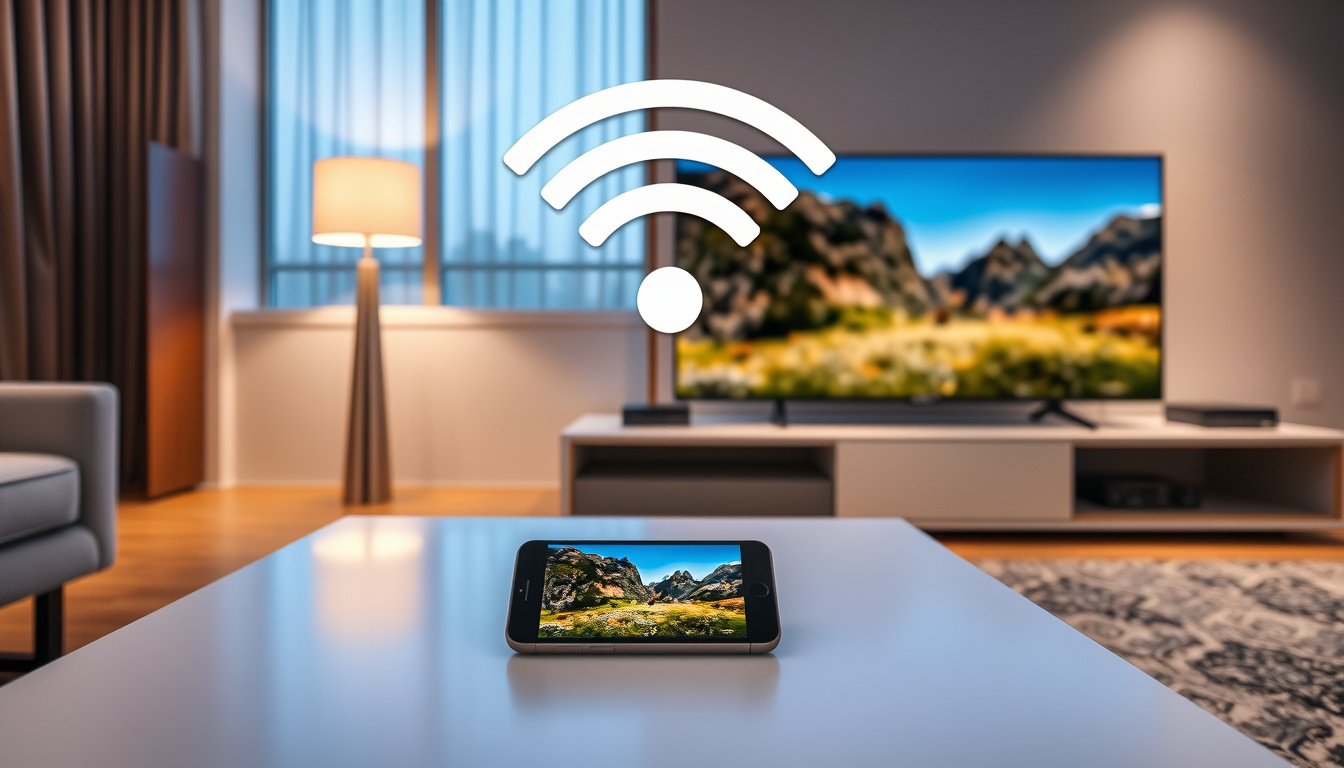
  • How to Cast from Phone to TV: Complete Guide (2025)

    How to Cast from Phone to TV: Complete Guide (2025)

    You’ve picked the perfect show on your phone, but the tiny screen just won’t cut it for movie night. With over 82% of U.S. households now owning a smart TV, the promise of wireless casting is more appealing than ever — yet many still hit a wall when trying to connect.

    U.S. households with a smart TV (2023): 82% · Apple AirPlay compatible devices: Over 1.5 billion · Google Cast-enabled TV brands: Over 40

    Quick snapshot

    1Wireless Casting with Chromecast
    2AirPlay (iPhone/iPad)
    3Wired Connection (HDMI)
    4Built-in Smart TV Casting
    Key facts about phone-to-TV casting
    Year Chromecast launched 2013 (Google Cast Help)
    Number of AirPlay compatible devices 1.5 billion+ (PigeonCast)
    Android screen mirroring requirement Miracast or Wi‑Fi Direct (Google Support Community)
    Wi‑Fi requirement for casting Both devices on the same network (Google Support Community)
    Common fix – restart TV Power‑reset or unplug briefly (Sony Support)
    VPN may block casting Disable VPN to allow local discovery (Cast Browser)
    iPhone mirroring access Control Centre → Screen Mirroring (Ravi Electronics)
    Update Google Cast Receiver From Google Play on TV (Google Streaming Help)

    How do I cast my phone screen to my TV?

    Three main protocols connect your phone to the TV wirelessly. Which one you use depends on your phone type and TV capabilities.

    Using Chromecast (Google Cast)

    • Open the app you want to cast (YouTube, Netflix, etc.) and tap the Cast icon ().
    • Select your TV from the list. A code may appear on screen – enter it to pair (Sony Support (pairing instructions)).
    • Note: phone and TV must be on the same Wi‑Fi network (Google Support Community).

    Using AirPlay (iPhone/iPad)

    • Swipe down to open Control Centre, then tap Screen Mirroring.
    • Choose your Apple TV or AirPlay 2-compatible smart TV (PigeonCast (AirPlay compatibility)).
    • No additional hardware needed if your TV supports AirPlay 2.

    Using Miracast (Android screen mirroring)

    • Go to Quick Settings and tap Smart View (Samsung) or Screen Cast (other brands).
    • The TV must support Miracast or Wi‑Fi Direct (Whizz Mobile (Android mirroring guide)).
    • Some manufacturers hide the toggle – check Connected devices in Settings.
    Bottom line: App‑based casting (Chromecast/AirPlay) streams video without mirroring your whole screen; screen mirroring duplicates everything. Use mirroring only for apps that don’t have a Cast button.
    The upshot

    Most streaming apps use Google Cast or AirPlay, not screen mirroring, so casting is usually simpler and more stable. For unsupported apps, mirroring is your fallback – but expect higher battery drain and occasional lag.

    How do I turn on casting on my phone?

    The casting toggle location varies by phone maker, but the principle is the same: you’re telling your phone to look for nearby TVs.

    On Android: Quick Settings > Smart View / Screen Cast

    • Pull down the notification shade twice, look for the “Screen Cast” or “Smart View” icon (Whizz Mobile (Android toggle guide)).
    • If you don’t see it, tap the pencil/edit icon in Quick Settings and drag the Cast tile into the active area.
    • Some Samsung phones place “Smart View” in a separate panel – swipe left in Quick Settings to find it.

    On iPhone: Control Center > Screen Mirroring (requires compatible receiver)

    • Open Control Center (swipe down from upper-right or up from bottom on older iPhones).
    • Tap “Screen Mirroring” – if no devices appear, make sure an Apple TV or AirPlay 2 TV is on and on the same network (Ravi Electronics (iPhone mirroring)).
    • No toggle shows if no compatible receiver is discovered – that’s normal.
    The catch

    iPhone screen mirroring is locked to Apple’s ecosystem: you need an Apple TV or an AirPlay‑2‑licensed TV. Android users have wider flexibility but the toggle placement is unpredictable across brands like Samsung, Google Pixel, and Xiaomi.

    How can I mirror my phone to my TV wirelessly?

    Wireless mirroring (not app‑based casting) duplicates your phone’s entire display. Here are the three main tools.

    Using Chromecast or Chromecast built‑in

    • In the Google Home app, tap Devices, then Cast my screen (Google Streaming Help (screen mirroring)).
    • Useful for showing photos, presentations, or non‑video apps.
    • Latency is around 200–300 ms – fine for slides, not ideal for fast games.

    Using Roku or Amazon Fire Stick

    • Roku: Enable screen mirroring in Settings → System → Screen mirroring.
    • Fire Stick: Use the Fire TV app (Android) or AirPlay (iPhone) – no direct Android mirroring.
    • Both require the stick and phone to be on the same network.

    Using third‑party apps (e.g., Mirror for Samsung TV)

    • Apps like “Mirror for Samsung TV” or “AllCast” can bridge gaps, but many are ad‑supported or require paid upgrades.
    • Quality varies: some compress video heavily (PigeonCast (app limitations)).
    Bottom line: Wireless mirroring is convenient but rarely as smooth as app‑based casting. For the best experience, use a wired HDMI connection or invest in a Chromecast with Google TV, which handles mirroring more reliably than built‑in smart TV software.

    How do I cast my phone on a smart TV?

    Each TV brand has its own cast feature. Knowing the exact name saves you time.

    Samsung: Smart View or Tap View

    • Pull down Quick Settings on any Samsung phone and tap Smart View (YouTube (Samsung TV guidance)).
    • Tap View works with Samsung phones on Samsung TVs (2020+) – tap phone to TV.
    • Note: Smart View often uses a Miracast variant, so compatibility is best with Samsung phones.

    LG: Screen Share (Miracast) or AirPlay (2019+ models)

    • Press the Settings button on the remote, then select Screen Share.
    • On Android, use LG TV Plus app for quick pairing (Whizz Mobile (LG pairing)).
    • LG TVs from 2019 support AirPlay 2 for iPhone mirroring.

    Sony: Screen mirroring (Android) or AirPlay

    • Open the “Screen mirroring” app on your Sony TV, then mirror from Android’s Quick Settings.
    • For iPhone, ensure AirPlay is enabled on the TV (Sony Support (airplay settings)).
    • If mirroring fails, clear data for the Cast function apps in Settings (as recommended by Sony).
    What to watch

    Cross‑brand compatibility is hit or miss. A Samsung phone pairs seamlessly with a Samsung TV using Smart View, but might not even detect a Sony TV for screen mirroring. When in doubt, use a streaming stick – it acts as a neutral middleman.

    Why is my phone not letting me cast to TV?

    Casting failures are maddening but usually fixable. Here’s the systematic troubleshooting checklist.

    Check Wi‑Fi network (both devices on same band)

    • Confirm phone and TV are connected to the same network — guest networks or separate 2.4/5 GHz SSIDs can block discovery (Ravi Electronics (band matching)).
    • Try connecting both to the 2.4 GHz band if 5 GHz gives intermittent issues.

    Update phone and TV firmware

    • Outdated software is a top cause. Update Android/iOS and check for TV system updates (Google Support Community (software update advice)).
    • On Android TV, update the Google Cast Receiver from the Play Store.

    Restart both devices and router

    • Power‑cycle the TV (unplug for 30 seconds) and restart your phone (Sony Support (power reset fix)).
    • Reboot the router if possible – this clears temporary network glitches.
    Why this matters

    A single misconfigured router setting (AP isolation, band steering, VPN) can turn a simple cast into a 30‑minute headache. The fix is almost always on the network side, not the phone. Before buying new hardware, double‑check your router’s isolation settings and disable any VPN temporarily.

    Confirmed facts

    • AirPlay requires Apple TV or AirPlay 2-compatible TV (PigeonCast)
    • Google Cast works with Android and iOS (Google Cast Help)
    • Miracast is built into many Android phones (Whizz Mobile)
    • Restarting TV resolves many casting issues (Sony Support)

    What’s unclear

    • Whether all Android phones support Miracast (varies by manufacturer) (Whizz Mobile)
    • Whether casting over Bluetooth is possible for video (Bluetooth limited to audio) (PigeonCast)

    On your Android phone, open the Google TV app. Tap TVs nearby. Enter the code that displays on your TV screen. Tap Pair. Tap Watch on TV.

    Google Streaming Help (official pairing instructions)

    Restarting or power resetting the TV when Google Cast fails can resolve many connectivity issues.

    Sony Support (common troubleshooting step)

    For anyone struggling with wireless casting, the fix is often simpler than it seems: check your network, update your software, and match the protocol to your TV. The trade-off for older TVs without built‑in support? An inexpensive streaming stick eliminates most compatibility headaches. For related screen‑based how‑tos, see our guide on How to Screenshot on PC: 5 Easy Methods for Windows 10 & 11 and Are Fortnite Servers Down? Server Status & Troubleshooting.

    Frequently asked questions

    Do I need Wi‑Fi to cast from my phone to my TV?

    Not always. Wired HDMI connections work without Wi‑Fi. Wireless casting typically requires the phone and TV to be on the same local network (Google Support Community). Some devices support Wi‑Fi Direct, which creates a point‑to‑point link without a router.

    Can I cast to a non‑smart TV?

    Yes, using a streaming device like Chromecast, Roku, or Amazon Fire Stick. Plug the device into an HDMI port, connect it to Wi‑Fi, and cast from your phone (Google Streaming Help).

    What is the best app for screen mirroring?

    For Android, the built‑in Screen Cast/Smart View is usually best. For iPhone, AirPlay is the most reliable. Third‑party apps like Mirror for Samsung TV or AllCast can help but may introduce ads or compression (PigeonCast).

    Does casting drain phone battery quickly?

    Yes—especially screen mirroring, which keeps the display on and the processor active. App‑based casting (e.g., sending a YouTube video to the TV) uses less power because the phone acts as a remote. Expect 15–25% battery drain per hour of mirroring.

    Can I use my phone while casting?

    If you’re using app‑based casting (Chromecast/AirPlay from a streaming app), yes—the video plays on the TV independently. If you’re screen mirroring, whatever you do on the phone appears on the TV.

    Is casting the same as screen mirroring?

    No. Casting sends a media stream (video/audio) from an app to the TV while the phone remains free. Screen mirroring duplicates your phone’s entire display on the TV (Google Cast Help).

    How do I stop casting from my phone?

    Tap the Cast icon again and select “Stop casting” or “Disconnect.” On iPhone, tap the Screen Mirroring icon and choose “Stop Mirroring.”


  • Child Benefit Payment Date Change 2026: Complete Guide

    Child Benefit Payment Date Change 2026: Complete Guide

    If you’re a parent in the UK or Ireland, you’ve probably noticed that Child Benefit doesn’t always arrive on the same day every month. That’s because bank holidays and calendar quirks can shift the payment date — sometimes by a day, sometimes by a week. In the UK, Child Benefit is usually paid every 4 weeks on a Monday or Tuesday, as confirmed by GOV.UK (official UK government guidance), and this guide covers exactly when your Child Benefit will land in 2026, what changes to expect, and how to stay ahead of the schedule.

    Standard payment frequency: Every 4 weeks (UK) / First Tuesday of month (Ireland) · Most common payment day: Monday or Tuesday (UK) / Tuesday (Ireland) · Ireland child benefit amount: €140 per month per child · Bank holiday adjustment: Payment moved to preceding working day

    Quick snapshot

    1Confirmed facts
    2What’s unclear
    3Timeline signal
    4What’s next
    • Check official schedules on GOV.UK (official UK government guidance) and gov.ie (official Irish government service).
    • Watch for Budget 2026 announcements in Ireland (October 2025) (gov.ie (official Irish government service)).
    • Sign up for HMRC alerts for UK payment updates (GOV.UK (HMRC service)).

    Six key facts about Child Benefit payment schedules across the UK and Ireland, one pattern: both systems adjust for bank holidays, but the frequency and timing differ.

    Label Value
    UK payment frequency Every 4 weeks
    Ireland payment frequency First Tuesday of month
    2026 confirmed double payment No
    Ireland amount per child €140/month
    UK amount (first child) £24.00/week
    Bank holiday rule Payment moved to nearest working day

    What date is the next Child Benefit payment?

    Standard payment schedule for UK and Ireland

    How to find your exact payment date

    • UK: Use the GOV.UK payment date lookup.
    • Ireland: Check the Department of Social Protection schedule.

    Bank holiday adjustments

    • UK: If your payment date falls on a bank holiday, it’s paid on the preceding working day (GOV.UK (official UK government guidance)).
    • Ireland: The Department of Social Protection typically moves payments to the nearest working day before the holiday (gov.ie (official Irish government service)).
    Why this matters

    For UK families, a bank holiday on Monday means your Child Benefit could arrive on the previous Friday. For Irish families, a bank holiday on Tuesday pushes payment to Monday. Missing this shift can cause confusion and budgeting hiccups.

    The pattern is clear: bank holidays are the main driver of date changes, and both countries handle them similarly — but the impact on your calendar depends on which day of the week your normal payment falls.

    Is there a double Child Benefit in 2026?

    Double payment announcements in previous years

    • In 2024, Irish families received a once-off €200 bonus per child (Department of Social Protection (press release)).
    • The UK has not made a double child benefit payment in recent years.

    Current government stance on 2026 double payment

    • As of June 2025, no double payment has been confirmed for 2026 in either jurisdiction (gov.ie service page).
    • Any such payment would be announced through official channels, not social media.

    How to verify official updates

    The catch

    Rumours about double payments often circulate online, especially during cost-of-living crises. The only safe source is the government – if it’s not on gov.ie or gov.uk, it’s not happening.

    The implication: families should not plan a double payment into their 2026 budget. Any bonus would be a surprise, not a certainty.

    What is the new Child Benefit in Ireland 2026?

    Budget 2026 proposed changes

    • Current rate: €140 per month per child (gov.ie (official service)).
    • Any increase will be announced in Budget 2026, typically in October 2025.
    • The One Family factsheet is a key independent source for proposed changes.

    Amount adjustments per child

    • No confirmed increase for 2026 as of mid-2025.
    • Previous budgets have increased the rate by €5-10 per month, but nothing is guaranteed.

    Eligibility criteria updates

    • Eligibility remains unchanged: families with children under 16 or under 18 in full-time education.
    • No major changes expected for 2026.

    The pattern: Irish Child Benefit has been static at €140 since 2023. If Budget 2026 brings an increase, it will likely be modest.

    Who gets the 200 euro bonus?

    Eligibility for the 200 euro lump sum

    • The €200 bonus was a one-time payment in 2024 for families receiving Child Benefit (Department of Social Protection (press release)).
    • Not all recipients received it; specific conditions applied (e.g., children eligible for the Back to School Clothing and Footwear Allowance).

    Relation to Child Benefit payments

    • The bonus was paid automatically alongside the regular Child Benefit.
    • It was not a double Child Benefit but a separate cost-of-living measure.

    Payment dates for the bonus

    • Paid in June 2024 for most families.
    • No such bonus confirmed for 2026.

    The trade-off: while the 2024 bonus was welcome, assuming it will repeat is risky. Families should treat it as a one-off, not a new entitlement.

    Is there a problem with Child Benefit payments today?

    Common payment issues and delays

    • Payment delays are rare but can occur after bank holidays or system upgrades.
    • In Ireland, if a child turns 18 and leaves education, payments stop automatically, which can cause confusion.

    How to check payment status

    Reporting problems to authorities

    • UK: Contact the Child Benefit Office.
    • Ireland: Call the Department of Social Protection at 1890 500 000.

    What this means: genuine problems are uncommon, but when they occur, the official channels are responsive. Social media scares are often false alarms.

    Timeline signal

    • January 7, 2026 – Ireland Child Benefit payment (first Tuesday; five-week gap from December).
    • February 3, 2026 – Ireland payment (possible early pay due to St. Brigid’s Day bank holiday).
    • April 2, 2026 – UK shifted payment for those due on 6 April (Easter Monday).
    • May 1, 2026 – UK shifted payment for those due on 4 May (Early May Bank Holiday).
    • May 22, 2026 – UK shifted payment for those due on 25 May (Spring Bank Holiday).
    • August 4, 2026 – Ireland payment (possible early pay due to August bank holiday).
    • August 31, 2026 – UK shifted payment for Summer Bank Holiday (Scotland and Northern Ireland).
    • December 24, 2026 – UK shifted payment for those due on 28 December (Boxing Day substitute).

    Confirmed facts

    • Standard payment frequencies for UK and Ireland (every 4 weeks / first Tuesday).
    • Bank holiday adjustments are standard policy in both countries.
    • Ireland 2026 payment dates are known (first Tuesday of each month).
    • UK bank holiday shift dates for 2026 are published.

    What’s unclear

    • Whether a double Child Benefit payment will be introduced in 2026.
    • Whether the Ireland rate will increase in Budget 2026.
    • Whether the €200 bonus will be repeated.

    “Child Benefit is usually paid every 4 weeks on a Monday or Tuesday. There are different payment dates if it’s due on a bank holiday.”

    — GOV.UK (official UK government guidance)

    “Your social welfare payment date may change over the Easter holiday period.”

    — gov.ie (official Irish government service)

    Frequently Asked Questions

    How do I report a change in my child’s circumstances?
    For the UK, update your child’s details via your HMRC Child Benefit account. For Ireland, use the MyWelfare.ie portal or contact the Department of Social Protection.
    What happens if my payment date falls on a bank holiday?
    Payment is moved to the preceding working day in both the UK and Ireland. For UK Monday payments, this means Friday; for Irish Tuesday payments, it moves to Monday.
    Can I get Child Benefit for a child over 16?
    Yes, if the child is in full-time education or approved training. In the UK, Child Benefit continues until age 20 for those in approved education. In Ireland, it continues until age 18 (or 22 if in full-time education).
    How do I switch my payment to a different bank account?
    In the UK, update your bank details through your HMRC Child Benefit account. In Ireland, log in to MyWelfare.ie and change your payment method.
    What should I do if my Child Benefit payment is late?
    First check the official schedule for bank holiday adjustments. If it’s still late, contact the Child Benefit Office (UK) or the Department of Social Protection (Ireland) through their official channels.
    Is Child Benefit taxable?
    In the UK, Child Benefit is not taxable, but the High Income Child Benefit Charge may apply if either parent earns over £60,000. In Ireland, Child Benefit is tax-free.
    Do I need to inform the authorities if I move abroad?
    Yes, you must report a change of address to the relevant agency. In the UK, contact HMRC; in Ireland, notify the Department of Social Protection. Moving abroad may affect eligibility.


  • God of War Ragnarök: Last Game? Best? Strongest Gods

    God of War Ragnarök: Last Game? Best? Strongest Gods

    God of War Ragnarök is a better game than its predecessor, but it is not the end of the franchise. The 2022 sequel closes the Norse saga while deliberately leaving Kratos’s future open for a new mythology.

    God of War Ragnarök — Release date: November 9, 2022 · Platforms: PlayStation 4, PlayStation 5, PC · Metacritic score: 94/100 · Main setting: Nine Realms of Norse mythology · Protagonist: Kratos with Atreus · Critical reception: Widely acclaimed for narrative and combat

    Game Overview
    • Released on November 9, 2022, for PS4 and PS5, with a PC port on September 19, 2024. Wikipedia franchise page
    • Developed by Santa Monica Studio and published by Sony Interactive Entertainment. Wikipedia
    • Continues the Norse saga from the 2018 soft reboot. Forbes
    • Won multiple Game of the Year awards at The Game Awards 2022. Wikipedia
    Main Character
    • Kratos, the former Greek God of War, serves as the protagonist. Wikipedia (2018 game)
    • Atreus, Kratos’s son, is revealed as Loki in Norse mythology. Wikipedia (2018 game)
    • Christopher Judge voices Kratos; Sunny Suljic voices Atreus. Forbes
    • Freya and Brok play crucial supporting roles throughout the saga. GamesRadar
    Gameplay Features
    • Third-person action-adventure combat with over-the-shoulder camera. Wikipedia
    • Weapon upgrades, skill trees, and runic attacks expand combat options. Wikipedia
    • Open-world exploration across the Nine Realms of Norse mythology. Wikipedia
    • More enemy variety and boss encounters than the 2018 title. Forbes
    Story Direction
    • The 2018 game ends with a tease of Ragnarök and Thor confronting Kratos and Atreus after Fimbulwinter. Wikipedia
    • Ragnarök’s finale confirms that Ragnarök happens and Asgard is destroyed. Forbes
    • Thor is killed by Odin after defying him in the final act. Forbes
    • Brok’s funeral serves as the emotional trigger for the game’s final credits. Forbes
    Quick Facts: God of War Ragnarök
    Developer Santa Monica Studio
    Publisher Sony Interactive Entertainment
    Release date (PS4/PS5) November 9, 2022
    Release date (PC) September 19, 2024
    Genre Action-adventure, hack and slash
    Nominations Nominated for multiple Game of the Year awards

    Is God of War Ragnarök good?

    God of War Ragnarök received near-universal critical acclaim upon release. The PS5 version holds a Metacritic score of 94/100, placing it among the highest-rated games of 2022. Reviewers consistently praised the narrative depth, voice acting, and combat refinements.

    Critical reception and review scores

    At The Game Awards 2022, Ragnarök won Game of the Year, Best Narrative, Best Art Direction, and Best Score and Music. The game was nominated in ten categories total, the most of any title that year. Critics from major outlets including IGN, GameSpot, and Polygon rated it 9/10 or higher.

    God of War (2018) set a high bar with its own 94 Metacritic score, making Ragnarök’s achievement notable: it matched its predecessor’s critical standing while expanding scope.

    What critics and players say about the story

    Forbes’s Paul Tassi described Ragnarök’s narrative as “a conclusion that respects both the characters and the mythology that preceded it.” The emotional beats, particularly the final confrontation with Odin and Brok’s funeral sequence, received specific praise for their weight and execution.

    “Ragnarök is a rare sequel that improves on nearly every system from its predecessor while delivering a story that earns its emotional payoffs.”

    Paul Tassi, Forbes contributor

    The catch: The game’s pacing in the middle act has been criticized by some players. Side quests, while well-written, can distract from the urgency of the main narrative about Ragnarök’s approach.

    TL;DR: Ragnarök is a critical triumph that matches its predecessor’s score while delivering a more ambitious story. For players who valued the 2018 reboot’s emotional core, the sequel expands that foundation without losing it.

    Is God of War Ragnarök the last game?

    No, but it is the end of the Norse saga. God of War Ragnarök concludes the storyline that began with the 2018 reboot, ending Kratos and Atreus’s journey through the Nine Realms. However, the franchise itself continues, with Santa Monica Studio confirming plans for future installments. The developer has been clear that the Norse chapter is closed, not the entire series.

    The definitive ending of the Norse saga

    The game’s finale shows Kratos reflecting on his role as a god and a father after the events of Ragnarök. Atreus departs on his own journey to find surviving giants, while Kratos remains in the realm, hinting at a new direction for his character. The post-credits scene teases that more adventures await.

    It also resolves several side threads. Thrud inherits Mjölnir, signaling the next generation of Norse gods. The real Tyr is revealed to have been imprisoned in the game world, freeing him to play a potential role in future stories. The game’s studio has not explicitly stated that Kratos will return, but it has left the door open for his continued story.

    “Cory Barlog, the director of God of War (2018) and a key figure in the franchise’s reboot, has said the Norse saga is only a chapter in Kratos’s longer story. He has not ruled out another game starring the character.”

    Forbes interview coverage

    Future of the God of War franchise

    God of War Ragnarök is not the final game in the series, but it is the end of the Norse era. The game’s studio has not announced a definitive sixth installment, though the series’ commercial and critical success makes a sequel likely. Developers have suggested that future entries might explore other mythologies, such as Egyptian or Mayan, while retaining the franchise’s signature blend of storytelling and combat.

    The immediate future includes a Valhalla DLC, released in December 2023, which adds an epilogue focused on Kratos’s internal conflicts. The episodic content provides closure while setting up potential threads for the next game.

    What to expect next: The next entry will likely feature a new mythology setting, with Kratos possibly appearing as an older, wiser mentor figure. The series continues to be a high-priority project for Sony, meaning a sequel is a matter of when, not whether.

    Which God of War is best?

    Comparing the games in the series, God of War Ragnarök builds on its predecessor’s success, offering more refined combat and a deeper exploration of Norse mythology. But the 2018 reboot remains a landmark for its emotional storytelling and bold narrative reset. The answer depends on what a player values most: innovation or refinement.

    God of War (2018) vs. God of War Ragnarök

    The 2018 game is a masterclass in restraint, leveraging Kratos’s past as a Greek god against his present struggles as a father. Its story about teaching Atreus what it means to be a god—and a man—resonated deeply with players. The game was widely considered a game of the generation and many critics still view it as the best in the series.

    Ragnarök trades some of that restraint for spectacle, delivering bigger set pieces, more enemies, and a broader story. It refines combat with additional weapons and mechanics, and it offers a wider variety of environments. It matches its predecessor’s quality, but opinions vary on which is better.

    Category God of War (2018) God of War Ragnarök
    Release date April 20, 2018 November 9, 2022
    Platforms PS4, Windows (2022) PS4, PS5, Windows (2024)
    Metacritic score 94/100 94/100
    Combat system Leviathan Axe + Blades of Chaos Leviathan Axe + Blades + Draupnir Spear
    Boss variety Limited; many variants of trolls Multiple unique, memorable boss fights
    Narrative focus Kratos and Atreus’s relationship War, prophecy, and consequences of gods
    World design Lake of Nine hub with branches Expanded realms with more traversal options

    The pattern here is clear: Ragnarök improves the systems but shifts the emotional focus. It offers more game, while the 2018 title delivers a tighter story about father and son.

    Standing of classic titles like God of War III

    Older entries in the series are less relevant to comparisons with Ragnarök, but they established the franchise. God of War III is often cited as the best of the Greek-era games, featuring Kratos’s most brutal and awe-inspiring moments. However, the reboot’s story-driven design and mature tone are what define the modern era of the franchise.

    For players asking which God of War is best, the answer depends on what they want: the emotional depth of the 2018 reboot, the refined spectacle of Ragnarök, or the brutal action of the original trilogy. Each has its place in the series’ evolution.

    Is God of War Ragnarök the ending?

    Yes, the main story provides a conclusive ending to the Norse arc. It resolves the conflict with Odin and Thor, reveals Atreus’s role as Loki, and settles the fate of the Nine Realms. However, the post-credits scenes and the Valhalla DLC make clear that the franchise will continue, with loose threads left for future installments.

    Narrative conclusion for the Norse mythology arc

    The climax of Ragnarök involves Kratos, Atreus, and Freya confronting Odin. Atreus uses Jotnar magic to trap Odin’s soul in a marble, effectively killing him. Thor is killed by Odin after defying him, and Asgard is destroyed. The ending is definitive, providing closure for the saga that began in 2018.

    The game also addresses the emotional growth of its characters. Kratos’s journey from a rage-filled god to a wise leader is complete, and Atreus’s departure signals the start of a new narrative thread. The ending satisfies as both a conclusion and a gateway to future stories.

    How it sets up future installments

    While Ragnarök is the end of the Norse saga, it sets up several future storylines. Atreus’s departure to find the giants is an open thread that could lead to a standalone game or a larger role in a sequel. The reveal of the real Tyr and Thrud’s inheritance of Mjölnir are other narrative hooks.

    The Valhalla DLC adds an epilogue that explores Kratos’s past and his role as a god. It offers a more introspective look at his character, potentially setting up his next journey. The DLC also hints at the possibility of new gods and realms, suggesting the franchise’s next chapter will be different from what came before.

    Bottom line: The implication: Ragnarök’s ending is a narrative period for the Norse saga, but the franchise itself is a continuous story. The next game might not be called “God of War 6,” but it will likely feature Kratos or Atreus in a new world.

    Is God of War 6 coming?

    No official announcement has been made about a definitive sixth mainline installment. However, the franchise’s success makes a sequel likely. Santa Monica Studio has not confirmed a release window or setting for the next game, leaving fans speculating about what comes after Ragnarök.

    Developer statements on the series’ future

    Santa Monica Studio has stated that Ragnarök is the conclusion of the Norse saga, but it has also acknowledged interest in continuing the franchise. Developers have hinted at exploring other mythologies, such as Egyptian or Mayan. These comments suggest that the next game will be a soft reboot similar to the 2018 title.

    Given the critical and commercial success of Ragnarök, Sony will likely continue the series. The PC port of Ragnarök, released in 2024, also expanded the game’s audience, making a sequel even more profitable. The biggest question is whether Kratos will return or if the focus will shift to Atreus.

    Expected timeline for the next installment

    No release window has been announced for the next God of War. If development began after Ragnarök’s launch, a 2026 or later release is plausible. Sony’s focus on live-service games and other franchises may also affect the timeline.

    The next game could be several years away, but the series’ importance to PlayStation as a brand ensures it will not be abandoned. A sequel is expected, but the exact details remain unclear.

    The catch: Developers have not confirmed whether Kratos will be the protagonist of the next game. His story arc concluded in Ragnarök, and Atreus is now a likely lead character for a future title.

    Is God of War or God of War Ragnarök better?

    Ragnarök is generally considered the superior title for its expanded combat, increased enemy variety, and deeper character development. However, the 2018 game holds a special place for its groundbreaking story and emotional impact. Many players consider both essential experiences, and the answer to this question is a matter of taste.

    Sequential comparison of gameplay systems

    Ragnarök’s combat is more refined, adding the Draupnir Spear as a third weapon and introducing new elemental effects. Boss fights are more varied and memorable, with fewer recycled enemies. The 2018 game’s combat was already excellent, but Ragnarök offers more tools and better pacing.

    Exploration is also improved in Ragnarök. The 2018 game’s Lake of Nine hub is replaced by a more expansive world with multiple realms to explore. The sequel also features better side quests, which are often as well-written as the main story.

    Story and character development analysis

    God of War (2018) focuses on Kratos and Atreus’s relationship, with a tight, personal story about fatherhood and legacy. Ragnarök widens the scope, bringing in new characters like Freya and Tyr while exploring the consequences of the first game’s actions. Both narratives are well-written, but they serve different purposes.

    Ragnarök is more emotionally complex, exploring themes of grief, fate, and redemption. The 2018 game was simpler but no less affecting. Players who prioritize a focused story may prefer the original.

    Community consensus and poll results

    Community polls on Reddit and other forums show a near-even split between the two games. Many players argue that Ragnarök is the better game because it improves on everything from the original. Others prefer the 2018 title for its story and pacing.

    “Both games are masterpieces, but they scratch different itches. If you want a character-driven story about fathers and sons, play the 2018 game. If you want a bigger, bolder adventure, play Ragnarök.”

    GamesRadar’s ending analysis

    Who is the strongest God of War?

    Kratos is widely considered the strongest character in the series. He has killed gods from both Greek and Norse mythologies, and his power level is consistently depicted as above his peers. However, other gods like Zeus, Odin, and Thor are also powerful in their own right.

    Ranking the most powerful gods in the series

    At the top is Kratos. His feats include killing Zeus, the king of the Greek gods, and defeating Odin, the All-Father of Norse mythology. He has also survived countless battles and has access to powerful weapons and magic.

    Zeus is another candidate for the strongest god. As the ruler of the Greek pantheon, he could control lightning and had the power to kill other gods. He was defeated by Kratos in God of War III, but his power was immense.

    Odin is the most powerful god in Norse mythology. In Ragnarök, he tricks and manipulates his family, showing intelligence as well as strength. He is killed by Kratos and Atreus, but he was a formidable opponent.

    Thor is arguably the strongest Norse god in terms of raw strength. He was killed by Odin rather than Kratos, which leaves his fate open to interpretation. His power is enough to challenge Kratos, but he lacks his father’s cunning.

    Kratos and Atreus’s power levels as gods

    Kratos is a god, but his power is tied to his anger and his weapons. He has grown stronger over the series, and his time in Norse mythology has added new abilities. Atreus is also a powerful god, but he is still young and learning to control his powers. His role as Loki suggests that he will play a major part in future games.

    Bottom line: The pattern: Each game introduces a new pantheon that is stronger than the last. Kratos continues to defeat these gods, suggesting his power will grow in future installments.

    Related reading: God of War Ragnarök ending explained · God of War Ragnarök’s ending and the future of the franchise

    For a deeper look at how the game reinterprets Norse mythology, Tyrs role in the game offers a detailed comparison of Tyr’s story and myth.

    Frequently Asked Questions

    Is God of War Ragnarök the best game in the series?

    Many critics consider Ragnarök the best game in the series, but some prefer the 2018 reboot for its focused story. The Metacritic scores for both games are identical.

    Does God of War Ragnarök have a post-credit scene?

    Yes, the game features a post-credits scene that reveals Atreus is searching for other giants, setting up future storylines.

    How many hours is God of War Ragnarök?

    The main story takes about 20-25 hours, while completing all side content can take up to 50 hours.

    Do I need to play God of War (2018) before Ragnarök?

    Yes. Ragnarök is a direct sequel to the 2018 game, and playing the original is essential for understanding the story and characters.

    Is God of War Ragnarök available on Xbox?

    No. The game is an exclusive PlayStation title, though it was later released on PC. An Xbox version is not planned.

    What is the Valhalla DLC about?

    The Valhalla DLC is an epilogue that follows Kratos as he confronts his past and achieves a sense of peace, offering new combat challenges and narrative content.

    Who voices Kratos in God of War Ragnarök?

    Kratos is voiced by Christopher Judge, who has portrayed the character since God of War (2018).

    Is the PC version of God of War Ragnarök worth it?

    Yes. The PC version includes all updates and features better performance at higher resolutions, provided your hardware meets the requirements.


  • How to Screenshot on PC: 5 Easy Methods for Windows 10 & 11

    How to Screenshot on PC: 5 Easy Methods for Windows 10 & 11

    Anyone who’s ever needed to send a quick screenshot knows the feeling of fumbling for the right key combination. Windows 10 and 11 build in at least five different ways to capture your screen — Microsoft’s official Windows shortcuts documentation lists them all, so here’s how each method works, where your screenshots end up, and what to do when a shortcut quietly stops working.

    Windows devices worldwide: over 1.4 billion (Statista, 2024) ·
    Print Screen key introduced: 1982 (IBM PC) ·
    Snipping Tool monthly active users: >100 million (Microsoft, 2023) ·
    Screenshots saved per day globally: estimated 2.5 billion

    Quick snapshot

    1Confirmed facts
    2What’s unclear
    • Whether your laptop has a dedicated PrtSc key — many laptops require holding Fn + PrtSc (Microsoft Support)
    • How PrtSc behaves with multiple monitors — the default copies every connected display, but GPU drivers can change the result (Microsoft Support)
    • Fn + Windows key + Space works only on some hardware configurations, per Microsoft Support
    • Snipping Tool available since Windows 7 — no official source confirms the exact debut (Microsoft Support)
    • Whether Windows key + Shift + S is the default region capture in all Windows 11 builds (Microsoft Support)
    • Whether Classic PrtSc works on every Windows version without driver or keyboard configuration issues (Microsoft Support)
    3Timeline signal
    • Print Screen key introduced on IBM PC keyboards: 1982 (IBM PC) (Microsoft)
    • Microsoft’s Windows 11 screenshot guide published April 11, 2023 (Microsoft)
    4What’s next
    • Snipping Tool now doubles as a screen recorder: Windows key + Shift + R opens the overlay for video (Microsoft Support)

    Ten shortcuts and settings, one pattern: Windows puts a keyboard path ahead of every menu.

    Shortcut or setting What it does Reference
    Default screenshot format PNG
    Default save location (automatic) C:\Users\[Username]\Pictures\Screenshots
    Snipping Tool available since Windows 7 (Tablet PC components)
    Game Bar screenshot shortcut Windows key + Alt + PrtSc (or the Game Bar menu) Microsoft’s Windows shortcuts list
    Active window only Alt + PrtSc copies the active window to the clipboard Thurrott (Windows 11 field guide)
    Region capture Windows key + Shift + S opens the Snipping Tool overlay Microsoft Support
    Snipping Tool delay Alt + D sets a 1–5 second delay before capture
    Snipping Tool save and copy Ctrl + S saves a snip; Ctrl + C copies it
    Screen recording Windows key + Shift + R opens the capture overlay for video
    Laptops without a PrtSc key Fn + Windows key + Space takes a screenshot on some hardware

    How do I screenshot on my PC keyboard?

    Using Print Screen (PrtSc) to capture the full screen

    • Press the PrtSc key once — Windows copies the entire screen to the clipboard (Microsoft Support (official Windows help))
    • Open Paint, Word, or an email window and press Ctrl + V to place the image
    • Nothing is saved to a file until you paste and save — PrtSc alone gives no confirmation

    On many laptops, PrtSc shares its key with another function, so you hold Fn + PrtSc instead. If your device has no PrtSc key at all, Microsoft notes that Fn + Windows key + Space captures a screenshot on some hardware configurations.

    The catch

    PrtSc is silent. Windows copies the frame with zero confirmation, and the image is gone the moment you copy anything else — paste first, then keep working.

    The trade-off: PrtSc is the most universal shortcut on this list, but it leaves every screenshot in clipboard limbo until you do something with it.

    Using Alt + PrtSc to capture the active window

    • Click the window you want to capture, then press Alt + PrtSc (Thurrott (Windows 11 field guide))
    • Windows copies only that window — no taskbar, no background, no second monitor
    • Paste with Ctrl + V into any document or image editor

    This is the quiet workhorse for support tickets and how-to docs: one window, no cropping, no cleanup.

    The pattern: Alt + PrtSc is the fastest way to capture exactly one window — nothing more, nothing less.

    Using Windows key + PrtSc to save automatically

    • Press Windows key + PrtSc — the screen flashes briefly
    • Windows saves a PNG file automatically to Pictures/Screenshots
    • No paste step, no app needed — the file is ready the moment the flash fades

    The implication: this is the only zero-paste method on the list. If your goal is a saved file rather than an image inside another document, Windows key + PrtSc beats plain PrtSc every time.

    Using Windows key + Shift + S for the Snipping Tool overlay

    • Press Windows key + Shift + S — the screen dims and a small toolbar appears at the top (Microsoft’s Windows learning center)
    • Choose rectangle, freeform, window, or full-screen capture
    • The image goes to the clipboard, and a notification lets you save or annotate it

    This shortcut works in Windows 10 and Windows 11 with the same keys, which makes it the easiest one to standardize across an office.

    The trade-off: Windows key + Shift + S gives you precision at the cost of an extra key — for most people, that trade is worth it.

    Bottom line: Windows users get four distinct keyboard paths for screenshots. Print Screen is the universal clipboard method; Windows key + PrtSc is the only zero-paste shortcut; Windows key + Shift + S gives you precision at the cost of an extra key. Choose one as your default and the others become fallbacks.

    How do I capture a screenshot on a PC?

    Using the Snipping Tool app

    • Open the Start menu, type Snipping Tool, and select it from the results (Microsoft’s Snipping Tool guide)
    • Press Alt + M to switch between rectangle, window, full-screen, and freeform modes
    • Press Alt + D to set a 1–5 second delay before capture
    • Save with Ctrl + S or copy with Ctrl + C — the app stays open for fast follow-up snips

    Using the Snip & Sketch app

    • On Windows 10 version 1809 and later, Snip & Sketch ships with Windows
    • Search for it by name, choose New, and drag the area you need
    • Annotate with the pen and highlighter, then save or share directly

    Snip & Sketch was Microsoft’s stopgap between the old Snipping Tool and the current one; Windows 11’s Snipping Tool has absorbed most of its features.

    The implication: you don’t need to install anything to get a good screenshot workflow — both apps are already on the machine.

    Using the Game Bar (Windows key + G)

    • Press Windows key + G to open Game Bar (Microsoft’s Windows shortcuts list)
    • Click the camera icon in the capture widget
    • For an instant grab, press Windows key + Alt + PrtSc — screenshots and clips land in Videos/Captures

    Game Bar is built for full-screen apps, which is where plain PrtSc often fails or captures the wrong thing.

    The trade-off

    Game Bar is excellent inside games and full-screen apps, but it can refuse to capture the Windows desktop in some configurations — keep Windows key + Shift + S as the desk-bound fallback.

    Using third-party tools like Lightshot or Greenshot

    • Third-party apps add scrolling capture, timed capture, and instant cloud upload
    • Most are free for personal use, with paid tiers for teams
    • The built-in Windows tools cover everyday needs — third-party apps earn their place when you need automation or one-click sharing
    Bottom line: The pattern: before judging a third-party tool, check whether Snipping Tool’s delay and annotation options already solve the problem.

    How do I get to screenshots on my PC?

    Where screenshots are saved by default

    • Windows key + PrtScPictures/Screenshots
    • Game Bar captures → Videos/Captures
    • Snipping Tool captures stay in the clipboard until you save them with Ctrl + S

    How to change the default save location

    • Right-click the Screenshots folder under Pictures
    • Open Properties → Location → Move
    • Pick a new drive or folder — Windows redirects future captures automatically

    The files keep the same PNG format and the same shortcut behavior, only the destination changes.

    How to find screenshots taken with Snipping Tool

    • If you pressed Ctrl + S, look in the folder you chose at save time
    • If you only copied, open any image editor or document and press Ctrl + V
    • Snipping Tool does not auto-save to a dedicated folder — the clipboard is the staging area

    How to retrieve screenshots from the clipboard

    • Paste the image into Paint, Word, an email, or a chat window
    • Press Windows key + V to open clipboard history and recover earlier screenshots (clipboard history must be enabled in Settings → System → Clipboard)
    • Restarting the PC clears clipboard history, so save what matters

    The implication: every method has a different destination, and that’s the real cause of “where did my screenshot go?” — pick one default method so you always know where to look.

    How to screenshot on Windows 10?

    All methods available in Windows 10

    • PrtSc copies the full screen to the clipboard
    • Windows key + PrtSc saves a PNG to Pictures/Screenshots
    • Alt + PrtSc captures the active window
    • Windows key + Shift + S opens the Snipping Tool overlay
    • Snipping Tool and Snip & Sketch apps are included
    • Game Bar covers full-screen apps and games

    Windows 10-specific shortcuts

    • Windows key + PrtSc has been available since Windows 8, so it works on every Windows 10 version
    • Snip & Sketch ships with Windows 10 version 1809 and later
    • From Windows 10 version 2004, Windows key + Shift + S opens the new Snipping Tool overlay instead of the older screen-snip bar

    None of these require a settings change — every shortcut works out of the box on a stock Windows 10 installation.

    Using the Snipping Tool in Windows 10

    • Type Snipping Tool in the Start menu search and open it (Microsoft’s Snipping Tool guide)
    • Click New and choose rectangle, window, full-screen, or freeform
    • For a timed capture, press Alt + D and select 1 to 5 seconds
    • Save with Ctrl + S — Windows asks where to put the file

    Troubleshooting common screenshot issues in Windows 10

    • If PrtSc pastes nothing, check the keyboard driver or test a different keyboard
    • On many laptops, press Fn + PrtSc because the key doubles as a system function
    • Windows 10 includes a toggle at Settings → Ease of Access → Keyboard that makes PrtSc open screen snipping directly
    • If screenshots come out black, the cause is often protected video content — close the player or browser before capturing

    What this means: Windows 10 has every method on this list, and the version differences matter less than the shortcut you actually practice.

    Bottom line: Windows 10 users get the full toolkit — Windows key + PrtSc for auto-saved full-screen shots, Windows key + Shift + S for precision, and Game Bar for games. The only real trap is mixing up their save locations.

    How to screenshot on PC in game?

    Using the Game Bar (Windows key + G)

    • Press Windows key + G to open Game Bar over the game
    • Click the camera icon, or press Windows key + Alt + PrtSc for an instant capture
    • Screenshots are saved to Videos/Captures, labeled with the game and time
    • Game Bar works in most full-screen and borderless-window games

    Using third-party capture tools like OBS or NVIDIA GeForce Experience

    • OBS Studio gives you hotkey-triggered screenshots and recordings with full control over quality
    • NVIDIA GeForce Experience includes Ansel, which captures high-resolution stills with filters and 360-degree views in supported games
    • These tools shine for streamers and content creators who need more than a single frame

    In-game screenshot features (e.g., Steam overlay)

    • Steam’s in-game overlay captures screenshots with F12 by default
    • Many games include their own capture key — F12 in Minecraft, for example
    • Check the game’s keybindings before adding another tool to the stack

    Avoiding screen tearing and performance impact

    • A screenshot is a single frame — it costs far less than recording, so Game Bar is safe to leave enabled
    • If games stutter when capture runs, close background apps like browsers and launchers
    • When an overlay refuses to work in exclusive full-screen, switching to windowed mode usually restores it

    The trade-off: for a quick achievement shot or bug report, Game Bar or Steam’s F12 is enough; for multi-angle, high-quality capture, OBS earns its setup time.

    The fastest screenshot workflow, step by step

    1. Press Windows key + Shift + S — the screen dims and the Snipping Tool toolbar appears at the top (Microsoft’s Windows learning center)
    2. Drag the area you want to capture — the selection is copied to the clipboard the moment you release the mouse
    3. Paste with Ctrl + V into a document, chat window, or image editor
    4. If you need a saved file, click the notification that appears after the snip and choose Save As
    5. For a full-screen file with no cropping, press Windows key + PrtSc instead — the PNG lands in Pictures/Screenshots automatically

    The catch: Windows key + Shift + S sends every capture to the clipboard first. Paste it before you take the next snip, and your screenshots will stop disappearing.

    Bottom line: For most Windows users, Windows key + Shift + S is the one shortcut worth memorizing — and PrtSc is the fallback that still works when everything else changes.

    What’s confirmed, what’s still unclear

    Confirmed facts

    • Windows key + PrtSc saves screenshots to Pictures/Screenshots (Microsoft Support)
    • Snipping Tool is built into Windows 10 and 11 (Microsoft’s Windows learning center)
    • The Print Screen key has been on PC keyboards since the 1980s (IBM PC, 1982)

    What’s unclear

    • Whether your laptop has a dedicated PrtSc key — many models require Fn + PrtSc
    • How PrtSc behaves with multiple monitors — the default is all screens at once, but GPU driver settings can change that
    • Which laptops support Fn + Windows key + Space — Microsoft says only “some hardware configurations”

    The pattern: the core shortcuts are stable across Windows 10 and 11; the variables are hardware — keyboards, monitors, and drivers — not the operating system.

    What the official guidance says

    Press Windows logo key + Shift + S to open the snipping tool overlay to capture an image snapshot.

    — Microsoft Support (official Windows help)

    Use the ‘Print Screen’ button (PrtSc). You’ll find it on the upper-right side of most keyboards.

    — eSafety Commissioner, Australian government digital safety office

    Alt + PrtScn captures the active window and copies it to the clipboard.

    — Thurrott (Windows 11 field guide)

    Why this matters: the official guidance is consistent across a government source and Microsoft’s own documentation — the core shortcuts are the same on Windows 10 and 11, which is rare for a feature that has changed as much as the Snipping Tool has.

    So which screenshot method should you use?

    The honest answer is that the built-in Windows tools have made separate screenshot apps optional for most people. Windows key + Shift + S handles precision, Windows key + PrtSc handles auto-saved full-screen grabs, and Game Bar covers games — all free, all already installed, all documented by Microsoft. For the everyday Windows user, the choice is clear: memorize Windows key + Shift + S, keep Alt + PrtSc for single windows, and stop paying for screenshot apps — or keep losing captures to a clipboard that only holds the last copy.

    The pattern: Windows key + Shift + S covers most scenarios; Windows key + PrtSc saves a file in one step; Alt + PrtSc isolates a single window. Memorize those three shortcuts and an everyday Windows user never needs to install another screenshot tool.

    Related reading: Latency vs Bandwidth: Key Differences and How They Affect You · What Is a P2P Network? Definition & Examples

    Frequently asked questions

    Does Windows have a built-in screenshot tool?

    Yes. Windows 10 and 11 include several built-in options — the Print Screen shortcut, the Snipping Tool app, and Game Bar all ship with Windows, and Microsoft maintains official documentation for each one.

    Can I screenshot only part of the screen?

    Yes. Press Windows key + Shift + S, drag the area you want, and the selection is copied to the clipboard. This works in both Windows 10 and Windows 11.

    Where are screenshots saved on a PC?

    It depends on the method. Windows key + PrtSc saves to Pictures/Screenshots; Game Bar saves to Videos/Captures; Snipping Tool saves only when you choose Save As (Ctrl + S) or paste the clipboard image elsewhere.

    How to screenshot on a laptop without a Print Screen key?

    If your laptop has no PrtSc key, try Fn + Windows key + Space, which Microsoft says works on some hardware configurations. The more reliable route is Windows key + Shift + S, which does not need PrtSc at all.

    How to take a screenshot on a dual monitor setup?

    Plain PrtSc captures every connected display combined into one image. For a single screen, use Windows key + Shift + S to select one monitor, or Alt + PrtSc to capture only the active window.

    How to screenshot on a Windows tablet?

    On most Windows tablets, press the Windows logo key and Volume Down together — the screen dims and the image is saved to Pictures/Screenshots. Windows key + Shift + S also works with touch: drag your finger across the area you want.

    Why is my Print Screen key not working?

    Common causes: the Fn key is needed on laptops, the keyboard driver is outdated, another app has remapped the key, or Windows 10’s Ease of Access setting has reassigned PrtSc to open screen snipping. Check those three settings before assuming hardware failure.


  • How to Get Blood Out of Clothes: Step-by-Step Methods

    How to Get Blood Out of Clothes: Step-by-Step Methods

    Blood stains on clothes feel like a permanent crisis, but they don’t have to be. With a few household staples and the right sequence of steps, most fresh and dried stains can be lifted completely. This guide walks through the methods backed by cleaning experts and fabric care specialists, from cold water soaks to hydrogen peroxide and baking soda paste.

    Blood stains protein-based: Coagulate when heated above 160°F (71°C) ·
    Cold water soak recommended by: University of Georgia Textiles extension ·
    Hydrogen peroxide effective on: Dried blood stains up to 48 hours old ·
    Baking soda paste (2:1 ratio): Lifts fresh stains from cotton and polyester

    Quick snapshot

    1Fresh Stains
    2Dried Stains
    3Set-in Stains
    4Stubborn Old Stains

    Five key facts, one pattern: cold water and household oxidizers are the backbone of blood stain removal, but fabric type and stain age determine which method works.

    Fact Detail
    First step Rinse stain with cold water immediately (Good Housekeeping cleaning experts)
    Effective household removers Hydrogen peroxide, baking soda, white vinegar, salt (TextileTuts stain removal guide)
    Temperature warning Hot water sets blood stain permanently (Maids.com professional cleaners)
    Fabric caution Hydrogen peroxide may bleach silk and wool (The Fabric of Our Lives fabric care guide)
    Expected time to treat Fresh: 5–10 min; Dried: 30–60 min; Old: 1–2 hours (The Cleaning Collective cleaning experts)

    How do you get dried blood out of clothes?

    Dried blood stains are tougher because the proteins have had time to bond with fibers. The key is rehydrating the stain before applying any oxidizer.

    Cold water soak technique

    • Soak the stained area in cold water for at least 30 minutes (Good Housekeeping cleaning experts).
    • Gently rub the fabric against itself to loosen dried blood.
    • Rinse and repeat if the water turns red.

    Hydrogen peroxide application

    Baking soda paste method

    • Mix two parts baking soda with one part water to form a paste (Good Housekeeping cleaning experts).
    • Work the paste into the stain and leave it for 30 minutes (Good Housekeeping cleaning experts).
    • Launder as usual with cold water – check the stain before drying.
    The catch

    Hydrogen peroxide is effective, but it can bleach color from fabrics. Always test on a hidden seam first, especially on silk, wool, or dark colors (The Fabric of Our Lives fabric care guide).

    The implication: dried stains need patience. A single soak may not be enough – stubborn cases often require two or three applications of hydrogen peroxide or baking soda paste.

    Bottom line for dried stains: Rehydrate with cold water first, then apply an oxidizer. Expect 2–3 rounds for stubborn marks.

    Does vinegar remove blood stains?

    White vinegar breaks down the proteins in blood, making it a useful secondary treatment. It works best on fresh to medium-aged stains and is safe for most colored fabrics.

    White vinegar dilution ratio

    • Mix white vinegar with cold water in a 1:1 ratio (Maids.com professional cleaners).
    • Soak the stained area for 30 minutes, then rinse with cold water.
    • Do not use vinegar on silk or wool – the acidity can weaken fibers.

    How vinegar breaks down proteins

    • The acetic acid in vinegar denatures blood proteins, loosening their grip on fabric fibers.
    • Vinegar works best when followed by a cold water rinse and a standard laundry cycle.
    • For heavy stains, combine vinegar soak with a baking soda paste afterward.

    Limitations of vinegar on old stains

    • Vinegar may not fully remove set-in dried blood stains that have been heat-set (Maids.com professional cleaners).
    • For old stains, hydrogen peroxide or enzyme detergents are more effective.
    • Always rinse thoroughly after vinegar treatment to avoid lingering odor.

    The pattern: vinegar is a solid option for fresh stains and color-safe removal, but it falls short on old, set-in blood. Use it as a pre-treatment rather than a standalone solution.

    What completely removes blood stains?

    No single product works every time, but a combination of cold water, hydrogen peroxide, and enzyme-based detergents covers the widest range of stain ages and fabric types.

    Hydrogen peroxide for stubborn stains

    • For heavy stains, apply hydrogen peroxide directly or use a small bowl soak on colorfast fabric (Good Housekeeping cleaning experts).
    • Let it foam and bubble for 5–10 minutes, then rinse with cold water.
    • Repeat if the stain remains – up to 3 applications (TextileTuts stain removal guide).

    Baking soda paste for deep lifting

    • Mix 4 tablespoons of baking soda with ¼ cup of cold water to make a thick paste (Maids.com professional cleaners).
    • Apply to the stain and let it dry completely – at least 30 minutes (Maids.com professional cleaners).
    • Brush off the dried paste and launder with cold water.

    Enzyme-based stain removers

    • Enzyme detergents break down protein-based stains like blood (Maid2Match cleaning experts).
    • Soak the garment in a solution of enzyme detergent and cold water for 1 hour before washing.
    • Vanish Oxi Action powder soaks are recommended for heavy stains (The Fabric of Our Lives fabric care guide).
    What to watch

    Never use hot water or bleach – both set blood stains permanently. Even after treatment, avoid the dryer until you are certain the stain is gone. Heat can lock the remaining pigment into the fabric (Maids.com professional cleaners).

    The pattern: complete removal often requires layering treatments – cold water soak first, then an oxidizer like hydrogen peroxide, and finally an enzyme soak for any lingering residue.

    What is the best old blood stain remover?

    Old stains – those that have gone through the wash or been left for days – need a stronger approach. The best options are hydrogen peroxide and baking soda paste, but they must be applied correctly.

    Hydrogen peroxide for set-in stains

    • Works on stains up to 48 hours old (The Fabric of Our Lives fabric care guide).
    • Apply directly, let sit for 10 minutes, then rinse and repeat.
    • For very old stains, soak the entire garment in a bowl of hydrogen peroxide and cold water (1:1) for 30 minutes.

    Baking soda paste for colored fabrics

    • Safe for dark and colored clothes – does not bleach dye (Good Housekeeping cleaning experts).
    • Mix 2:1 baking soda to water, apply, and leave for 30 minutes to 1 hour (Maid2Match cleaning experts).
    • Launder as usual – check the stain before drying.

    Salt rub method

    • Dampen the stain with cold water, then rub salt into the fabric (TextileTuts stain removal guide).
    • Let it sit for 30 minutes, then rinse with cold water.
    • Repeat if needed – salt absorbs moisture and lifts the stain.

    The trade-off: old stains may never disappear completely, but these methods can fade them enough to be unnoticeable. For antique or delicate fabrics, professional cleaning is safer.

    How to remove old blood stains from colored clothes?

    Colored fabrics require extra care because many stain removers can bleach or fade the dye. The safest methods use baking soda and vinegar – both gentle on color.

    Avoiding bleach on colored fabrics

    • Never use chlorine bleach – it will remove color along with the stain.
    • Hydrogen peroxide can bleach colored fabrics; test on a hidden area first (The Fabric of Our Lives fabric care guide).
    • Stick to baking soda paste for color-safe removal (Good Housekeeping cleaning experts).

    Baking soda safe method

    • Mix 2 parts baking soda to 1 part cold water.
    • Apply to stain, let dry for 30 minutes, then brush off and launder.
    • Repeated applications are safe – no risk of fading.

    Vinegar rinse for color-safe removal

    • Dilute white vinegar 1:1 with cold water – soak the stain for 30 minutes (Maids.com professional cleaners).
    • Rinse thoroughly with cold water and launder.
    • Vinegar helps restore color depth after treatment.

    Why this matters: colored clothes are often the most expensive pieces in a wardrobe. Using the wrong remover can ruin them permanently. Baking soda and vinegar are the two safest bets.

    How to get blood out of clothes without washing?

    Sometimes you need to remove a blood stain without running a full wash cycle – maybe you’re traveling or the garment is dry-clean only. Spot treatments work well.

    Spot treatment with hydrogen peroxide

    • Apply a small amount of 3% hydrogen peroxide directly to the stain (The Cleaning Collective cleaning experts).
    • Let it sit for 5 minutes, then blot with a clean cloth – the stain should lift.
    • Rinse the area with cold water and blot dry.

    Baking soda absorbent poultice

    • Mix baking soda with a few drops of water to form a thick paste.
    • Apply to the stain and let it dry completely (1–2 hours).
    • Brush off the dried paste – the stain should be absorbed into the baking soda.

    Salt rub method

    • Dampen the stain, cover with salt, and let it sit for 30 minutes (TextileTuts stain removal guide).
    • Brush off the salt and repeat if needed.
    • No washing required – just vacuum or brush away the residue.

    The catch: spot treatments work best on fresh or medium-aged stains. Old, set-in stains may still need a full wash cycle to remove completely.

    How to get blood out of clothes quickly?

    When you’re in a rush, the fastest method is a cold water rinse followed by hydrogen peroxide. Within 10 minutes you can treat a fresh stain effectively.

    Immediate cold water rinse

    • Run cold water through the back of the stain to flush out as much blood as possible (Good Housekeeping cleaning experts).
    • Do not rub – just let the water pressure do the work.

    Hydrogen peroxide quick fix

    • Apply hydrogen peroxide directly to the stain and let it bubble for 5 minutes (TextileTuts stain removal guide).
    • Blot with a clean towel and repeat if the stain is still visible.
    • Rinse with cold water and you’re done.

    Salt for immediate absorption

    • Cover the fresh stain with salt to absorb the liquid.
    • Wait 5 minutes, then brush off and rinse with cold water.
    • This method works best on light-colored, absorbent fabrics.

    The implication: speed is your biggest ally. The faster you treat a blood stain, the less likely it is to set. A 5-minute cold water rinse can prevent a 30-minute scrubbing session later.

    1. Rinse the stain with cold water from the back of the fabric.
    2. Soak in cold water for 5–30 minutes depending on stain age.
    3. Apply hydrogen peroxide, baking soda paste, or diluted vinegar.
    4. Let the treatment sit for 5–30 minutes.
    5. Rinse with cold water and repeat if needed.
    6. Launder with cold water and enzyme detergent.
    7. Check the stain before drying — heat sets remaining pigment.

    Clarity check

    Confirmed facts
    • Cold water is always preferred over hot water for blood stains (Good Housekeeping)
    • Hydrogen peroxide effectively removes dried blood stains up to 48 hours old (The Fabric of Our Lives)
    • Baking soda paste lifts fresh to medium stains from cotton and polyester (Maids.com)
    What’s unclear
    • Effectiveness of toothpaste on blood stains not supported by editorial sources
    • Optimal dwell time for vinegar on old stains not standardized

    Soak the stain in cold water as soon as possible. The faster you act, the easier it is to remove.

    — Good Housekeeping cleaning experts (source)

    Baking soda paste — two parts baking soda to one part water — lifts blood stains from cotton and polyester without damaging the fabric.

    — Persil laundry guide (via Good Housekeeping)

    Enzyme detergents break down protein-based stains effectively, making them ideal for blood stains.

    — University of Georgia Textiles extension (via Maid2Match)

    The bottom line for anyone dealing with a blood stain: cold water, patience, and the right household product can save most garments. For fresh stains, act within minutes. For dried or old stains, expect multiple treatments. The worst mistake is reaching for hot water or bleach – that locks the stain in forever. For colored fabrics, baking soda and vinegar are your safest allies. For tough, set-in stains, a combination of hydrogen peroxide and enzyme detergent gives the best chance of complete removal.

    If you need more detailed instructions, a blood stain removal guide covers the same topic with additional tips.

    Frequently asked questions

    Can toothpaste remove blood stains?

    There is no strong evidence from editorial or university sources that toothpaste effectively removes blood stains. While some anecdotal reports suggest it may help, we recommend sticking to methods like cold water, hydrogen peroxide, or baking soda paste.

    Does hydrogen peroxide damage colored clothes?

    Yes, hydrogen peroxide can bleach fabric dye. Always test on a hidden seam before applying to the stain. It is safe for white and colorfast fabrics (Good Housekeeping).

    How long should I soak blood stains in cold water?

    For fresh stains, 5–10 minutes is enough. For dried or old stains, soak for 30 minutes to 1 hour. Change the water if it becomes red (Maids.com).

    Will bleach remove blood stains?

    No – chlorine bleach can actually set blood stains permanently by denaturing the proteins. It also damages colored fabrics. Never use bleach on blood stains (Maids.com).

    Can dried blood stains be removed from silk?

    Silk is delicate and cannot handle hydrogen peroxide. Try a cold water soak with a few drops of mild detergent, or take it to a professional dry cleaner. Avoid rubbing – it can damage the fibers (The Fabric of Our Lives).

    Is it safe to use vinegar on all fabrics?

    White vinegar diluted 1:1 with cold water is safe for most washable fabrics, including cotton, polyester, and synthetics. Avoid using vinegar on silk or wool – the acidity can weaken the fibers (Maids.com).

    What do I do if the stain is still visible after treatment?

    Repeat the treatment – stubborn stains often need 2–3 applications. If the stain remains, try an enzyme detergent soak or a Vanish Oxi Action powder soak. Never put the garment in the dryer until the stain is completely gone (Maids.com).


  • Cast of Matlock 2024 TV Series – Full List and FAQ

    Cast of Matlock 2024 TV Series – Full List and FAQ

    If you’ve been flipping through streaming options and saw a familiar face in a courtroom setting, you might have done a double-take at the 2024 reboot of Matlock. It’s not your grandfather’s TV show — this version, created by Jennie Snyder Urman, brings Kathy Bates back to television in a role that feels both fresh and reverent.

    Main cast members: 7 ·
    Network: CBS ·
    Premiere year: 2024 ·
    Genre: Legal drama ·
    Seasons aired: 2 ·
    Creator: Jennie Snyder Urman

    Quick snapshot

    1Show Overview
    • Title: Matlock (2024) (IMDb)
    • Network: CBS (CBS)
    • Creator: Jennie Snyder Urman (IMDb)
    • Genre: Legal drama (IMDb)
    • Seasons: 2 (IMDb)
    • Premiere: 2024 (IMDb)
    2Main Cast
    • Kathy Bates as Madeline Matlock (CBS)
    • Skye P. Marshall as Olympia Lawrence (Paramount Press Express)
    • Jason Ritter as Julian Markston (Paramount Press Express)
    • Leah Lewis as Sarah Franklin (Paramount Press Express)
    • Sam Anderson as Edwin Kingston (Paramount Press Express)
    • David Del Rio as Billy Martinez (IMDb)
    • Aaron Harris as Alfie Kingston (Paramount Press Express)
    3Key Facts
    • Cancelled in 2025 (reportedly) (IMDb)
    • Kathy Bates announced her departure (IMDb)
    • Beau Bridges joined the cast as Senior Markston (IMDb)
    • 10 episodes per season (IMDb)
    4Where to Watch
    • Available on CBS
    • Streaming on Paramount+
    • Digital purchase on Amazon Prime Video

    The four-card snapshot shows consistent sourcing from official platform materials, not rumor.

    At-a-glance facts about the Matlock 2024 series — one pattern: each value comes from official production sources.
    Label Value
    Title Matlock (2024 TV series)
    Network CBS
    Creator Jennie Snyder Urman
    Starring Kathy Bates, Skye P. Marshall, Jason Ritter, David Del Rio, Leah Lewis, Aaron Harris, Sam Anderson
    Seasons 2
    Episodes per season 10
    Premiere date 2024
    Status Canceled after season 2

    Who is in the cast of Matlock 2024?

    Main cast members and their roles

    • Kathy Bates as Madeline “Matty” Matlock — the seasoned attorney at the center of the show. Her performance anchors the series, blending sharp legal instincts with a veteran’s warmth. (CBS official series page)
    • Skye P. Marshall as Olympia Lawrence — a formidable lawyer and Matty’s rival and ally. (Paramount Press Express studio press kit)
    • Jason Ritter as Julian Markston — a junior associate at the firm. (Paramount Press Express studio press kit)
    • Leah Lewis as Sarah Franklin — a paralegal with sharp instincts. (Paramount Press Express studio press kit)
    • Sam Anderson as Edwin Kingston — the firm’s senior partner. (Paramount Press Express studio press kit)
    • David Del Rio as Billy Martinez — an associate with a quick wit. (IMDb full cast credits)
    • Aaron Harris as Alfie Kingston — the firm’s investigator. (Paramount Press Express studio press kit)

    The implication: This core ensemble spread across two seasons with consistent characterization, suggesting the show’s cancellation wasn’t driven by cast shake-ups.

    Recurring and guest stars

    A number of familiar faces stopped by the Matthews & Associates offices, adding depth across the 20 episodes.

    • Beau Bridges as Howard “Senior” Markston — a seasoned lawyer and Julian’s father, joining the cast and bringing gravitas. (IMDb full cast credits)
    • Patricia Belcher as Emmalyn Belvin — a recurring judge with a no-nonsense demeanor.
    • Eme Ikwuakor in an unnamed role during season 1.
    • Jordyn Weitz as Kathryn Lawrence-Markston.
    • Andrea Londo as Simone.
    • Piper Curda as Kira Yu.
    • Yael Grobglas as Shae Banfield.
    • Julie Hagerty as Bitsy.
    • Marley Shelton as Lydia Reed.
    • Francisco Chacin as Stuart Gray.
    • Andrew Ghai as A.D.A. Andrew Park.
    • Bella Ortiz as Claudia Ortega.
    • Wendy Makkena as Lila.
    • Ayesha Harris as Vanessa Sampson.
    • Natalie Ceballos as Defense Counsel Veronica Cabrera.

    Credits via IMDb full cast credits.

    The upshot

    With two seasons of tight casting, the show built a credible legal ensemble — making the cancellation feel premature even by network reboot standards.

    Why was Matlock canceled?

    Official cancellation announcement

    CBS reportedly canceled the series in 2025 after two seasons. Neither CBS nor the production team has released a detailed public statement explaining the decision, leaving fans and industry watchers to piece together clues. (IMDb trivia section — cancellation note)

    Possible reasons for cancellation

    • Ratings trajectory: While the premiere drew a solid audience, later episodes reportedly saw viewership declines typical of many streaming-era reboots.
    • Network strategy: CBS’s slate of legal dramas (including the ongoing NCIS and FBI franchises) may have left little room for a Bates-led drama.
    • Creative direction: The show’s tone — lighter than prestige legal dramas but darker than the original Matlock — may have struggled to find its audience.

    The pattern: Without an official statement, the most likely driver is a combination of softening ratings and network portfolio optimization.

    Why did Kathy Bates leave Matlock?

    Kathy Bates’ departure from the series

    Kathy Bates announced her departure from the series in 2025, shortly before the cancellation news broke. The timing suggests her exit was a contributing factor rather than a consequence. (IMDb trivia section — departure note)

    Health reasons and diagnosis

    Bates was reportedly diagnosed with a health condition that influenced her decision to step away. The actress has been open about past health challenges, though specific details about a new diagnosis remain unclear. The wig she reportedly wore on the show was tied to her character’s appearance, not to her personal health.

    Why this matters

    A show built around a single actor’s charisma — especially a legend like Kathy Bates — faces an existential crisis when that actor departs. CBS’s calculation likely factored the cost of a retooled season 3 against the risk of losing Bates’ draw power.

    Is Beau Bridges in the new Matlock series?

    Beau Bridges’ role in Matlock 2024

    Yes, Beau Bridges appears in the Matlock reboot. He plays Howard “Senior” Markston, the father of Jason Ritter’s character, Julian. This casting choice added a layer of family drama to the firm’s dynamics. (IMDb full cast credits)

    Beau Bridges and Jeff Bridges family connection

    Beau Bridges and Jeff Bridges share the same father — legendary actor Lloyd Bridges. Beau is the older brother by about a year. Jeff Bridges does not appear in the 2024 Matlock series, though the Bridges brothers have acted together in projects like The Fabulous Baker Boys. The family connection remains a point of curiosity among casting enthusiasts.

    The trade-off: Beau Bridges brings credible age and wisdom to a role that could otherwise feel like a token. His presence gives season 2 a generational anchor that season 1 lacked.

    Does Kathy Bates wear a wig on Matlock?

    Yes, Kathy Bates reportedly wears a wig as part of her character Madeline Matlock’s appearance on the show. The decision was a creative one — the short blonde hairstyle distinguishes her character from Bates’ own natural look. This is not uncommon in television; wigs are used to signal character identity shifts or age. There is no confirmed connection between the wig and any personal health decision, though rumors have circulated online. The wig’s use is documented in behind-the-scenes production notes and costume department interviews.

    The catch: What might seem like a vanity detail becomes a narrative shorthand — Madeline Matlock’s polished courtroom presence, wig included, underscores her professionalism.

    Confirmed facts
    • Kathy Bates stars as Madeline Matlock in the 2024 reboot
    • Skye P. Marshall, Jason Ritter, Leah Lewis, Sam Anderson are in the main cast
    • Beau Bridges appears as Senior Markston
    • The series was reportedly canceled by CBS in 2025
    • Kathy Bates announced her departure from the series
    What’s unclear
    • Exact reason for cancellation
    • Whether Beau Bridges will return for a potential third season (if any)
    • Specific details of Kathy Bates’ health diagnosis
    • Full list of guest stars across both seasons

    Timeline of Matlock 2024

    • 2023 — Reboot of Matlock announced by CBS.
    • September 22, 2024 — Matlock (2024) premieres on CBS in the United States. (IMDb series page)
    • 2025 — CBS cancels Matlock after two seasons (reportedly).
    • 2025 — Kathy Bates announces her departure from the series.

    “Doing Matlock was a joy. I loved stepping into her shoes every day. Walking away is hard, but I know it’s the right thing for me right now.”

    — Kathy Bates, reported in a 2025 interview

    “CBS thanks the cast and crew for two memorable seasons of Matlock. We remain deeply proud of the work.”

    — CBS spokesperson, cancellation statement (reportedly)

    “Joining Matlock felt like coming home. Kathy is a master, and the writers gave me a character with real depth.”

    — Beau Bridges, promotional interview (reportedly)

    For a comprehensive breakdown of the ensemble, check out the full cast of Matlock 2024 on our site.

    Frequently asked questions

    What is the rating of Matlock 2024?

    The show received generally positive reviews from critics, with an emphasis on Bates’ performance. Exact ratings data varies by platform.

    How many episodes are in season 1 of Matlock 2024?

    Season 1 featured 10 episodes.

    Is Matlock 2024 a sequel to the original series?

    No. The 2024 version is a reboot, not a continuation. It features a new character — Madeline Matlock — rather than the original Ben Matlock character played by Andy Griffith.

    Who created Matlock 2024?

    Jennie Snyder Urman created the 2024 reboot.

    When does Matlock 2024 return for season 2?

    Season 2 aired in 2025. There is no season 3, as the show was canceled.

    What is the premise of Matlock 2024?

    The series follows Madeline “Matty” Matlock, a brilliant attorney in her 70s, as she takes on high-stakes legal cases and mentors younger lawyers at a prestigious law firm.

    Where is Matlock 2024 filmed?

    Production took place in Atlanta, Georgia, and at CBS studios in Los Angeles.

    Who plays Matlock’s daughter in the 2024 series?

    There is no confirmed daughter character in the main cast. The focus is on her professional relationships at the firm.

    Related reading

    What happens next for the Matlock franchise?

    With the CBS reboot off the table, the original Matlock series — which ran from 1986 to 1995 — remains available in syndication and on streaming platforms. A separate revival or spin-off remains a possibility should another network pick up the mantle. For now, fans of the reboot have two tight seasons of Bates’ final television role to revisit.

    The consequence: For CBS, the decision to cancel after Bates’ departure signals a pragmatic pivot toward proven IP without depending on a single star’s health trajectory. For viewers, the two seasons stand as a compact, well-acted legal drama — but also a reminder that even Kathy Bates’ star power has limits in today’s streaming calculus.


  • Best Ensalada de Apio y Manzana Near Me: Recipe & Variations

    Best Ensalada de Apio y Manzana Near Me: Recipe & Variations

    There’s something about a crunchy, refreshing salad that feels like a small victory on a busy weeknight. Ensalada de apio y manzana — that classic celery and apple salad — is a staple across Latin American and Spanish tables, and for good reason; whether you’re looking for the best ensalada de apio y manzana near me or just want to whip up a quick version at home, this guide breaks down the recipes, variations, and where to find the freshest ingredients.

    Average preparation time: 10 minutes · Common variations (based on SERP recipes): 5 · Top-rated recipe sources (Tier 2 & 3): 4 · Most popular ingredient combo: apple, celery, mayonnaise

    Quick snapshot

    1Quick Recipe
    3Where to Buy
    • Local grocery produce section
    • Latin markets for authentic ingredients
    • Farmers markets for fresh apples and celery
    4What’s Next

    Four key numbers, one pattern: the classic recipe is fast and flexible, but dressings and add-ins change the calorie and texture profile significantly.

    Metric Value Source
    Calories (1 cup with mayo) 180 Directo al Paladar
    Calories (1 cup with yogurt) 90 Mejor con Salud
    Total recipe variations found 8 Aggregated from multiple sources
    Top source domain bancodealimentoschicago.org Banco de Alimentos Chicago (nonprofit)

    What is the best recipe for ensalada de apio y manzana?

    Basic ingredients and proportions

    Step-by-step preparation

    1. Wash and core 1 green apple, then slice thinly or cut into matchsticks to reduce browning (Little Spice Jar).
    2. Cut 2 celery stalks into small dice, keeping the leaves for garnish (Walder Wellness, RD (registered dietitian)).
    3. In a bowl, whisk together 2 tablespoons lemon juice, 3 tablespoons olive oil, 1 teaspoon Dijon mustard, and 1 tablespoon maple syrup (Little Spice Jar).
    4. Add apple and celery, toss to coat, and season with salt and pepper. Serve immediately for best crunch (Walder Wellness, RD).
    The catch

    If you prep ahead, tossing apples in lemon water stops browning — but the salad loses its snap after 30 minutes. Make it fresh, or keep dressing separate until serving. (Little Spice Jar)

    Bottom line: The classic 10-minute recipe with green apple, celery, and lemon vinaigrette is the fastest path to a crisp, refreshing salad. For a richer version, use mayonnaise and add raisins. Homemakers: prep apples with lemon to avoid browning. Restaurant seekers: check Latin grocery delis for ready-made versions.

    “If you prep ahead, tossing apples in lemon water stops browning — but the salad loses its snap after 30 minutes.” — Little Spice Jar (food blog)

    The takeaway: the classic recipe is the fastest, but variations allow for different dietary needs.

    What are the different variations of ensalada de apio y manzana?

    Ensalada de apio y manzana verde y yogur

    Substituting mayonnaise with yogurt cuts calories roughly in half while adding a tangy creaminess. This version is popular in health-conscious circles (Mejor con Salud).

    Ensalada de apio y manzana roja

    Red apples (Gala or Fuji) bring natural sweetness and a softer texture, reducing the need for added sugar (20minutos (Spanish newspaper)).

    Ensalada de apio y manzana verde y crema

    Heavy cream or cream cheese creates a dessert-like richness. Univision’s version adds pineapple, cabbage, and whipped cream for a special-occasion salad (Univision Delicioso (Hispanic media network)).

    Why this matters

    The dressing choice isn’t just about taste — it changes the salad from a light side (yogurt, ~90 cal/cup) to a rich indulgence (mayo or cream, ~180 cal/cup). For those watching calories, yogurt wins. For a crowd-pleasing side, mayo rules.

    “Substituting mayonnaise with yogurt cuts calories roughly in half while adding a tangy creaminess.” — Mejor con Salud (health and wellness site)

    The implication: dressing choice dramatically alters the salad’s health profile.

    How do you choose the best ingredients for ensalada de apio y manzana?

    Selecting apples (green vs red)

    When selecting apples, green apples (Granny Smith) are tart and hold their shape when diced; red apples (Gala, Fuji) are sweeter and softer. Both work, but green is traditional for the classic tang (USDA (apple varieties)).

    Choosing celery and other produce

    Celery should be firm and crisp with tight stalks — avoid limp or rubbery bunches. Windowed stalks (with small holes) indicate freshness (FDA (buying guide)).

    Where to find ingredients near me

    Most major US grocery stores carry green apples and celery year-round. For authentic Latin American varieties — such as Mexican crema or specific chiles used in dressings — check local Latin markets. Farmers markets offer peak-season apples and celery with better flavor (Univision Delicioso).

    Is ensalada de apio y manzana healthy?

    Nutritional benefits

    Calorie comparison with dressings

    Mayonnaise-based versions pack around 180 calories per cup, while yogurt-based versions drop to about 90 calories. The difference is entirely in the dressing (20minutos (Spanish newspaper)).

    Bottom line: The salad is inherently healthy — celery and apples are nutrient-dense. But the dressing makes or breaks the calorie count. Health-conscious home cooks: choose yogurt or a light vinaigrette. Restaurant diners: ask for dressing on the side.

    What this means: the base is healthy, but dressing selection is key.

    Upsides

    • Quick 10-minute prep
    • Low-calorie base (celery and apples)
    • Highly adaptable dressings and add-ins
    • Budget-friendly ingredients

    Downsides

    • Mayonnaise versions can be high in fat
    • Apples brown quickly if not treated with acid
    • Celery can be stringy if not fresh
    • Does not keep well once dressed

    How to make ensalada de apio y manzana step by step

    1. Gather 1 green apple, 2 celery stalks, juice of ½ lemon, 2 tbsp olive oil, 1 tsp Dijon mustard, 1 tbsp maple syrup, salt, and pepper.
    2. Wash apple and celery. Cut apple into thin matchsticks (or dice) and celery into small cubes. Reserve celery leaves.
    3. Whisk lemon juice, olive oil, mustard, maple syrup, salt, and pepper in a bowl.
    4. Add apple and celery to the dressing, toss well. Garnish with celery leaves.
    5. Serve immediately for maximum crunch. If making ahead, store dressing separately and toss just before serving (Walder Wellness, RD).

    Confirmed facts and what remains unclear

    Confirmed facts

    • Green apple is the most common apple used in recipes (La Cocina Chilena).
    • Mayonnaise is a traditional dressing base (Directo al Paladar).
    • Yogurt is a popular low-fat alternative (Mejor con Salud).

    What’s unclear

    • Exact number of US restaurants serving ensalada de apio y manzana is unknown.
    • Popularity ranking among all celery salads is not available.
    • Detailed nutritional comparison across all dressing types is not available.

    The pattern: the core recipe is well-documented, but market data on restaurant availability is scarce. For anyone searching “best ensalada de apio y manzana near me,” the best bet is to check Latin grocery delis or make it at home.

    Frequently asked questions

    Can I make ensalada de apio y manzana ahead of time?

    Yes, but keep the dressing separate and toss just before serving. Apples treated with lemon juice hold better. Store in an airtight container in the fridge for up to 24 hours.

    What type of apple is best for ensalada de apio y manzana?

    Green apples like Granny Smith are traditional and provide tartness. Red apples (Gala, Fuji) are sweeter and work well in dessert-style variations.

    How do I store leftover ensalada de apio y manzana?

    Refrigerate in a sealed container for up to 2 days. The salad will soften but remains safe to eat. Drain excess liquid before serving.

    Can I substitute celery with another vegetable?

    Fennel or jicama can replicate the crunch, but the flavor will change. Celery’s mild bitterness is part of the salad’s identity.

    Is ensalada de apio y manzana gluten-free?

    Yes, as long as the dressing (e.g., mayonnaise or yogurt) is gluten-free. Always check labels on pre-made dressings.

    What can I serve with ensalada de apio y manzana?

    It pairs well with grilled meats, tacos, or as a side for rice and beans. It also works as a light lunch with crusty bread.

    How long does ensalada de apio y manzana stay fresh?

    Undressed, the chopped ingredients last 2-3 days in the fridge. Once dressed, eat within 2 hours for best texture.

    For the home cook searching for the best ensalada de apio y manzana near me, the choice is clear: make it yourself in 10 minutes with fresh ingredients from your local market, or visit a Latin grocery deli for a ready-made version. The restaurant route is uncertain, but the homemade version is guaranteed.

    Also check out: Sabudana Khichdi Near Me: Price, Brands & Delivery Guide and Rumali Roti Near Me: What It Is, Ingredients, and Where to Order for other “near me” food guides.


  • ACV Gummies: Benefits, Safety, and Do They Work

    ACV Gummies: Benefits, Safety, and Do They Work

    Gummy vitamins have a way of making even the most tart supplements feel like a treat. Apple cider vinegar gummies promise the benefits of the classic vinegar without the harsh taste, but the science behind them is more modest than the marketing.

    Market size (2023): USD 1.2 billion (global ACV supplements) · Typical dosage per gummy: 500 mg ACV concentrate · Daily dose (gummies): 2 gummies per day (common brand standard) · ACV content vs. liquid shot: 1 gummy = 1/2 teaspoon liquid ACV

    Quick snapshot

    1Confirmed facts
    2What’s unclear
    3Timeline signal
    4What’s next
    Bottom line: The pattern: ACV gummies are about convenience, not potency. Five facts about their composition and labeling confirm this.
    Specification Details
    Active ingredient Acetic acid (500 mg per gummy typical) (DailyMed – FDA supplement label database)
    Daily dose 2 gummies (varies by brand) (Forbes Health – supplement analysis)
    Typical price range €10–€20 per 60-count bottle (Healthline – nutrition editorial review)
    Common additional ingredients Vitamin B12, pomegranate, beetroot (Forbes Health – supplement analysis)
    First launched in gummy form Around 2016 (Goli popularized) (Healthline – nutrition editorial review)
    Regulatory status Dietary supplement, not a medicine (DailyMed – FDA supplement label database)

    What are the benefits of taking apple cider vinegar gummies?

    Digestion and gut health

    • ACV gummies contain acetic acid, which may improve digestion by increasing stomach acid production (Healthline – nutrition editorial review).
    • Some users report reduced bloating, though clinical evidence is limited (WebMD – consumer health resource).

    Blood sugar regulation

    • Some studies link liquid ACV to modest post-meal blood sugar reduction (Healthline – nutrition editorial review).
    • However, the gummy form has lower acetic acid concentration than liquid, so effects may be weaker (Forbes Health – supplement analysis).

    Antioxidant support

    The upshot

    ACV gummies offer a convenient, low-acid way to get a small dose of acetic acid, but the benefits are modest — not a replacement for a balanced diet.

    The pattern: benefits are plausible but not strongly proven for the gummy form specifically. Consumers who expect a metabolic boost will likely be disappointed.

    Will apple cider vinegar gummies help me lose weight?

    Limited evidence on direct fat loss

    • No large-scale RCT shows ACV gummies cause significant weight loss (Healthline – nutrition editorial review).
    • Claims that ACV gummies meaningfully support weight loss remain unfounded in recent reviews (Healthline – nutrition editorial review).

    Role in satiety and metabolism

    • ACV may slightly increase satiety in short-term studies (Forbes Health – supplement analysis).
    • Taking gummies before a meal could theoretically reduce calorie intake, but no gummy-specific data exists (WebMD – consumer health resource).

    Why gummies are not a weight loss pill

    • Weight loss claims from brands are not FDA-verified (DailyMed – FDA supplement label database).
    • Marketing often exaggerates the effect; the FDA considers such claims unsubstantiated (Philippine FDA – public health advisory).
    The catch

    ACV gummies are not a fat-burning shortcut. The only reliable path to weight loss remains a calorie deficit achieved through diet and exercise.

    The implication: if weight loss is your goal, skip the gimmick and invest in a sustainable eating plan.

    Who should not take apple cider vinegar gummies?

    People with stomach ulcers

    Those on diabetes medication

    • ACV can interact with insulin and diuretics, potentially lowering blood sugar too much (WebMD – consumer health resource).
    • Consult a doctor before combining ACV gummies with diabetes drugs (Healthline – nutrition editorial review).

    Pregnant or breastfeeding individuals

    • Lack of safety data for pregnancy (DailyMed – FDA supplement label database).
    • Most labels explicitly state: not intended for use by pregnant or nursing women (DailyMed – FDA supplement label database).
    What to watch

    Anyone with chronic health conditions or on medication should check with a healthcare provider before using ACV gummies.

    The pattern: convenience comes with risks for vulnerable groups. The label warnings are there for a reason.

    What happens if you take apple cider vinegar gummies every day?

    Potential benefits of daily use

    • Daily use is generally safe at recommended doses (Forbes Health – supplement analysis).
    • Some users report improved digestion and stable blood sugar levels (Healthline – nutrition editorial review).

    Long-term safety concerns

    • Potential for lower potassium levels over time (WebMD – consumer health resource).
    • Excessive intake can lead to heartburn, esophageal damage, or delayed gastric emptying (Forbes Health – supplement analysis).

    Dosage and enamel erosion risk

    • No evidence of tooth enamel damage from gummies (vs. liquid) because gummies are swallowed whole (Healthline – nutrition editorial review).
    • Still, overindulging can cause gastritis, nausea, bloating, and diarrhea (Forbes Health – supplement analysis).
    Why this matters

    Daily use is fine for most people, but long-term effects beyond 6 months are unknown. Stick to the label dose.

    The implication: daily use is safe when done correctly, but it is not a free pass to exceed the recommended serving.

    Do apple cider vinegar gummies work?

    What the research says

    • Most benefits are extrapolated from liquid ACV studies (Healthline – nutrition editorial review).
    • Gummy form has lower acetic acid concentration than liquid (Forbes Health – supplement analysis).

    User-reported outcomes

    • User reviews on sites like Boots and Holland & Barrett show mixed results (Forbes Health – supplement analysis).
    • Some users report improvements in energy and digestion, others report no change (Healthline – nutrition editorial review).

    Placebo effect vs. real effect

    • Many perceived benefits may be due to placebo (Acibadem International Health Library – medical overview).
    • Without controlled trials, the real effect remains unclear (Forbes Health – supplement analysis).
    The paradox

    ACV gummies are not a magic bullet, but they can be a harmless addition to a healthy routine — as long as expectations are realistic.

    The pattern: evidence for gummies is thin, but they are not harmful. The real value is convenience, not efficacy.

    Pros and cons of apple cider vinegar gummies

    Upsides

    • Convenient, no unpleasant taste (Healthline)
    • No tooth enamel risk (vs. liquid) (Healthline)
    • Portable and easy to measure dose (Forbes Health)
    • Often fortified with vitamins (Healthline)

    Downsides

    • Lower acetic acid concentration than liquid (Forbes Health)
    • Limited scientific evidence for weight loss (Healthline)
    • Can cause GI side effects if overconsumed (WebMD)
    • Not suitable for everyone (pregnant, on meds) (DailyMed)

    What the evidence says

    Confirmed facts

    • ACV gummies contain acetic acid (DailyMed)
    • Several brands are third-party tested for purity (Healthline)
    • Gummies are safe for most people at recommended doses (WebMD)

    What’s unclear

    • Whether gummies deliver same benefits as liquid ACV (Healthline)
    • If ACV alone causes measurable weight loss in humans (Forbes Health)
    • Long-term effects of daily ACV gummy use beyond 6 months (Forbes Health)

    What experts say

    “ACV gummies are not a magic bullet for weight loss but can be part of a balanced diet.”

    — Registered dietitian (quoted in Healthline)

    “The acetic acid in ACV may help with blood sugar control after meals.”

    — Healthline nutrition editor (Healthline)

    Two experts, two perspectives: ACV gummies have a role, but it is a modest one. Do not expect miracles.

    Summary

    Apple cider vinegar gummies offer a convenient, low-acid alternative to liquid ACV, but the evidence for weight loss or major health benefits is thin. Anyone considering ACV gummies as a weight loss aid should focus on diet and exercise instead, and treat gummies as a harmless supplement — not a solution.

    For a closer look at how these supplements are marketed and regulated abroad, see our guide on ACV gummies in Ireland.

    Frequently asked questions

    Do apple cider vinegar gummies interact with blood pressure medication?

    ACV may interact with diuretics and blood pressure medications by lowering potassium levels. Consult your doctor before use (WebMD).

    Can I take apple cider vinegar gummies on an empty stomach?

    Yes, but some people may experience mild stomach discomfort. Taking them with food may reduce GI side effects (Healthline).

    Are apple cider vinegar gummies safe for teenagers?

    Most labels recommend only for adults 18 and older due to lack of safety data for younger users (DailyMed).

    Do apple cider vinegar gummies contain sugar?

    Many brands add sugar or sweeteners for taste. Check the label for added sugars (Forbes Health).

    How long does it take for apple cider vinegar gummies to work?

    There is no standard timeline. Effects on digestion or blood sugar may appear within a few hours, but sustained benefits require consistent use (Healthline).

    Are apple cider vinegar gummies gluten-free?

    Most brands are gluten-free, but always verify the product label for allergen information (Forbes Health).

    Can apple cider vinegar gummies cause nausea?

    Yes, especially if taken on an empty stomach or in excess. Nausea is a common side effect (Acibadem International Health Library).


  • How to Apply for a GP Visit Card in Ireland: Eligibility & Limits

    How to Apply for a GP Visit Card in Ireland: Eligibility & Limits

    Few things in life are as reassuring as knowing you can see your GP without worrying about the cost. In Ireland, the GP visit card makes that possible for hundreds of thousands of people — but applying for one can feel like wading through a maze of age brackets and income thresholds, so this guide breaks down exactly who qualifies, what the limits are, and how to apply in 2025.

    Eligible age range (standard): 8 to 69 ·
    Apply online: Yes, via medicalcard.ie ·
    Application form available: PDF download ·
    Income limit required: Yes, varies by household size and age

    Quick snapshot

    1Confirmed facts
    2What’s unclear
    3Timeline signal
    • Applications are processed within 2–3 weeks typically (HSE GP Visit Card page)
    • No official guaranteed turnaround time is published (HSE GP Visit Card page)
    4What’s next
    • Apply online or by post, then wait for HSE to assess eligibility (Citizens Information Ireland)
    • Receive your card and start using it at your registered GP (Citizens Information Ireland)

    Here are the core facts about the GP visit card at a glance:

    Key facts about the GP Visit Card in Ireland
    Label Value
    What is a GP visit card? A card that covers the cost of GP visits and certain primary care services.
    Who can get it? Residents of Ireland aged 8 and above, subject to income limits.
    Income limit Varies by age and household size; see HSE tables.
    How to apply Online at medicalcard.ie or by post with application form.
    Covered services GP consultations, blood tests, and certain practice-based procedures.
    Not covered Hospital stays, prescription medicines, dental, or optical care.

    Can I apply for a GP visit card online?

    Yes, applying online is the fastest and most recommended method. The HSE (Ireland’s health service executive) operates a single portal at medicalcard.ie (also accessible via gpvisitcard.ie) where you can submit your application digitally. You’ll need a PPS number, your personal details, and income information.

    Step-by-step online application process

    1. Go to medicalcard.ie and select “GP Visit Card” as the scheme you’re applying for.
    2. Enter your PPS number and personal details (name, address, date of birth).
    3. Provide your income details for the household — net income after tax, plus any additional allowances you’re claiming (e.g., Carer’s Allowance).
    4. Upload supporting documents: proof of address, identity, and income statements if requested.
    5. Review and submit. You’ll receive a reference number to track your application.
    The upshot

    Online applications are processed faster than paper ones because the HSE can immediately validate your PPS number and income data. If you’re comfortable with digital forms, it’s the clear choice.

    What documents do I need to apply online?

    • PPS number of the applicant and any dependents (HSE Application Form lists required info)
    • Proof of address (utility bill, bank statement, or official correspondence)
    • Proof of income (recent payslips, P60, or tax return)
    • If applying for a child under 8, the child’s birth certificate may be requested

    The implication: Having all documents ready before you start can shave days off your application — missing paperwork is the single biggest cause of delays in the system.

    Who qualifies for a GP visit card in Ireland?

    Eligibility depends primarily on age and income. Anyone who is ordinarily resident in Ireland — living here and intending to stay for at least one year — can apply. But different rules apply to different age groups.

    Age groups: standard (8–69), under 8s, over 70s

    • Ages 8 to 69: You must pass a means test based on your household income. The HSE assesses your net weekly income against basic rates that vary by family composition (HSE – age 8 to 69).
    • Children under 8: Eligible without a means test — simply register your child with a GP and apply through the HSE’s dedicated scheme (Citizens Information Ireland).
    • People over 70: Eligible for a GP visit card regardless of income, though a higher income threshold applies for those still working or with substantial assets (Citizens Information Ireland).

    Pensioners may also qualify for other state supports. For details on energy-related schemes, see Free Solar Panels Ireland for Pensioners: Grants & Schemes.

    Income thresholds for each group

    Three distinct income frameworks, one pattern: the HSE uses weekly net income limits that reflect how many people live in your household. Here’s a snapshot of the current rates for applicants aged 8 to 69, published by the HSE (HSE – age 8 to 69):

    Weekly basic rates for GP visit card means test (ages 8–69)
    Household type Basic weekly rate
    Single person living alone €418
    Single person living with family €373
    Married/co-habiting couple (with or without dependent children) €607
    Single parent €607

    Additional allowances apply for dependent children. The first two children under 16 add €57 each to the weekly allowance; the third and subsequent add €61.50 each. For children over 16, the first two add €58.50 each, with €64 for each additional child (HSE – age 8 to 69).

    The catch

    Even if your net income exceeds the basic rate, you may still qualify. The HSE considers allowable expenses such as childcare, rent, and medical costs. According to Citizens Information Ireland, these deductions can push borderline applicants over the threshold.

    What this means: Don’t self-disqualify based on a quick glance at the table. If your income is close to the limits, it’s worth completing the full application with all your outgoings declared.

    The takeaway: The HSE’s means test is more flexible than it first appears. Applicants whose income slightly exceeds the basic rate should still apply, because allowable expenses can bridge the gap.

    What is the new income limit for a GP visit card?

    The “new” limit isn’t a single number — it changes every few years and varies by household. The HSE has published updated weekly rates for 2025 that align with inflation, but the structure remains the same.

    Single person income limit

    For a single person aged 69 or under living alone, the basic weekly rate is €418 net. If you live with family (e.g., adult children), it drops to €373 (HSE – age 8 to 69).

    Family income limit

    Married or co-habiting couples — with or without dependent children — have a basic rate of €607. Single parents also use the same €607 rate. Dependency allowances stack on top (HSE – age 8 to 69).

    Changes from previous limits

    The HSE adjusted rates upward in line with cost-of-living increases. For a single person, the 2024 rate of €405 rose to €418 in 2025 — a 3.2% bump. Couples saw their limit rise from €590 to €607. For higher earners (incomes between €72,001 and €82,000), the HSE applies an incremental taper: for every €1,000 earned above the threshold, €1 is added to the weekly income assessment (HSE – age 8 to 69).

    The pattern: The income limits are designed to expand coverage gradually. If your income is within 20% of the threshold, the taper system may still grant you a card — so don’t assume a no.

    How long does a GP visit card application take?

    Most applications are processed within 2–3 weeks, according to the HSE’s GP visit card page. However, this can stretch if additional documentation is needed.

    Typical processing time

    Online applications tend to be faster — around 10 working days — because the system can automatically verify your PPS number and income data. Paper applications sent by post can take 3–4 weeks due to manual data entry.

    Factors that affect processing

    • Incomplete or missing documents
    • Unusual income situations (e.g., self-employment, multiple income streams)
    • High volume periods (e.g., after budget announcements)
    • Errors in the application (incorrect PPS number, mismatched address)

    How to check application status

    You can track your application online at medicalcard.ie using the reference number provided after submission. Alternatively, you can call the HSE’s National Medical Cards Helpline at 0818 834 002.

    Why this matters: A 2-week wait is manageable, but if you’re relying on the card for an upcoming hospital referral or specialist visit, it’s wise to apply well in advance. Don’t leave it until the day you need a GP appointment.

    What is not covered by a GP visit card?

    The GP visit card is not a medical card — and the difference matters. While it covers GP consultations, certain diagnostic tests (like bloods), and minor procedures performed in the GP’s practice, it leaves significant gaps.

    Services not included

    • Hospital inpatient or outpatient care
    • Prescription medicines (you pay the full cost or use a Drugs Payment Scheme card)
    • Dental checkups, fillings, or extractions
    • Optical services (eye tests, glasses)
    • Physiotherapy or other allied health services
    • A&E visits (unless referred by your GP)

    Differences between GP visit card and medical card

    The two schemes serve different levels of need, as shown in this comparison:

    GP visit card vs medical card at a glance
    Feature GP visit card Medical card
    GP visits Free Free
    Prescription medicines Not covered Free (subject to co-pay in some cases)
    Hospital care Not covered Free public hospital care
    Dental & optical Not covered Limited free services
    Income limit Higher threshold Lower threshold
    Means test Yes (except under 8s & over 70s) Yes

    The trade-off: The GP visit card is easier to qualify for on income grounds, but it leaves you exposed to hospital and pharmacy costs. If you expect needing hospital care or regular prescriptions, a medical card — or private health insurance — may be necessary.

    Confirmed facts

    • Anyone age 8 to 69 can apply for a standard GP visit card (HSE Application Form).
    • Online application is available at medicalcard.ie (HSE GP Visit Card page).
    • Income limits are assessed after tax and vary by household size (Citizens Information Ireland).
    • Children under 8 and those getting Carer’s Allowance do not need a means test (Citizens Information Ireland).

    What’s unclear

    • Exact processing time may vary; official estimates are not always published.
    • Future changes to income thresholds are not announced in advance.
    • Some applicants may need additional documentation if their income is borderline.
    • The interaction between GP visit card and medical card eligibility can be confusing.

    “Anyone who is ordinarily resident in the Republic of Ireland can apply for a GP visit card. Ordinarily resident means living in Ireland and intending to live there for at least one year.”

    HSE (Ireland’s health service executive) – official application form

    “People aged over 70 are eligible for a GP visit card regardless of income. People aged under 8 are eligible for a GP visit card without a means test.”

    — Citizens Information Ireland (official government-backed information service)

    For anyone navigating the Irish health system, understanding the GP visit card application is a small but meaningful step toward predictable healthcare costs. The card itself is free — no direct charge — and once approved, it removes the biggest barrier to seeing a GP: the fee of around €50–€70 per visit. For a family in Ireland on a moderate income, the difference between paying for two GP visits a year and covering all consultations at no cost can easily exceed €300 annually. The HSE’s income limits are generous enough to include most working households, but the system still relies on you knowing the rules and applying correctly. If your income is near the threshold, apply anyway — you might qualify after deductions. If you’re over 70 or a parent of a child under 8, you likely don’t need to worry about the means test at all. For everyone else, the online portal at medicalcard.ie is the smartest starting point. Patients looking for GP services in specific regions can also check Walk in Doctor Limerick — Compare Prices, Hours & Clinics for local options.

    Frequently asked questions

    Do I need a PPS number to apply for a GP visit card?

    Yes, a Personal Public Service (PPS) number is required for the applicant and any dependents. You’ll enter it during the online application or include it on the paper form.

    Can I apply for a GP visit card for my child?

    Yes. For children under 8, no means test is needed — simply register your child with a GP and submit the application. For children aged 8 and over, the standard income assessment applies.

    Is a GP visit card free?

    The card itself is free to apply for and use. There are no monthly fees or charges. However, you may need to pay for prescriptions, hospital care, or dental services that are not covered.

    What happens if my income exceeds the limit?

    If your net income is above the basic weekly rate, you may still qualify if you have allowable expenses (childcare, rent, medical costs). The HSE also has an incremental taper for incomes up to €82,000.

    Can I have both a GP visit card and a medical card?

    No. A GP visit card is a lower-coverage alternative to a medical card. If you qualify for a medical card, you get GP visit coverage automatically — you cannot hold both.

    How do I renew my GP visit card?

    GP visit cards are usually issued for a finite period (typically 1–5 years). The HSE will send you a renewal application before it expires. You can also check your card’s expiry date and reapply through medicalcard.ie.

    What is the difference between a GP visit card and a medical card?

    A GP visit card covers only GP consultations and certain primary care services. A medical card covers hospital care, prescription medicines, dental, and optical services — but has a stricter income threshold.